
 Email article
I have noticed there is a bit of confusion out there when it comes to DVDs. People want to burn movie DVDs which they can play on their DVD player but often mix up the action of burning a movie DVD and authoring a movie DVD. This confusion cannot solely be blamed on consumers because often many programs have the ability to burn DVDs but not the ability to author them. Both burning and authoring a DVD accomplish the same goal of creating a movie DVD which is watchable on an average household DVD player. The difference lies in the actual process of creating that movie DVD.
When you burn a movie DVD you are simply putting DVD compliant videos (i.e. .VOB) onto a DVD; if you burn non-DVD compliant videos onto the DVD, like AVI or MP4, the DVD just acts like a VCD instead of a proper DVD. When you author a movie DVD you take non-DVD compliant videos (i.e. AVI, WMV, MP4, etc.), convert them to DVD compliant format (i.e. .VOB), and burn them onto a DVD. In the process of authoring a DVD you may also be able to create custom DVD menus depending on which software you use.
Ashampoo Burning Studio is a prime example of a disk burning software that can burn a DVD (data or movie) but not author one. DVDFlick, on the other hand, is an example of a software that can author DVDs:
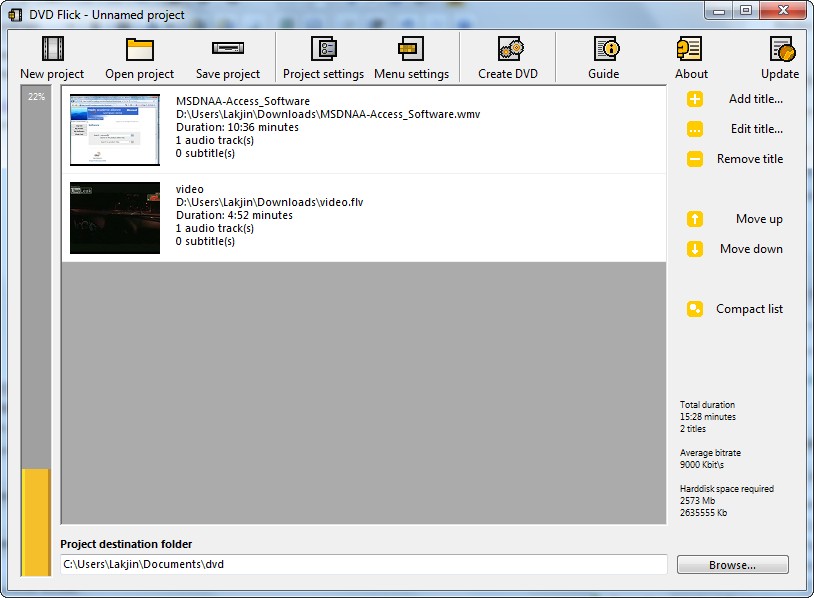
DVDFlick is an excellent open source DVD authoring utility. It is extremely easy to use, featured filled, and effective. With DVDFlick you can author a DVD with many different video formats (i.e. these all are supported input video formats):
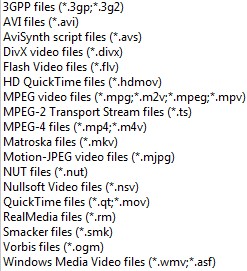
In total, 45+ video formats, 60+ video codecs, and 40+ audio codecs are supported as per the developer.
You can select just one video to add or you can add multiple videos. All videos added into one project will be turned into the same DVD.
To your DVD you can add custom subtitles…
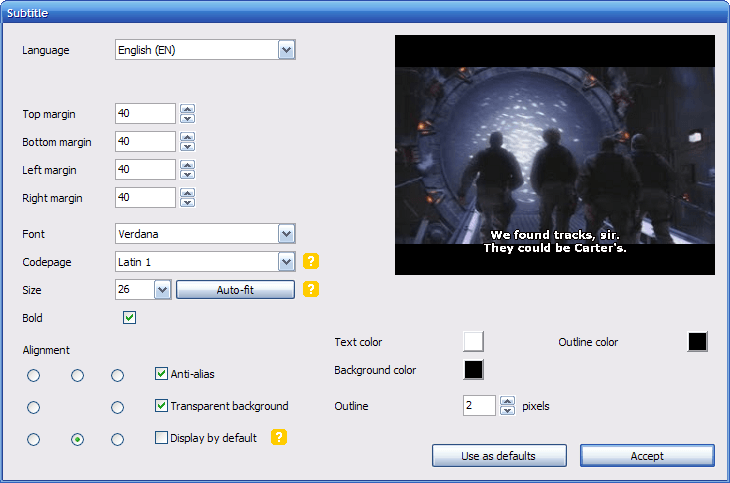
Screenshot by the developer.
…custom sound tracks…
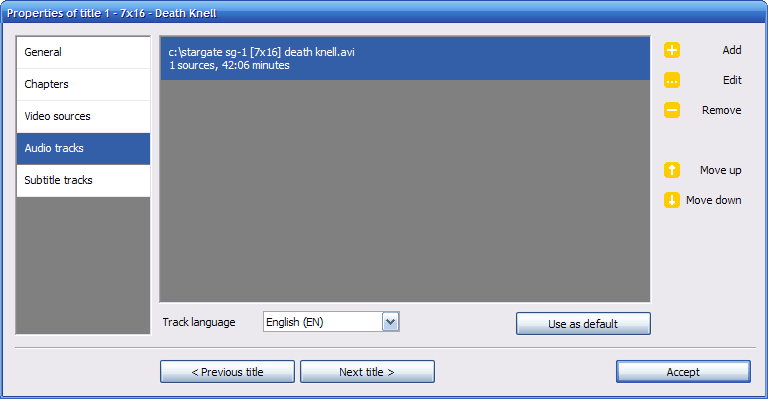
Screenshot by the developer.
…and custom DVD title menus:
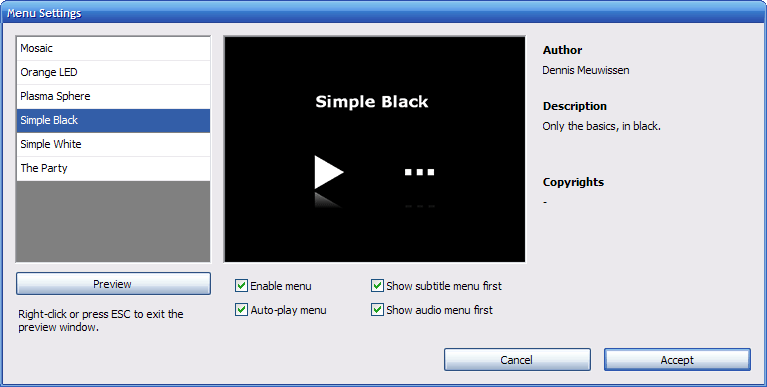
Screenshot by the developer.
Additionally you have the ability to change various settings including, but not limited to, DVD format (NTSC, PAL, etc.), aspect ratios, and when/if to create custom chapters. When all is set and done, you can burn your movie directly onto a DVD or save it as an .ISO for burning at a later time (or both):
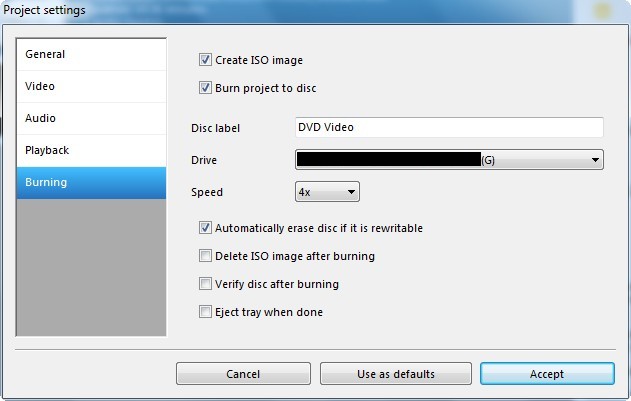
If you are confused on how to use DVDFlick the developer has even written up an extremely useful how-to guide on DVDFlick explaining topics like how to create a simple DVD, add subtitles, add audio tracks, or add a DVD title menu.
I have been using DVDFlick for something like 2 years now a nd I absolutely love this program. It is my go-to program for authoring DVDs. For anyone that needs an excellent DVD authoring program, I highly recommend DVDFlick. There are, however, two things I would like to point out about the usage of this program:
- Take note these are two different “places” to edit “settings” within DVDFlick. One is “Project Settings” where there are settings concerning the whole DVD such as DVD format (NTSC, PAL, etc.). The other one is when you select one of the titles/videos you added and click on “Edit Title…”. The settings under “Edit Title…” are specific to that title only. You will find things like adding subtitles, sound tracks, and aspect ratios there.
- The DVD title menus are kind of limited (there are only 6 template choices by default). However, thankfully, the DVDFlick community have created custom templates you can download from here. Once you download the template you want, just put it in its own subfolder in the “templates” folder in the “DVDFlick” folder under “Program Files”. For most of us this will be C:\Program Files\DVD Flick\templates. If you are a talented artist, you may also create your own by following the directions here.
- In my experience DVDFlick can be a bit slow. In the past it has taken me 1-2 hours to create a DVD (from the start of adding titles to the finish of burning it onto a DVD). However considering the type of work DVDFlick does, it is sort of given that it will take a while.
You may download DVDFlick from the following link:
Version Reviewed: 1.3.0.7
Supported OS: Windows 2000 (Pro only)/XP/Vista/Win7
DVDFlick download page [direct download]




