
 Email article
I am sure most of you have seen the videos that I have begun to incorporate in some of my reviews; for those videos I used a video capture tool called Debut. For the longest time Debut has been my favorite video capture tool – it is simple to use and gets the job done. However recently I was introduced to a different software called BB FlashBack. BB FlashBack is a professional video capture/screen recording tool like Debut; however I found BB FlashBack to be very nice and it is quickly replacing Debut as my video capture tool of choice. So I thought I should share the wealth. :D
A little background before I delve into why I find BB FlashBack to be a very nice video capture tool: BB FlashBack comes in three versions – Express, Standard and Pro. Express is the free version, Standard costs $89 and Pro costs $225. True BB FlashBack Express is a bit stripped down when compared to Standard or Pro but it still has very nice features and is extremely easy to use. The version that is the topic of this post is Express.
So why exactly have I taken a liking to BB FlashBack Express? Because with BB FlashBack Express you can:
- Record a video by capturing the whole screen, choose a specific window or select a custom region with a rectangle tool (if you have multiple monitors BB FlashBack should detect them and allow you to choose which monitor to record).
- Record your webcam while recording your screen/specific window/custom region and embed the webcam recording into your video.
- Choose to either not record sound, record sound from your microphone, or record sound from your sound card (the sound you would hear from your speakers). You also have the option of recording both sound from your mic and sound from your speakers.
- Set a “mouse marker” so people viewing your video can follow your mouse and know when you click with your mouse.
- Temporarily hide your desktop icons (they return after you are done recording).
- Temporarily change your desktop wallpaper to a simple black (it changes back after you are done recording).
- Export your video as either a FLV, SWF or AVI video.
- Export only a specific range of frames.
- Upload your video directly onto YouTube.com, Blip.tv, Coggno.com, Revver.com, Viddler.com, an FTP server or a location on your LAN.
- Save an individual frame of a video as a BMP image file.
- Assign hotkey to start recording, stop recording, pause recording and a few other things.
Here is a quick video created by the developer to demonstrate how to record videos with BB FlashBack:
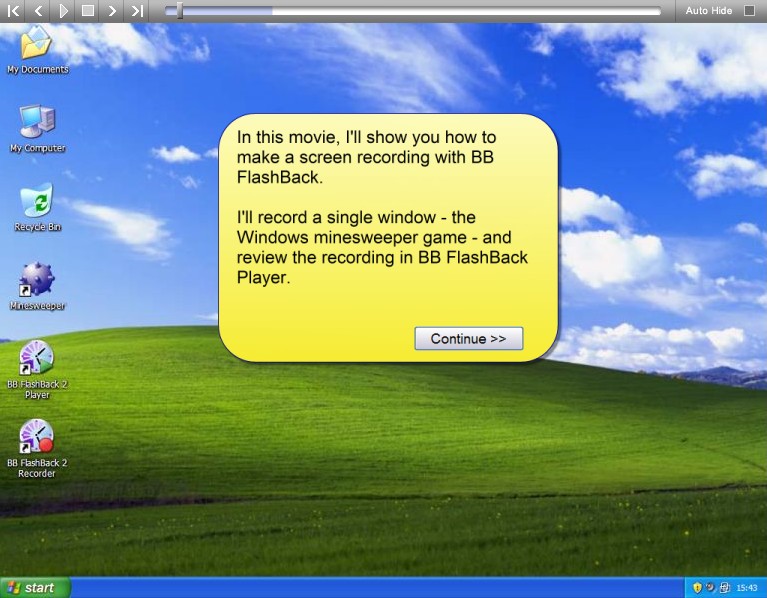
To view the video click above. If you have JavaScript disabled you will not be able to view the video by clicking above so instead click here.
The video is actually of BB FlashBack Professional so towards the end of the tutorial you will see it mention how you can “edit videos” with BB FlashBack. In the Express version the video editing features are disabled so ignore the part of the video that talks about video editing; everything before the part where the video editing is mentioned still applies though.
In Express after you record a video and open it in BB FlashBack Player you won’t be able to edit a video but you can:
- View/playback the video.
- Export the video as FLV, SWF or AVI (“File” -> “Export”).
- When exporting, you can choose to omit frames from your video. For example, if the last 20 frames of your video were garbage (i.e. not related to the content of your video), you can choose to omit the last 20 frames of your video when you export it.
- Upload the video onto YouTube.com, Blip.tv, Coggno.com, Revver.com, Viddler.com, an FTP server or a location on your LAN (“File” -> “Upload”).
- Save an individual frame of a video as a BMP image file (“File” -> “Save Frame…”).
- Enable/disable the mouse marker (“Effects” -> “Highlight cursor”).
- If you set it to record your webcam you can move around the webcam recording (click + drag) or remove the webcam recording (double click on the webcam video).
Overall, all things considered, BB FlashBack Express is an excellent video capturing software. Yes it has a few annoyances…
- Only being able to export as FLV, SWF or AVI videos (use FormatFactory if you need to convert the videos to any other format).
- Having to register to attain a license key (registration is free).
- By default BB FlashBack Express is set to “send back anonymous statistics” to the developer. I turned it off (you can leave it on if you want but just be aware this is happening). You can turn it off by opening BB FlashBack Player, going to “Tools” -> “Player Options” -> “Update”. Uncheck “Help us improve…”.
…But it is still a great free video capture tool. If you agree with me you can download BB FlashBack Express from the following links:
Version reviewed: v2.6.0 Build 1103

Supported OS: Windows 2000 and higher
Thanks Junn!




