Windows 8 lock screen »
[Windows 8] How to customize the clock on Lock screen
With the goal of being a hybrid desktop-mobile operating system, Windows 8 contains many elements that are in smartphones. Windows 8’s Lock screen is one of them. You may already know how to customize the Lock screen with your own background and know to manage notifications in the Lock screen. [...]
Read More »[Windows 8] How to disable the Lock screen
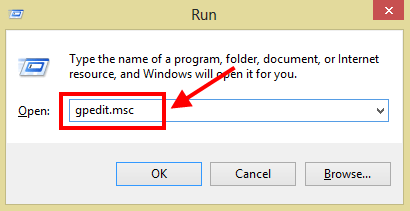
As you already known, Windows 8 brings a ton of new features. One of them is the Lock Screen — much like what is found on mobile devices. Just like Windows Phone, Lock screen in Windows 8 is filled with a photo, a clock, and app notifications. However, while such [...]
Read More »[Windows 8] How to change Lock screen background and how to add app notifications on Lock screen [Guide]
Start screen and Lock screen are two new big things in Windows 8. As you already know, Start screen is the place of live tiles and other desktop app icons; it plays the role that Start menu did in previous Windows versions. In addition, the new operation system has Lock [...]
Read More »


![[Windows 8] How to customize the clock on Lock screen](http://cdn.dottech.org/media/2013/03/0304-11-288x160.png)
![[Windows 8] How to disable the Lock screen](http://cdn.dottech.org/media/2012/11/2012-11-20_002400-290x160.png)
![[Windows 8] How to change Lock screen background and how to add app notifications on Lock screen [Guide]](http://cdn.dottech.org/media/2012/11/1111-1.1-290x160.png)