
 Email article
I remember long ago, in my Linux phase, I used to mess up my Windows partition about twice a day (don’t ask me how… it just happened). Back then, I discovered Testdisk and used it to recover/boot my Windows partition when I had problems (it was usually very successful). Since then I have moved on from Linux and forgotten all about Testdisk; yet the lingering memory of the program still remained in my memory and whenever I wanted to write about Testdisk, I just couldn’t think of the darn name. Well, recently a couple of people have been recommending I check out PhotoRec, and in the process I rediscovered Testdisk. Turns out Testdisk and PhotoRec are companion programs that are from the same developer, come in the same download, and both are probably the most powerful programs in their specific class.
Testdisk
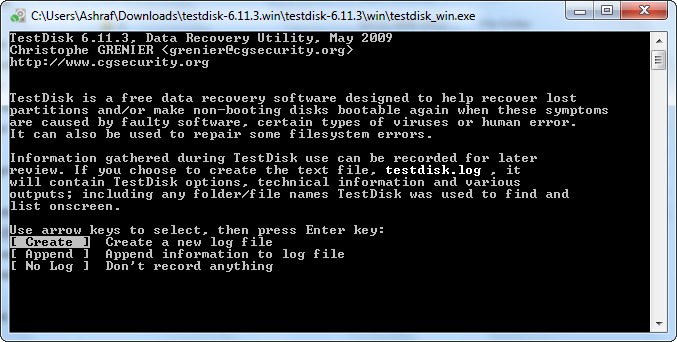
Testdisk is an open source, command line utility designed to help you either recover deleted partitions, or to boot non-bootable partitions. TestDisk can
- Fix partition table, recover deleted partition
- Recover FAT32 boot sector from its backup
- Rebuild FAT12/FAT16/FAT32 boot sector
- Fix FAT tables
- Rebuild NTFS boot sector
- Recover NTFS boot sector from its backup
- Fix MFT using MFT mirror
- Locate ext2/ext3 Backup SuperBlock
- Undelete files from FAT, NTFS and ext2 filesystem
- Copy files from deleted FAT, NTFS and ext2/ext3 partitions.
The great thing about Testdisk is it actually works; it finds undeleted partition at a much higher recovery rate than any other partition recovery software I used yet (note, however, you will need to do the “dig deeper” option to find more partitions; the normal scan is not the best). The downside, obviously, to Testdisk is it is a command line utility with no GUI (Graphical User Interface). Well, to say it is command line is a lie; you actually do not have to physically type in any commands to use Testdisk. Rather you just select the options from the menu it gives you…

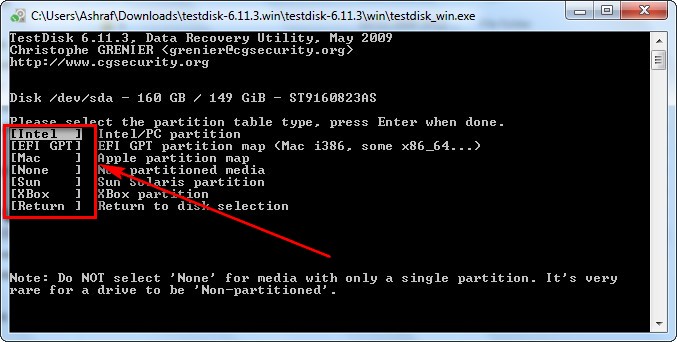


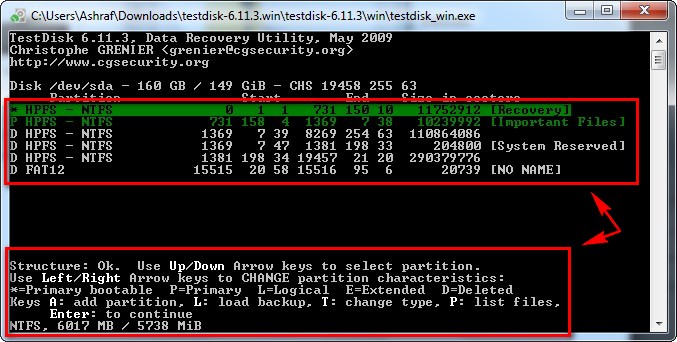
…and so on, so forth. Testdisk is actually very easy, and well worth the effort put into learning how to use it, so don’t let the lack of a GUI deter you.
Of course partition recovery and boot fixing is something better done outside of Windows rather than inside Windows, so there are ways to run Testdisk from a bootable CD; or you can always download a live CD which comes with Testdisk on it.
PhotoRec
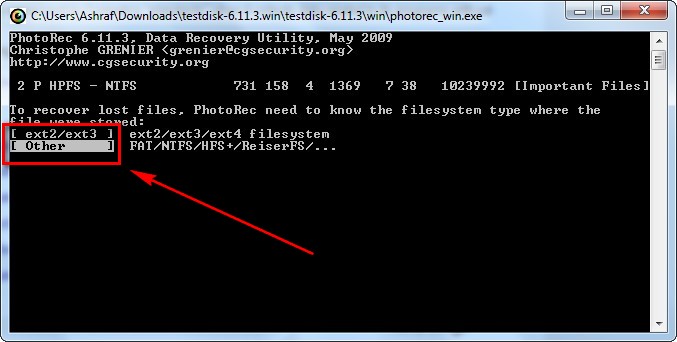
PhotoRec is going to be of more interest to more people than Testdisk. PhotoRec is a software that specializes in data recovery, as opposed to partition recovery of Testdisk. PhotoRec works on hard drives, CDs, external media (memory cards, USB/flash drives, etc.). While PhotoRec also lacks a GUI, just like Testdisk, it is also fairly easy to use if you look past the big, bad, command prompt:



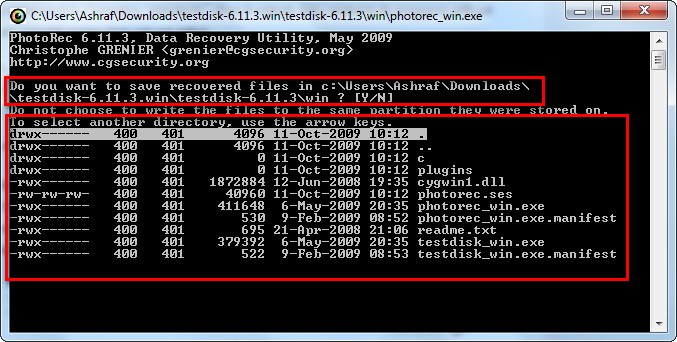
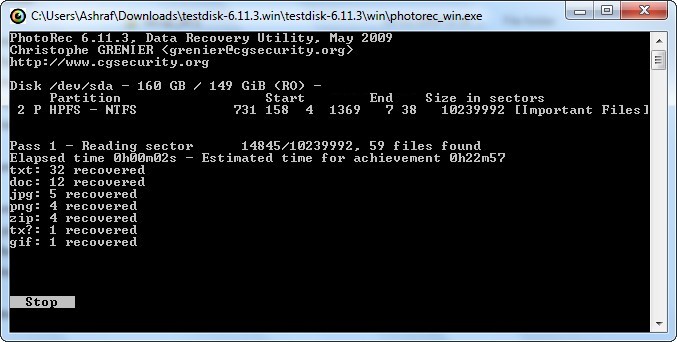
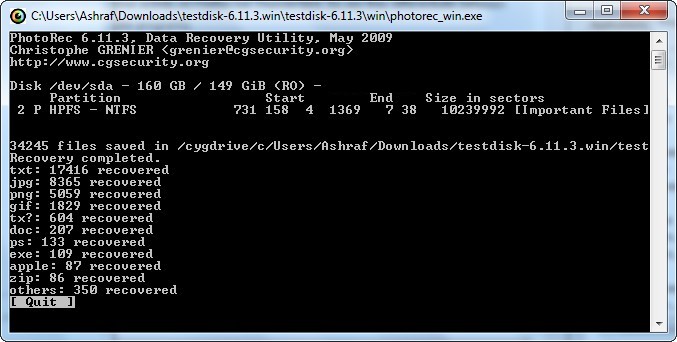
While PhotoRec is not the fastest data recovery program I have used (it is also not that slow; it took just over 12 minutes to recover data from a ~5GB partition), the recovery rate of PhotoRec is the best I have ever seen. It successfully recovered thousands of files for me (yes, it is even more powerful than DiskDigger) – and it recovers many, many different types of files, including by not limited to images, movies, documents, and executables.
One of the big reasons why PhotoRec has such as great recovery rate is it ignores the file system of the partition you are scanning; on the other hand the problem with ignoring the file system is it does not recover file names for you. Another problem with PhotoRec is it is an all or nothing; it does not allow you to pick and chose which files you want to recover – it recovers them all (even malware files so be careful). You can, though, mitigate how many files PhotoRec recovers by designating PhotoRec to only look for files of a specific format:
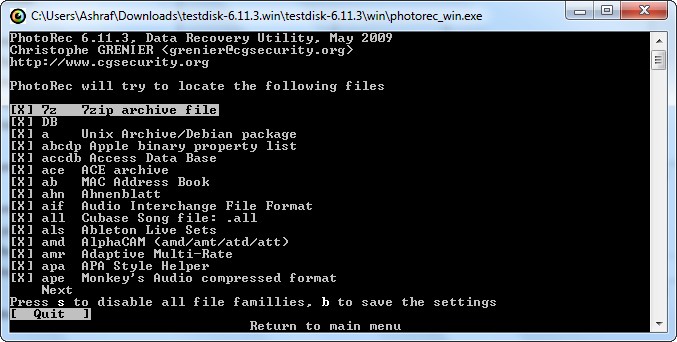
Since PhotoRec recovers all files instead of allowing you to select only certain ones, PhotoRec is not for every day usage. Rather, it is for “doomsday” when you have a critical technical malfunction, lose everything, and need to recover extremely important data.
Take note Testdisk & PhotoRec come as one download and to run them you need to look in the “win” folder that you unzip the .ZIP you download.
Overall, I highly recommend Testdisk & PhotoRec to anyone that can make use of the services they provide. Both are definitely one of the best you will ever find in their class; and since they are both free, you have nothing to lose and everything to gain by giving them a try [when you need them]. You can download Testdisk & PhotoRec from the following links:
Version reviewed: 6.11.3
Supported OS:
- DOS/Win9x
- Windows
- Linux
- FreeBSD, NetBSD, OpenBSD
- SunOS
- MacOS
Testdisk & PhotoRec homepage [direct download (for Windows version)]




