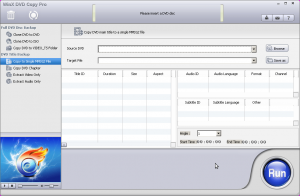
Software Description
It’s something everybody does, and it’s something everybody gets annoyed by: lost or broken DVDs. However, there are pieces of software written to back up DVDs so this doesn’t matter, such as Digiarty’s WinX DVD Copy Pro:
WinX DVD Copy Pro is designed to bring you all-new DVD backup experience. This up-to-date DVD copy software can help you decrypt & backup DVD to DVD disc, DVD to ISO, as well as copy DVD to single MPEG2 file with original video tracks and original surround AC3 audio.
Without the need of packing with any third party DVD decrypter, WinX DVD Copy Pro has unlimited access to all protected DVDs. It faultlessly removes DVD region code, CSS Encryption, UOPs, and even the most complicated Disney X-project DRM. Furthermore, it has the power to copy and recover severely scratched DVDs and support Sony ARccOS bad sector. In a word, WinX DVD Copy Pro is your ultimate all-in-one DVD Copy software.
dotTech Advice
dotTech has never reviewed WinX DVD Copy Pro, but Ashraf has reviewed other WinX DVD software such as WinX DVD Ripper Premium. His overall feeling about WinX’s DVD Ripper was that it was an excellent product and gave it a “two thumbs up and highly recommended”.
Freebie Details
Version being given out for free: v3.4.5
Free updates: unknown
Supported OS: Windows 98+
Download size: 13.2MB
Giveaway time frame: ends May 10th
Reinstalls: before May 10th
Instructions
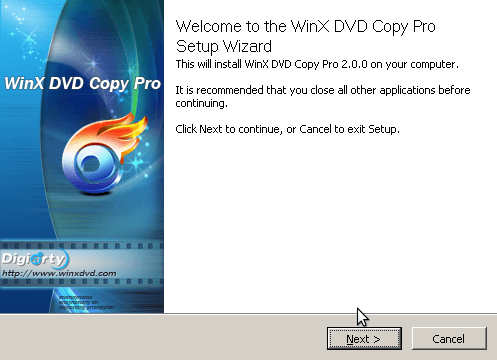
To get started, download and install WinX DVD Copy Pro from the official giveaway page.
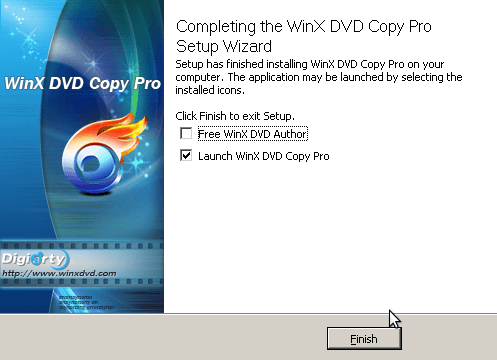
Be sure to uncheck the WinX DVD Author box at the end of the installation:
After launching WinX DVD Copy Pro, it will ask you to register with the included license key:
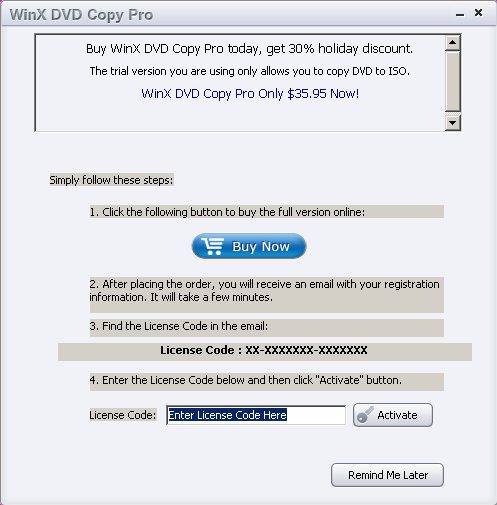
To find this license key, just go back to the giveaway page.
After registering, the program will start.
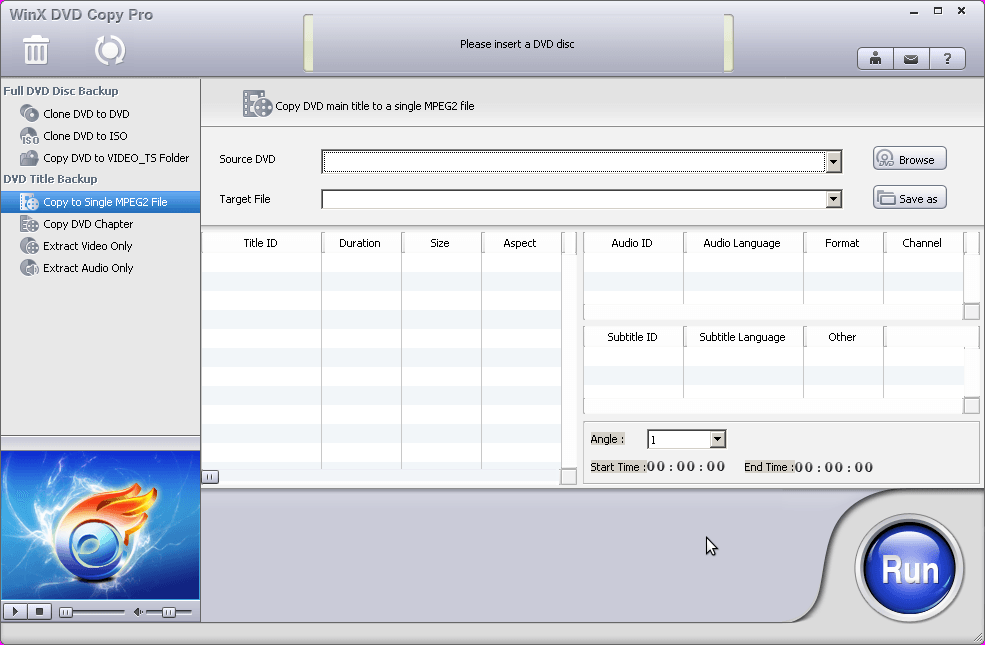
You can now back up and copy your favorite DVDs!
[via Techno360.in]
20 Comments »
Leave A Response »


Email article
![[Windows] Minimize and lock open windows to prevent unauthorized access with WinLock](http://cdn.dottech.org/media/2013/05/WinLock-UI-134x90.png)
![How to bring back the classic drop-down menu in Office 2007, 2010, and 2013 on Windows [Tip]](http://cdn.dottech.org/media/2013/05/ubit-134x90.jpg)

![Another Windows 8 fail [Image]](http://cdn.dottech.org/media/2013/05/windows_8_fail_another-134x90.jpg)
had ripper form last giveaway but did install this one to try. make sure no spaces on lic to activate.
thanks.
D/L and installed on Win7. License code was recognized and registration “successful”, but confirmation/dialog/sales/upgrade screen would not close and still displayed “Trial version”. App main screen would not close, 7: “not responding”
A great product. I believe the previous version was 3.0.0. This giveaway is for version 3.4.5.
No Problems on Win 7 64
Have grabbed it already.
Thanks Locutus and Digiarty…
Love your work
B
it won’t register
it says incorrect license code although on their page they give this licence code
BR-VVEIVZJS-BZFULL
i run vista home
have a nice day
It appears that registration was automatic.
Thanks Locutus! I had an old version, this is much more modern.
BTW, did you see this on the official giveaway page: “PS: Digiarty will give away WinX DVD Ripper Platinum as Summer gift from May.10 to May.20, 2012. Stay tuned!” ??
@jayesstee: I didn’t see that, thanks for noticing!
installed on top of version 3.4.3 and it automatically registered itself and says it’s a fully licensed copy, so I didn’t even have to use the new license key provided with this giveaway. Thank you, Digiarity.
@Babongo:
Update: Progy is apparently fully functional and registered after system restart.
Why uncheck free WinX DVD Author?
Hello
did try the restart , but still not registered
it still stays unregistered version
tried the register again stil,l says invalid
so it won’t be for me
shame
Have a nice day
2nd Update:
Program hangs when trying to close main window, displays message ” Initializing CD-ROM”. PC would not shut down normally.
Uninstalled.
Win 7 Ultimate 32
@Babongo:
program won’t register
Program won’t register. Message says registration code is incorrect. Will be uninstalling this unfortunately.
Also receive a message when first starting the program that some other registration code is not valid and asking to upgrade for a fee.
IT TURNS OUT THAT THE REGISTRATION CODE MUST BE TYPED IN, NOT COPIED AND PASTED!!
Same here. Can’t register because old registration number is invalid (even though I don’t have an old version of this software on my computer). Any fix for this?
I had the same results as Babongo above, plus disruption of a few other programs and loss of a few unrelated settings. Tried twice.
XP SP3
Anybody have a valid registration code for this software? My still will not register properly.
@cliffhanger_mt:
type the code in manually