The best free file backup software: GFI Backup Home Edition
August 13, 2011 87
Email article | Print article
In my article on FBackup I just ranted about how I am obsessed with Titan Backup. Well let me tell you my affair with Titan Backup is over; we are done – I broke up. I found myself a new love which comes in the name of GFI Backup Home Edition:
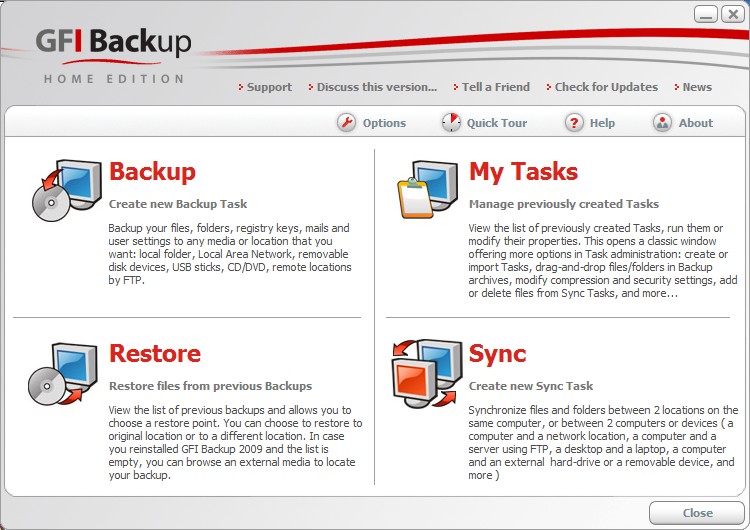
Does the interface for GFI Backup look familiar? Oh yes… now I remember: it looks just like Titan Backup! GFI Backup is literally the same thing as Titan Backup (Titan Backup is the predecessor of GFI Backup) with one difference: GFI Backup Home Edition is now free for home users. So instead of downloading old, outdated versions of Titan Backup, you can use new, free versions of GFI Backup.
To give you a run down of why I say GFI Backup is the best free file backup software, here is what GFI Backup has/can do:
- Nice clean, easy to use interface
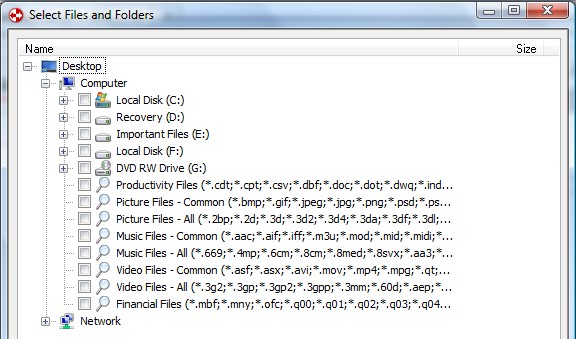
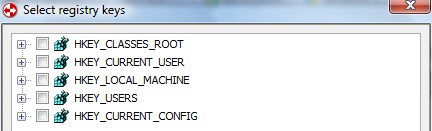
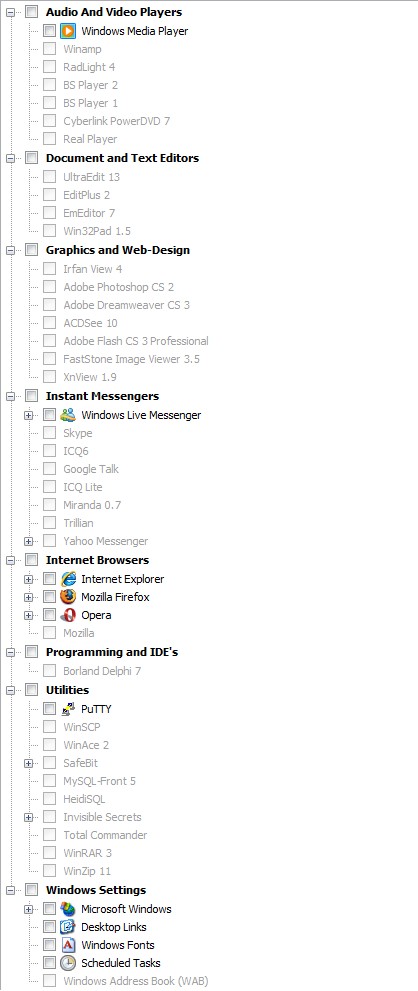
- Backup registry and files/folders (including backup specific program data via pre-installed plugins)
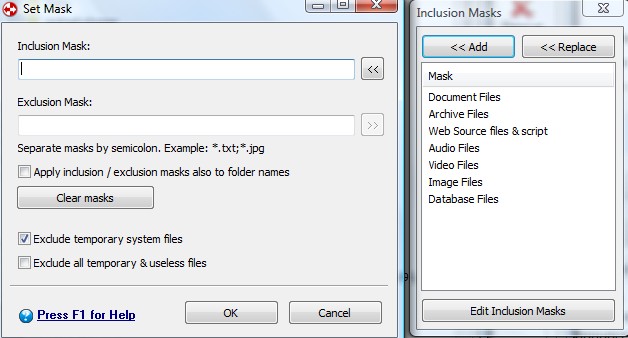
- Apply filters or “masks” to your backup jobs to include/exclude specific files types
- Ability to backup files that are currently in use (via VSS)
- Backup to a local folder, external hard drive, network folder, portable device, CD/DVD or over FTP
- Create incremental, differential or stacked backups, compress your backups (ZIP64), and protect your backups with .ZIP level password protection or AES 256 encryption
- Automatically do backups with the “scheduler” including at Windows shutdown or boot
- Run a task before the backup, after the backup and shutdown/log off/sleep/hibernate computer after backup has finished
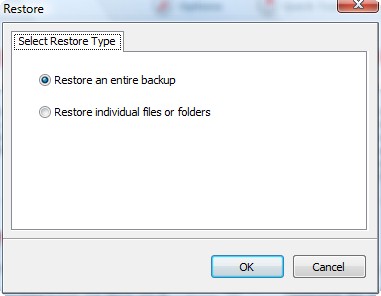
- Restore full backup or individual files/folders
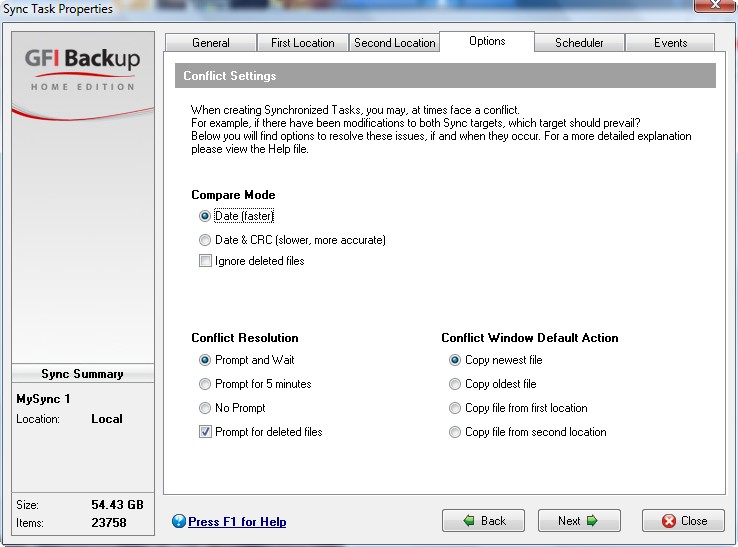
- Sync the files and folders between two locations (two local locations or one local and one external such as network folder, USB, FTP, etc.)
- Ability to run GFI Backup as a service
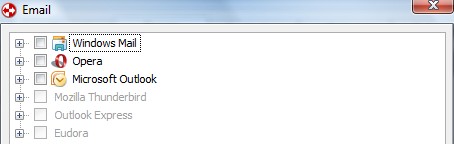
Pretty impressive features for a free program huh? Nothing more I can ask for in a file backup program except maybe the ability to backup email from online email services (such as Gmail or Hotmail) and an open platform for plugin development. Forget Titan Backup and forget FBackup (unless of course FBackup has a plugin that GFI Backup does not) – time to get GFI Backup.
The only downside to GFI Backup is that you must fill out a short form (first name, last name and email address) in order to download it. No biggie though - if you feel too violated of your privacy you can enter fake names and email addresses because you will get a download link directly on your screen after you submit your info. However consider using real information (at least real email) so you can avoid having to register every time you want to download from GFI. You can grab GFI Backup Home Edition from the following link:
***GFI Backup Home Edition System Requirements:
- Intel Pentium III processor or above
- 256 MB RAM (512 MB RAM recommended)
- 8 MB free hard drive space
- Windows XP Home, Windows XP Professional SP2, SP3 (x86 and the x64 versions) and all editions of Windows Vista except for Vista Starter (x86 and the x64 versions)
While officially Windows 7 is not supported, people have reported it is working just fine in Win7.







@Zaman:
You can’t. GFI Backup requires that the account you’re trying to install it from have a password. So if you don’t have a password-protected account and aren’t willing to create one, don’t waste your time downloading GFI Backup.
I am not a computer expert so this may be a dumb question. Using GFI Backup, can I backup
my entire hard drive “C”, including all installed software, to a DVD disc? Thanks for any reply.
@Gary:
See my post 67 (the bottom part of that post)
You are better off using software that creates an image of your hard drive (or partition), such as the free Seagate DiscWizard.
The image will include everything, so when restored to a drive, everything will be exactly the same as the original drive was, at the time you created the image.
Run it from a bootable CD, and store your image on an external drive.
I have tried creating images to DVD’s, with little success.
And since your image would be important to you, why risk saving them to DVDs ?
And if you are really nervous, have two docks, and alternate your images into each dock.
In fact I have three PCs, and I do what I just recommended (alternate into two docks), for each PC.
@Rob (Down Under):
Rob,
Thanks for the information. This will be a great help.
Gary
The version comparison table at GFI.com shows the freeware as not supporting backing up of locked files. Is this an instance of negative feature creep or can it still do that?
I have been using Genie free but it’s not been trouble-free, “forgetting” settings. I’ll look at this one. I’m looking to backup only specific things (e.g. outlook pst). I also use autover and love it for versioning of certain files.
GFI BackUp 2011 – Freeware Edition does look good, although I haven’t tried it yet. It also supports something I didn’t notice in your review or others’ comments (although I may have overlooked it) — “Restore your data in minutes using common ZIP format”. That is important to me as it allows the possibility of restoring files even without the program.
The other feature that is important, and which I could not find mentioned in the review, comments, or GRI’s website, is the ability to run this as a portable app, or at least create a bootable CD.
Have you looked yet at Ascomp’s “Backup Maker”, Gizmo’s top choice for a free backup program (http://www.techsupportalert.com/best-free-backup-program)? I’ve only just begun to test, but it seems similar to GFI BackUp in some features. It also seems unable to be run portably.
Hey Ashraf!
Just a short note to inform you and your readers that they are right now given away for FREE a great backup & recovery professional tool called “Farstone Total Recovery Express V 7.0 (hurry up ==> time limited offer).
http://www.farstone.com/software/totalrecovery-express.php
Grab FREE SERIAL here till you can and enjoy:
http://www.novate.com.my/Farstonepromo.php
If you miss it, give PARAGON RESCUE KIT 11.0 a try, which worked great for me as well to recover a deleted partition of my HD:
http://www.softpedia.com/get/System/Back-Up-and-Recovery/Paragon-Rescue-Kit-Express.shtml
@Giovanni:
Thank you :)
I saw your reference to the Farstone on GOTD site and grab it w/serial #. Was just wondering if I needed to activate and register it or is activation enough? Also, is it a lifetime license? Could not find that info.
@Sunny:
I only do fresh backups after experiencing with most backup software over the years ,that has incremental backup functions ,missing data.
@Rob (Down Under):
The problem with doing this is,that if your computer drive is any way corrupt,the image will be corrupt.
Thanks for sharing this great information aboutfile to backup.
This definitely looks worthwhile! I couldn’t find the price though. I understand it’s a free trial, but what’s the paid version price? Also, what do you guys think about MyPCBackup? The features are here: http://freebackupsoftwares.com/free-backup-software-top-pick/