
 Email article
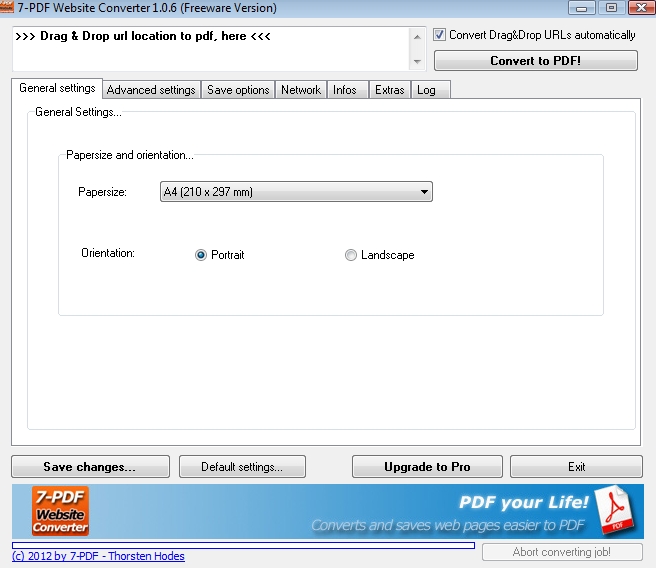 Have you ever wanted to convert a website into a PDF file? Well, there are programs out there that can do that, but unfortunately they don’t always work so great. Sometimes part of the website will be cut off, and it seems like you are left with very little control. 7-PDF Website Converter promises to correct those problems.
WHAT IS IT AND WHAT DOES IT DO
Main Functionality
7-PDF Website Converter is a PDF tool that is able to convert website layouts into PDF files. The output file is clean and in one piece. The whole point behind the program is to make creating a “web” PDF a whole lot easier.
Pros
- Allows you to quickly create a PDF from a website
- Does not change the website’s layout when converting to PDF format
- Offers a printing option for whole websites (referred to as e-book mode)
- Auto creates a table of contents from web content
- Auto creates page numbers and headers with web addresses
- Preserves links
- Although I reviewed the normal app, there is a portable app available on their website
Cons
- Pro version available, and thus not all features are available in the free version
- Doesn’t seem to work 100% of the time
Discussion
 There are a number of PDF tools out there that can transform websites into PDF files. However, a number of the ones I have used in the past have done a poor job of this task. The websites come out in pieces, sometimes with parts cut off, and normally in a completely different format than what I saw online. So when 7-PDF Website Converter told me that I would never have to worry about this again, I was interested to say the least.
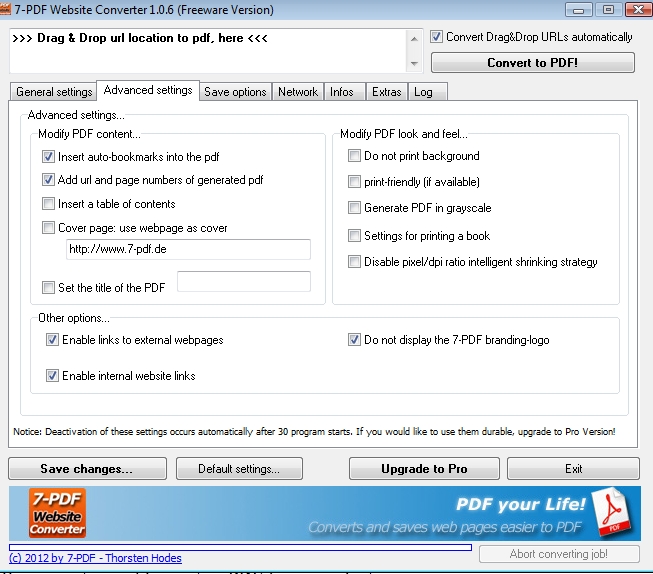
First, let’s cover a few features of 7-PDF Website Converter. The program gives you the ability to preserve the look of a website in a PDF format. Usually, it is able to retain the layout of the website. I say usually because there were a few sites that did not translate so well into PDF format (despite the claims of the program). However, this didn’t happen often and was almost forgivable given the “odd” layout of some of the sites I tested it on.
The program is also able to automatically make a table of contents from the web content. This was a neat little feature that may save you a bit of time. 7-PDF Website Converter also allows for clickable PDF links from website links and website navigation. That being said, the free version does have a limit to how many links you can create. That is something that you should keep in mind.
I would also like to point out that there is a portable version of this program available on the website listed below. I chose to try out the non-portable version, but for those of you who don’t like installing things, feel free to try out the portable version. I assume that both of these work pretty similar, but I could be wrong, as I didn’t get a chance to try that program.
CONCLUSION AND DOWNLOAD LINK
Overall, if you are looking to turn a website into a PDF file, I recommend giving 7-PDF Website Converter a try. Yes, there are other programs out there that can do the same thing, but if you’re looking for an alternative program, this one will get you by.
Price: Free (Pro version available)
Version reviewed: 1.0.6
Supported OS: Windows 2000 / XP / Vista / 7
Download size: 1.23MB
VirusTotal malware scan results: 0/44
Is it portable? Yes, has a portable version
7-PDF Website Converter homepage




