
 Email article
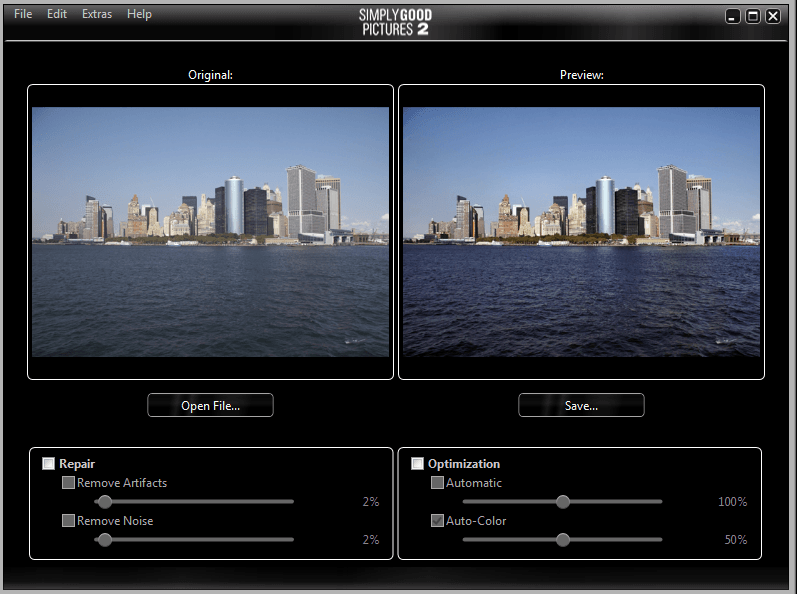 Are you looking for an easy way to touch up your photos? Do you want a program that will do it automatically for you? Well if you said yes, Simply Good Pictures may be a program you are interested in. It will help you optimize your photos with just one click! Let’s see if it is worth your time.
WHAT IS IT AND WHAT DOES IT DO
Main Functionality
Simply Good Pictures is an automatic photo touch up program. You can choose to manually touch up your photos, or you can just click a few buttons and let the program do it for you. It even offers you a side-by-side comparison so you can see all of the changes you are making to your photo.
Pros
- Supports the following file formats as input: JPG/JPEG, BMP, TIF/TIFF, RAW, CRW, ORF, 3FR, NEF, RAF, MRW, NRW, DNG, CR2, ARW, X3F, and RW2
- Photos can be saved as JPG or BMP as output
- Fully automatic system can fix hue control, saturation, white balance, bright and dark corrections, and normal touchups
- Can eliminate undesired colors, artifacts, noise and weather influences in your pictures (like sun glare)
- Offers fully automatic re-sharpening and re-adjustment
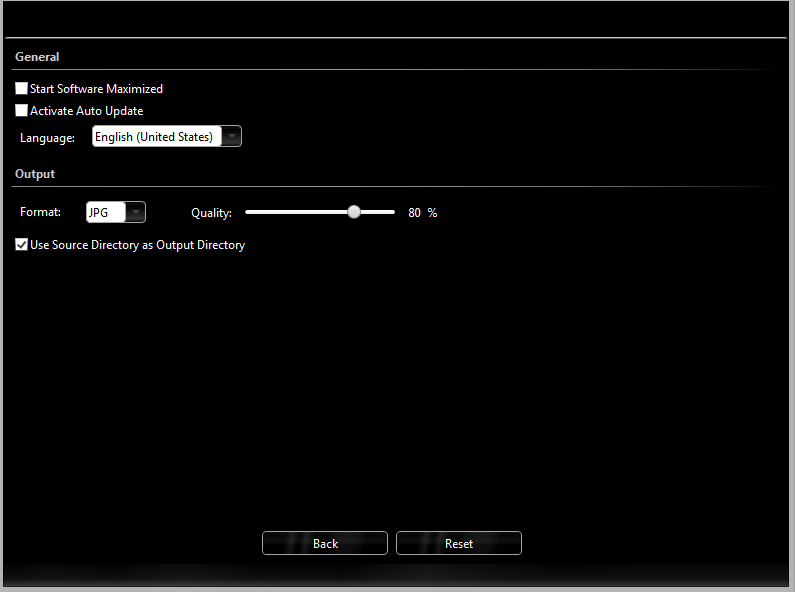
- Users who prefer more control can switch to manual mode
- Offers side-by-side comparisons of before and after, to help you see the differences
Cons
- Nothing new that we have not already seen in other editors — it just automates the process
- Output quality is nothing groundbreakingly special and will highly vary depending on the photo/image you are trying to touch up. Don’t expect Simply Good Pictures to be able to do Photoshop-like photo touchups.
- No batch processing support
Discussion
 Simply Good Pictures is a program I want to like. It really is. I love photo editors that can “automatically” touch up my pictures. However, it has been my experience that auto touchups are never as good as doing it yourself, and Simply Good Pictures is no exception to this rule.
The good news is Simply Good Pictures allows you to manually touch up your own pictures, if you aren’t satisfied with its automatic capabilities. The problem is, once you take away the auto correct, Simply Good Pictures is just a basic photo editor with an unsatisfying price tag of $24.99. Don’t get me wrong, that is not a terrible price in of itself. The problem is there are tons of photo editors out there that do the same thing — many of which are completely free.
The auto correct in the program works “ok” on the perfect type of picture. You see it all the time: companies advertise a program and show it fixing up a picture that looks bad, and it comes out looking great. Usually the picture that they fix up has been taken in a way that this program can fix it near perfectly. They are creating the “perfect storm”, if you will. So what happens when you are trying to fix up your own “real” pictures with Simply Good Pictures? Well, your results will vary from photo to photos but the photos generally come out looking slightly crisper and brighter. The result is “good” for amateur who don’t know how to use an image editor for post-photo processing but you can usually get a better “fix” on your photo if you do it yourself via a photo editor. Most professional and/or hobbyist photographers wouldn’t be happy with using Simply Good Pictures for post-photo processing.
Now, as I said before, Simply Good Pictures does allow you to make fixes yourself — so you you can manually modify its settings if you don’t like what auto correct gives. However, without the auto correct feature, there is no reason to use Simply Good Picture because full-blown image editors offer a lot more control and options.
CONCLUSION AND DOWNLOAD LINK
The attraction to Simply Good Pictures is its automatic photo touchuping capabilities. So my recommendation is along those lines.
If you are an amateur who doesn’t have very much experience in photo touchuping, don’t know how to use a full-blown image editor to do the job, or simply don’t want to spend the time to use a full-blown image editor to touch up your photos, then Simply Good Pictures is a good place to start. As I’ve mentioned multiple times already, Simply Good Picture’s auto correct isn’t perfect (its results will vary highly from photo to photo) but it is good enough for people who don’t have alternatives but still want to touchup their photos. As one person puts it, “Simply Good Pictures 2, an interesting, fully automatic image optimizer for lazy photographers”.
On the flip side, if you don’t fall in the any of the categories I just mentioned, then there is no need to get Simply Good Pictures. The program offers nothing for experienced photographers or people who can and know how to touch up photos with an image editor. And since image editors will give you better results than Simply Good Pictures, the program has little to nothing for you.
As a side but related note, be sure to read dotTech’s review on best free image editors for Windows.
Price: $24.99
Version reviewed: 2.0.13.115
Supported OS: Windows XP / Vista / 7 / 8
Download size: 8.2MB
VirusTotal malware scan results: 0/45
Is it portable? No




