
 Email article
For me booting up the computer is a touchy subject. Not because of the actual turning on the computer, waiting for it to load, blah blah; rather the idea of some idiotic program making itself start up on Windows boot makes my blood boil. How dare some third party no good son of a gun program automatically start up on my computer without my permission. I solved this problem (the start-up program problem – not the anger issues) by using an excellent program called WinPatrol. However as nice WinPatrol is, some people may not want another “security application” constantly running on their computer. Or maybe some people prefer a something more powerful for start-up programs/services control. What ever the case may be, Autoruns is a program well worth checking out:
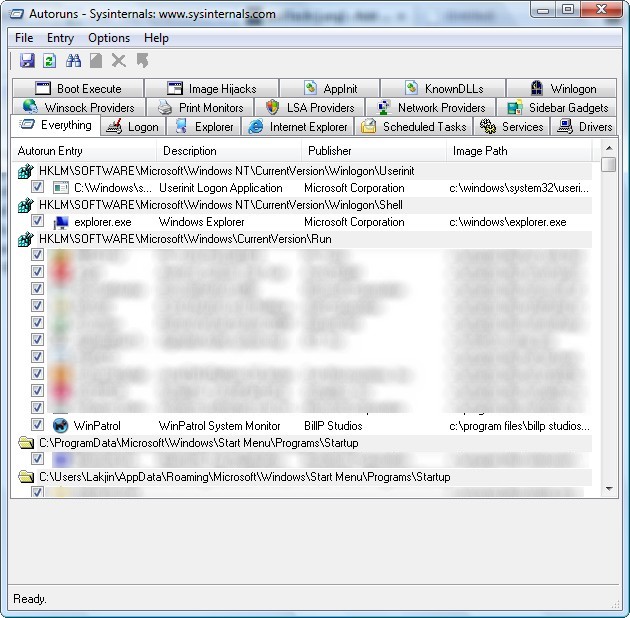
I first learned of Autoruns a while back from a dotTech (back then it was PMnet) reader who posted about it in response to one of my posts. I can’t exactly remember who it was or when he/she posted it or on what post, so I apologize I can’t give proper credit (if this was you and you are reading this right now…feel free to say so). Since then Autoruns has been on my to-talk-about list.
Autoruns is a utility that, as put in the developer’s own words, “has the most comprehensive knowledge of auto-starting locations of any startup monitor”. It shows you “what programs are configured to run during system bootup or login, and shows you the entries in the order Windows processes them”. Autostart locations displayed by Autoruns include “logon entries, Explorer add-ons, Internet Explorer add-ons including Browser Helper Objects (BHOs), Appinit DLLs, image hijacks, boot execute images, Winlogon notification DLLs, Windows Services and Winsock Layered Service Providers”. In more simple and straightforward terms: if it (“it” being anything from a program to a service to a driver) automatically starts up, Autoruns will tell you about it.
My favorite feature of Autoruns is the fact that you can hide Microsoft and/or Windows related auto-run entries (under “Options” – be sure to hit F5 to refresh your list afterwards); thus you can look at just third party start-up programs/services/etc. This can help you minimize the load on your computer during boot (by turning off certain third party things you know you don’t need) and it can help prevent potential problems by hiding Microsoft and/or Windows related processes so you can’t turn them off by accident (this is not to say all Microsoft or Windows related processes are necessary but many of them are and best left alone unless you know what you are doing).
I myself have a personal success story with Autoruns. Looking over all my third party start-up programs/services/etc. I noticie that “FreeOFTE” drivers were loading on boot for me. This reminded me that I forgot to uninstall FreeOFTE after I installed it to test as a free alternative for Abylon CryptDrive. Not the intended use of Autoruns, I know, but hey it helped didn’t it? I am sure I will get more “proper” usage out of Autoruns in the future =).
That all being said, Autoruns is definitely a program that will bombard you with a lot of information. I say check it out and see if you feel comfortable with handling all that. If not you can always revert to more simple start-up program managers like WinPatrol (okay WinPatrol is not more “simple” per say but you get the point).
Lastly, while the developer makes no mention of this, I have concluded Autoruns is a portable program. From the download link that I am about to give you, you will download a .ZIP file. The .ZIP will contain four files: autoruns.chm, autoruns.exe, autorunssc.exe, and Eula.txt. Out of all four, you only need “autoruns.exe” to use Autoruns – it will run by itself. If you would like to use the “Help” section of Autoruns you will also need “autoruns.chm”. Other than that, you don’t need the other two files: autorunssc.exe is for command line while Eula.txt is the licensing information.
Ready to download Autoruns? You can grab Autoruns from the following link:




