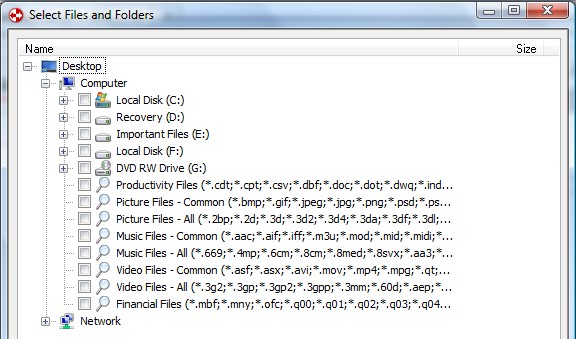
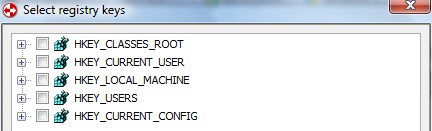
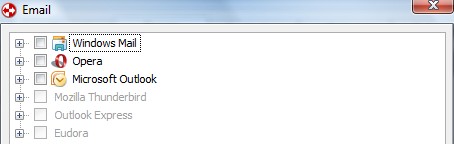
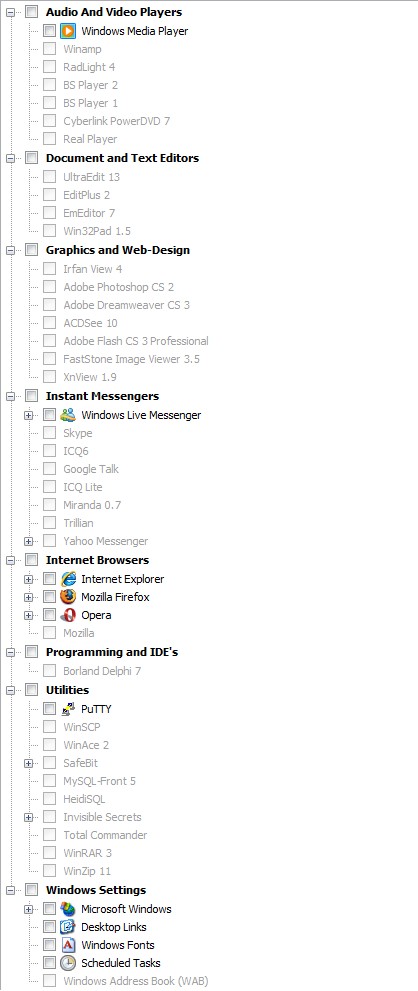
In my article on FBackup I just ranted about how I am obsessed with Titan Backup. Well let me tell you my affair with Titan Backup is over; we are done - I broke up. I found myself a new love which comes in the name of GFI Backup Home Edition:
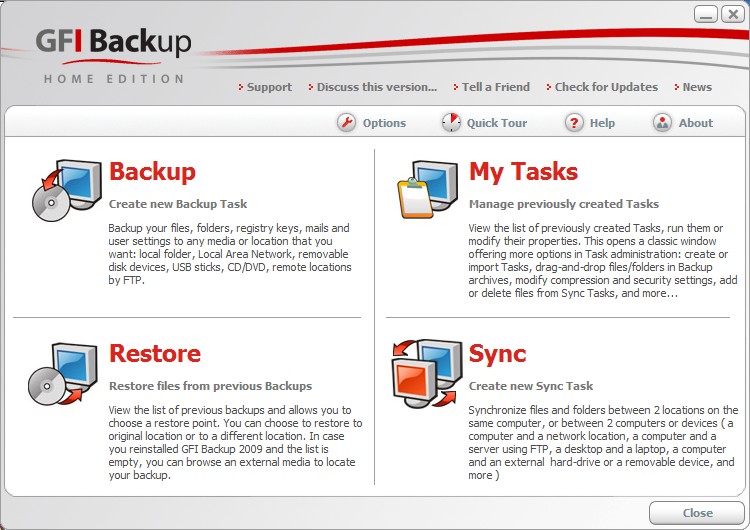
Does the interface for GFI Backup look familiar? Oh yes... now I remember: it looks just like Titan Backup! GFI Backup is literally the same thing as Titan Backup (Titan Backup is the predecessor of GFI Backup) with one difference: GFI Backup Home Edition is now free for home users. So instead of downloading old, outdated versions of Titan Backup, you can use new, free versions of GFI Backup.
To give you a run down of why I say GFI Backup is the best free file backup software, here is what GFI Backup has/can do:
- Nice clean, easy to use interface
- Backup registry and files/folders (including backup specific program data via pre-installed plugins)
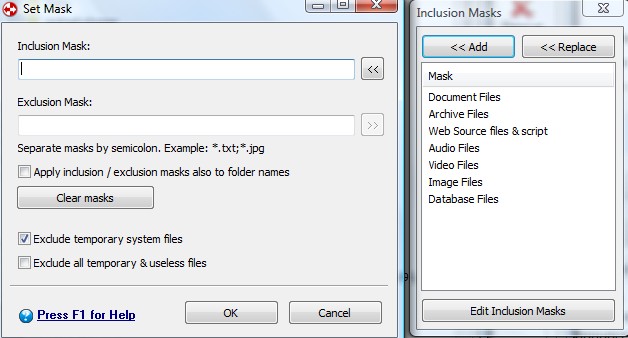
- Apply filters or "masks" to your backup jobs to include/exclude specific files types
- Ability to backup files that are currently in use (via VSS)
- Backup to a local folder, external hard drive, network folder, portable device, CD/DVD or over FTP
- Create incremental, differential or stacked backups, compress your backups (ZIP64), and protect your backups with .ZIP level password protection or AES 256 encryption
- Automatically do backups with the "scheduler" including at Windows shutdown or boot
- Run a task before the backup, after the backup and shutdown/log off/sleep/hibernate computer after backup has finished
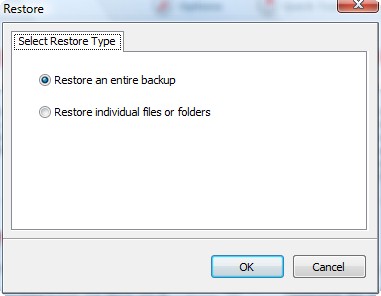
- Restore full backup or individual files/folders
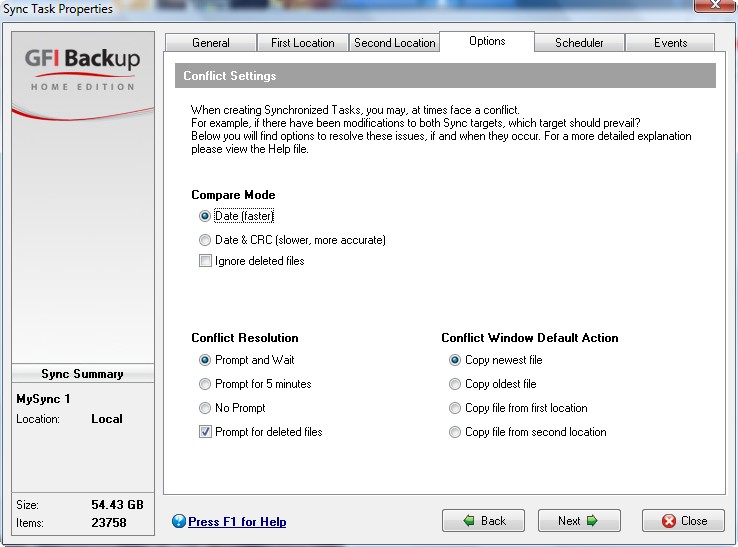
- Sync the files and folders between two locations (two local locations or one local and one external such as network folder, USB, FTP, etc.)
- Ability to run GFI Backup as a service
Pretty impressive features for a free program huh? Nothing more I can ask for in a file backup program except maybe the ability to backup email from online email services (such as Gmail or Hotmail) and an open platform for plugin development. Forget Titan Backup and forget FBackup (unless of course FBackup has a plugin that GFI Backup does not) - time to get GFI Backup.
The only downside to GFI Backup is that you must fill out a short form (first name, last name and email address) in order to download it. No biggie though - if you feel too violated of your privacy you can enter fake names and email addresses because you will get a download link directly on your screen after you submit your info. However consider using real information (at least real email) so you can avoid having to register every time you want to download from GFI. You can grab GFI Backup Home Edition from the following link:
***GFI Backup Home Edition System Requirements:
- Intel Pentium III processor or above
- 256 MB RAM (512 MB RAM recommended)
- 8 MB free hard drive space
- Windows XP Home, Windows XP Professional SP2, SP3 (x86 and the x64 versions) and all editions of Windows Vista except for Vista Starter (x86 and the x64 versions)
While officially Windows 7 is not supported, people have reported it is working just fine in Win7.







Janet
@mukhi:
I think I understood what incremental and differential are…My point was that, strangely enough, that is not what the GFI and TITAN HELP say….:-)….
I have done some homework as well…Get this:
I had a GFI backup of a 1.2GB folder. The source is on ext HD H:\ and the backup is on ext HD I:\….I was pleased to see that this gave me not only the the .gbt backup file, but also a full mirror (so I can se what’s what)….Well, I did an incremental AND differential backup, and GFT told me it was “completed successfully”. Just to be sure, I checked it out on SwiftCompare (my sync prog) and guess what…files were missing!!!! So now I am wondering how far down into subfolders GFI goes, as the missing files were in folders quite a few levels down….
Ashraf: GFI’s HELP also says that incremental backup includes “version control”, but I didn’t see any….Wouldn’t it just be the stacked backups that have version control?
mukhi
@Ashraf:
my source is P and destination is Q. what GFI is doing is that it is making a “mybackup…” folder, inside this, it is making another “mybackup…” folder, inside this, it is creating P folder and copying the contents of the source right there. i don’t want that! since my contents exist in the destination in the P folder (which is inside the 1st “mybackup…” folder, which, in turn, is inside the root), GFI is creating another “extra” copy in the “wrong” place! i tried the other way as well. i put my contents in the destination inside the 2nd “mybackup…” folder and then run GFI. still failure. but titan 1.5 is not doing this mistake.
Ashraf
@mukhi: Ohhhh I see. This may have been a new change made after v1.5. Do you mind reporting this to GFI and see if they can fix it?
mukhi
@Ashraf:
i think i should report. i now remember, i actually went to their forum some time before, and i believe they asked me for a log, but i forgot about this! ok, will do again.
your site is making me switch to free (good) SW from fishy, cracked SW…LOL…i appreciate it!
Janet
I seem to recall that in Titan you had an option not to create the path in the backup but rather just the folder itself, but I can’t find that setting in GFI….
Janetb
Well, it’s a few months later…..I wanted to let readers know that I have verified (from GFI) that GFI Backup doesn’t have UNICODE support and consequently that GFI DOES NOT BACK UP files in foreign languages with non-Latin character sets!!! No backups for files in Hebrew/Arabic/Chinese/Japanese/etc etc.!!!
Sunny
Following on Janet’s first msg, I’ve done tests with various backup software, especially testing for integrity in incremental backup results. I’ve been very disappointed most times to find that backup files are indeed missing in subfolders even though the operation was reported by the software as ‘successful’.
I advise everyone to always run thorough tests on their chosen backup software when using the ‘incremental’ function to make sure that their files have actually been backed up.
I found that the errors got worse with larger backups over 1Gb. So test on something pretty big if you want to use the software for serious backups.
*Errors are unlikely to show up in small-sized tests.
It also pays to regularly run a fresh full backup which will iron out the errors of the unreliable incremental backups.
Best to know up front what your backup software is capable of before investing your faith in it.
Reality Check
This would be IDEAL if it didn’t require you to turn over your email address to them.
Reality Check
You can download GFI Home BAckup 2009 free edition here, without having to register or turn your email over.
http://www.snapfiles.com/get/gfibackup.html
janet
@Sunny:
Which softwares had the problem of incomplete backups? GFI? How on earth can one check each time you do a backup of a large folder with many subfolders??? If you backup My Documents, would you have to open two windows–one with the original and one of the backup and go thru file by file in folder by folder to see if they were all there…?
Spokes
Does this software use the archive bit? If so, and if you have more than one such backup program in use on your computer, your incremental backups could easily miss files.
Ken
GFI is rubbish !! Lost some of my precious data when synching with an external drive.
Ken
I am darn PISS OFF with GFI !!!!