
 Email article
 Update: This promotion is now over. Sorry to those that missed it! To avoid missing promotions in the future, consider subscribing to dotTech: RSS Feed | E-mail | Twitter | Facebook.
Last year dotTech and iSkysoft Studio came together to bring you multiple freebies. Now we are back; and once again we bring you one of iSkysoft Studios’ best products, iSkysoft iMedia Converter!
Software Description
The following is the official list of features for iSkysoft iMedia Converter (created by the developer) followed by a chart listing all the supported input formats, output formats, and electronic devices (also created by the developer):
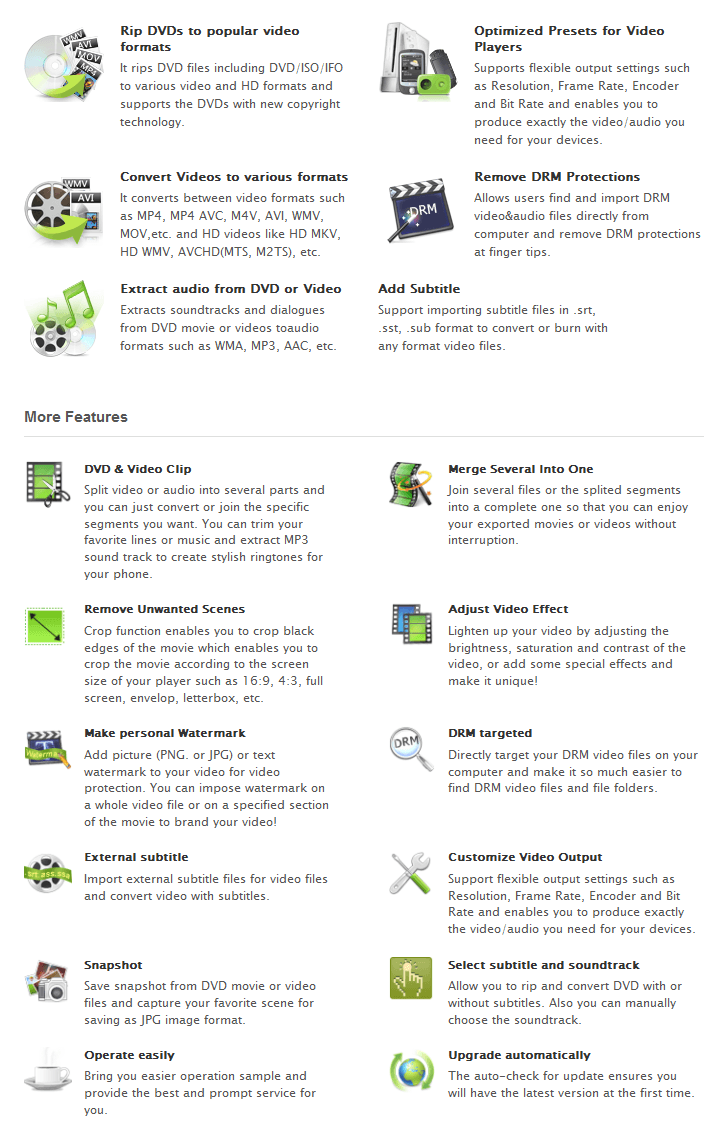
(Click on the image to view list in full size.)
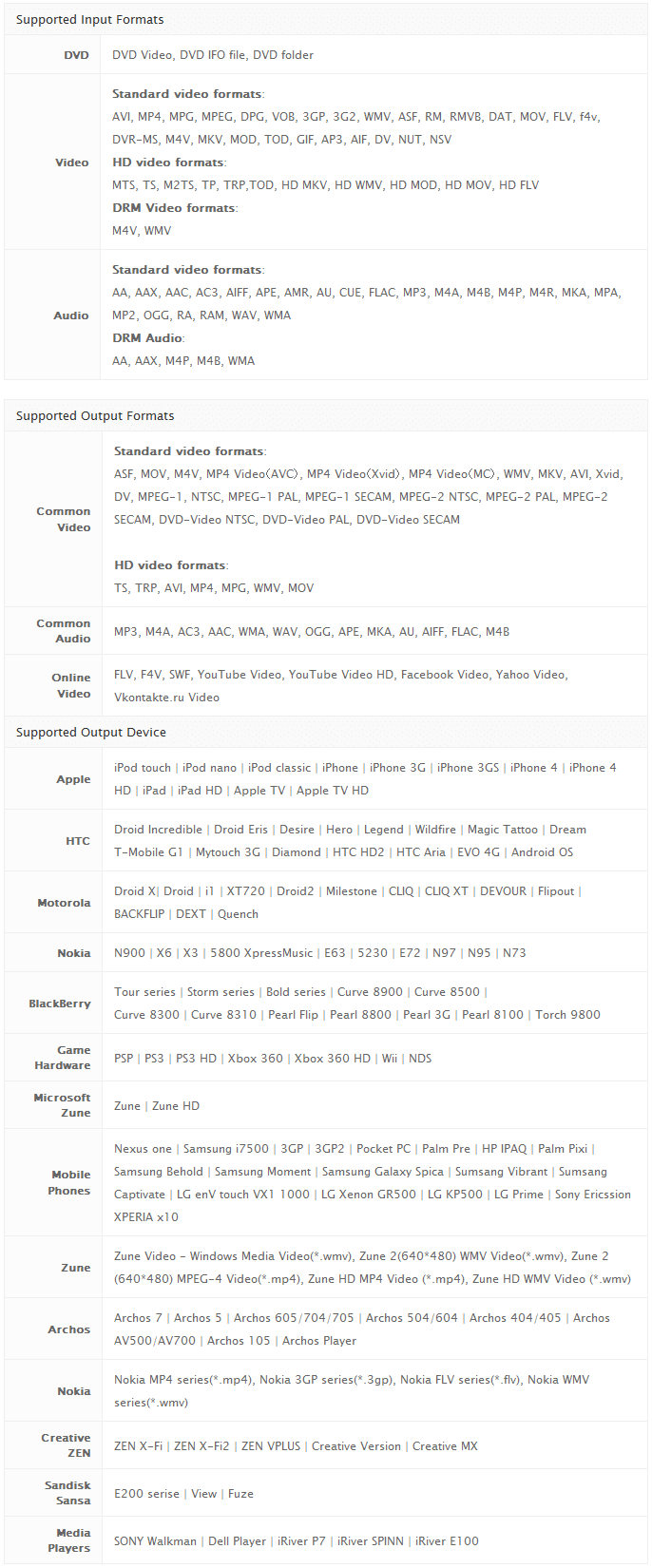
(Click on the image to view list in full size.)
dotTech Advice
Despite what the name may imply, iSkysoft iMedia Converter is not a program aimed at iProducts. Rather, iSkysoft iMedia Converter is an all-in-one video converter, audio converter, and DVD ripper. (Yes, iSkysoft iMedia Converter can bypass DRM protection.) And, of course, iSkysoft iMedia Converter comes with those much loved basic editing capabilities that has become the trademark of Wondershare Software products (iSkysoft Studio is owned by Wondershare Software).
To put it simply, iSkysoft iMedia Converter is a terrific product. While I do wish it had better support for mobile phones (specifically Samsung smartphones), iSkysoft iMedia Converter does allow you to customize output settings so don’t let the lack of pre-defined output profiles deter you from using this converter for your phone or any other electronic device. If you find iSkysoft iMedia Converter does not have a output profile for your device, simply go to a common video selection, pick the video format you want, and customize the settings to fall in line with what works with your device.
All in all, I highly recommend iSkysoft iMedia Converter.
Disclaimer: Please only use iSkysoft iMedia Converter for purposes deemed legal in your country/region. Ashraf, dotTech, and everyone else except yourself is not responsible for any gain or loss incurred by using iSkysoft iMedia Converter nor for any illegal activities done with iSkysoft iMedia Converter.
Freebie Details
For the next 24-hours, dotTechies can get iSkysoft iMedia Converter ($49 value) for free! This freebie does not come with free updates, but you are allowed to install/reinstall the product as long as you keep the registration information safe. However, please do not share your registration information with anyone. If iSkysoft Studios discovers the registration information is being shared and people are not going through the official channels to get it, they may blacklist the license(s) code and you will no longer be able to use iSkysoft iMedia Converter for free.
Before I spill the beans on the freebie, I would like to inform everyone of the second part of this promotion. As part of this promotion, anyone that wants a product with more features than iSkysoft iMedia Converter can purchase iSkysoft Video Converter Ultimate for a discounted price of $29 (regular price is $59). Although the software titles may imply otherwise, iSkysoft Video Converter Ultimate actually has more features than iSkysoft iMedia Converter. iSkysoft Video Converter Ultimate is the combination of various different iSkysoft Studios products; it can do everything iSkysoft iMedia Converter can do and more, such as burn DVDs and download streaming videos. iSkysoft Video Converter Ultimate can be purchased from the giveaway page at the $29 discounted price.
That said, to get iSkysoft iMedia Converter for free, follow these simple directions:
Version being given out for free: v3.0.3.0
Official free updates: No
Supported OS: Window NT/2000/XP/2003/Vista/Win7
Note: iSkysoft iMedia Converter also has a Mac OS X version, but this giveaway is only for the Windows version
Download size: 19.8 MB
Giveaway time-frame: This giveaway starts June 9, 2011 at 00:00 PST and ends June 9, 2011 at 24:00 PST. Users will be allowed to install/activate at later dates – just make sure you keep you registration details and program installer safe.
- Visit the dotTech-iSkysoft promotion page and register:
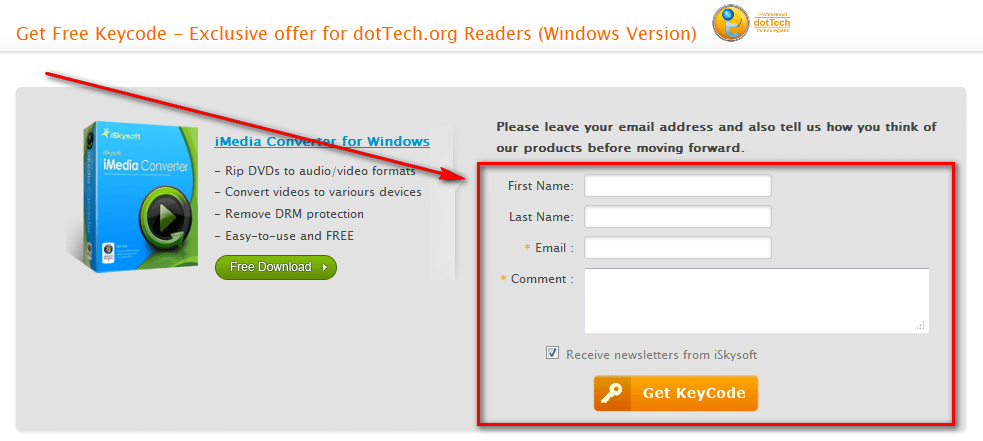
- Once you have registered, check the inbox of the e-mail address you registered with. Look for an e-mail from iSkysoft Mailer (mailer@iskysoft.com) with the subject of Get Free Keycode – Exclusive offer for dotTech.org Readers (Windows Version). In the e-mail you will find your registration information:
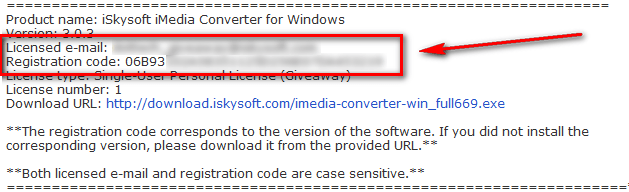
Note: Please do not share your registration information with anyone. If iSkysoft Studios discovers the registration information is being shared and people are not going through the official channels to get it, they may blacklist the license code(s) and you will no longer be able to use iSkysoft iMedia Converter for free!
- Download and install iSkysoft iMedia Converter.
- After installation has finished, run iSkysoft iMedia Converter; you will be promoted to register the software so register with using the registration details you received via e-mail:
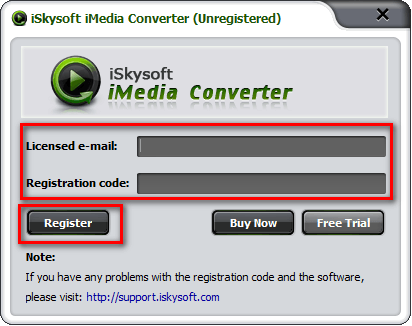
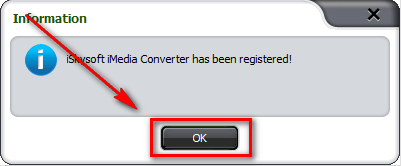
Update: Please do not use your own email address to register iSkysoft iMedia Converter. Use the “Licensed email” provided in the email you are sent.
- Enjoy!
If you have trouble getting iSkysoft iMedia Converter for free, post below and other dotTechies or I will try to help.
