Email article
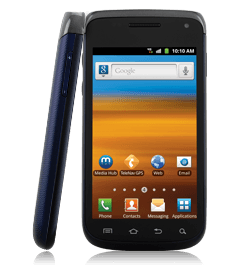 Installing ClockworkMod (CWM) recovery on your Samsung Galaxy Exhibit 4G and getting it rooted will not only help you to just install some apps that were alien to your device till now, but it also opens up a new window to tweaking your device to your needs. If you are not yet on Android 2.3.6, following this guide will also help you to get to the latest Gingerbread (Android 2.3.6) release for your device.
Disclaimer: This guide is intended as a helpful “how to”. dotTech and its writers are not responsible for any gain or loss (including but not limited to bricked devices) incurred as a result of following this guide. Install a custom recovery at your own risk. Installing a custom recovery may void your warranty. Root your device at your own risk. Rooting may void your warranty.
Requirements
This guide will help you to install ClockworkMod (CWM) recovery and root your Samsung Galaxy Exhibit 4G. This guide actually flashes a rooted stock (official) ROM (Android 2.3.6) to your device. Though it’s a simple and safe process; if not done properly (or if you are so unlucky), there are chances that the process might turn out to be bad for you. Proceed at your own risk.
Before We Begin
To start with installing ClockworkMod recovery on your device, make sure that you are ready with the following:
- Download cwm.6012.t679.zip(ClockworkMod Recovery file). Do not extract this file.
- Download root-stock.zip (root files). Do not extract this file also.
- Install ADB and Fastboot on your computer.
- Samsung USB drivers for Windows, if you are running Windows (this guide needs you to use Windows operating system for the process).
- Make sure that USB debugging is enabled in your device (Settings -> Developer Options -> USB debugging).
How To install/flash ClockworkMod recovery on Samsung Galaxy Exhibit 4G
Follow the steps below to install ClockworkMod (CWM) recovery on your Samsung Galaxy Exhibit 4G:
- Copy cwm.6012.t679.zip to any preferred location on your phone.
- Power off your phone.
- Boot into the stock recovery of the device (Press and hold Volume up+Power buttons, until the Samsung logo appears).
- After you have entered the recovery, press the Menu button on the screen (on the bottom-left of the screen).
- Choose ‘apply update from sdcard’, and then select the file cwm.6012.t679.zip.
- You shall now be having ClockworkMod recovery installed on your Samsung Galaxy Exhibit 4G, if everything went fine.
How To Root Samsung Galaxy Exhibit 4G
Now that you have CWM recovery installed on your phone, follow the steps below to get your Samsung Galaxy Exhibit 4G rooted:
- Copy root-stock.zip to any preferred location on your phone.
- Power off your phone.
- Boot into CWM recovery, the same way you had booted into the stock recovery earlier (Press and hold Volume up+Power buttons, until the Samsung logo appears).
- Go to Install zip from sdcard -> Choose zip from sdcard and select the file root-stock.zip which you had moved to your device earlier. Select ‘Yes’ when prompted.
- Go back to the main menu of CWM recovery using the back button.
- Select ‘reboot system now’.
- Congrats! Your device is now rooted!
Conclusion
Enjoy an extensive ClockworkMod recovery and the power of root on your Samsung Galaxy Exhibit 4G!
[via XDA]