
 Email article
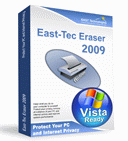 Back in April dotTechies received a real treat in the form of a freebie-promotion of East-Tec Eraser 2008. Now, 8 months later, we bring you something similar, yet better: a freebie-promotion of East-Tec Eraser 2009!
As mentioned in my earlier article on East-Tec Eraser, East-Tec Eraser is a program that allows you to securely delete files, data and user activity from your computer. You see usually when you delete something on your computer, it is not truly “deleted” in the sense that there are ways for the data to be retrieved. East-Tec Eraser allows you to delete files/data/user activity using secure erasing methods that make it near impossible for others to retrieve what you deleted.
The best way I would describe East-Tec Eraser is CCleaner + Heidi’s Eraser into one program. With East-Tec Eraser not only can you securely delete individual files and folders but you can also protect your privacy by securely deleting your Windows (applications/programs, email, P2P, etc.) data and Internet (almost all browsers are supported – including Chrome and Opera) activity. To help you with the former task, East-Tec Eraser has an easy to use interface where you can add multiple files and folders at once to delete; you also have the ability to add entries in your right click context menu. To help you with the later task, East-Tec Eraser has a built in application detector that will detect all the possible applications that it can erase the activity history from automatically; if East-Tec Eraser does not find a particular application that you use, you have the ability to add custom programs (by designating files, folders or registry entries) to delete the history from.
East-Tec Eraser boasts the ability to erase anything using methods from a normal erase to a Gutmann wipe (35 pass) and everything in between, including methods that match and surpass US Department of Defense 5220.22-M standards. Heck if you don’t like any pre-configured secure erasing methods you have the ability to create/define your own also (if you custom created method to securely erase files/data becomes popular and you become rich and famous, I expect royalties).
Additionally, you can use East-Tec to securely erase files/data/user activity that you previously deleted or use the built in disk wiper to securely wipe any hard drives (internal or external – including USB/flash drives) or select partitions.
Of course, the above four paragraph description does not do full justice to East-Tec Eraser because it still has more features I did not mention. Yet, I am sure you get the point: East-Tec Eraser is awesome.
According to the developer, the major changes from East-Tec Eraser 2008 -> East-Tec Eraser 2009 are:
- A new redesigned interface: a new graphical look that will improve your experience while using our product.
- New and updated applications supported in Privacy Guard: the most popular web browsers (Mozilla Firefox 3.1, Opera 9.6), Yahoo Messenger 9.0, Zone Alarm Pro 8, OpenOffice 3, Avira AntiVir Personal Edition, Blubster 3, iTunes 8 and QuickTime 7.5, Adobe Media Player 1.1, Safari 3.2 and other applications.
- Improvements in Risk Monitor: you can see detailed information about each risk.
Before I tell you how to get East-Tec Eraser 2009 for free, let me remind everyone if you enjoy East-Tec Eraser, consider upgrading to the latest East-Tec Eraser 2010; via dotTech you can get East-Tec Eraser 2010 with one year of free updates for $19.95 USD single PC or $24.94 USD for two PCs (dotTech gets no commission or a cut of the sale). This is a huge discount from the normal price of $49.95.
According to the developer, the major improvements from East-Tec Eraser 2009 -> East-Tec Eraser 2010 are:
- Windows 7 compatibility
- Updated sensitive areas in Privacy Guard, such as Internet Explorer 8, Windows Media Player 12 Beta, Opera 10, Google Chrome 3, Safari 4, Norton Antivirus 2010, Norton Internet Security 2010, Adobe Photoshop Elements 8, Adobe Photoshop CS4, Clear File Search MRU History (Windows 7) and more.
- Improved logging (reporting) options
So, to get East-Tec Eraser 2009 for free, follow these simple directions:
Version being given out for free: v9.5.1.109
Supported OS: Windows 98/NT/2000/Server 2003/XP/Vista
Windows 7 is not officially supported in East-Tec Eraser 2009 but it seems to work on Win7.
- Visit the promotion page and register:
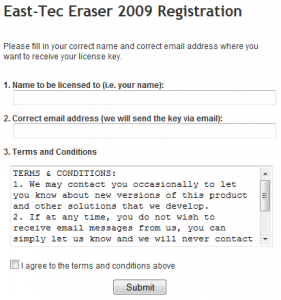
Note: This promotion is available to everyone – everyone may get it for free. However, this is a dotTech.org promotion. Please do not copy, paste, or reprint this registration link/page anywhere else including private or public forums, blogs, file hosting services, etc. If you want to spread information about this offer, you may link to this article by providing a permalink to your audience.
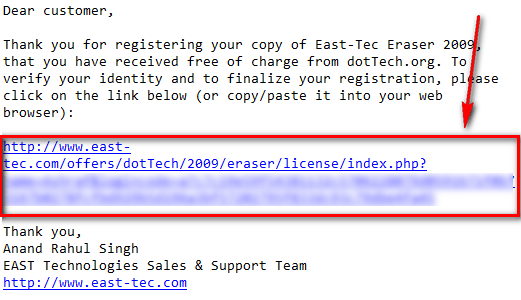
- After you register, check the inbox of the e-mail you registered with. You should have an e-mail from “EAST Technologies Support [support@east-tec.com]” with the subject of “Confirmation required for your dotTech.org registration of East-Tec Eraser 2009”. In the e-mail there will be a URL you have to visit to confirm your registration and receive your registration information:
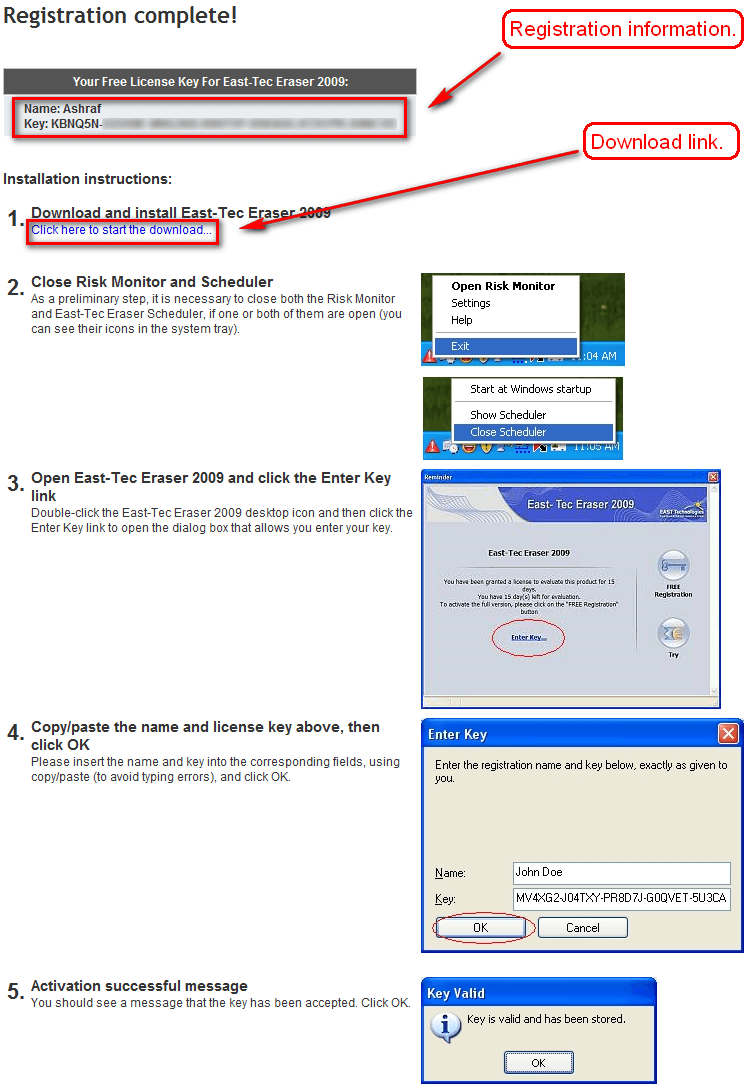
Click on the link or copy + paste it in your browser. The pages that it takes you to will give you provide you with the ability to upgrade to East-Tec Eraser 2010 or your registration key, a download link, and instructions on how to register for East-Tec Eraser 2009:
Download, install, and register East-Tec Eraser 2009 as per the instructions. Make sure to pay particular attention to step #2 (“Close Risk Monitor and Scheduler”) because if you have those on when you register, East-Tec Eraser will be unregistered the next time you reboot your computer.
Also, if you have East-Tec Eraser 2008 or an earlier version installed, you will first need to uninstall East-Tec Eraser and restart your computer before you can install and register East-Tec Eraser 2009 (if you don’t reboot after uninstallation of earlier version, you will get an error message saying your registration key is not for East-Tec Eraser 2009).
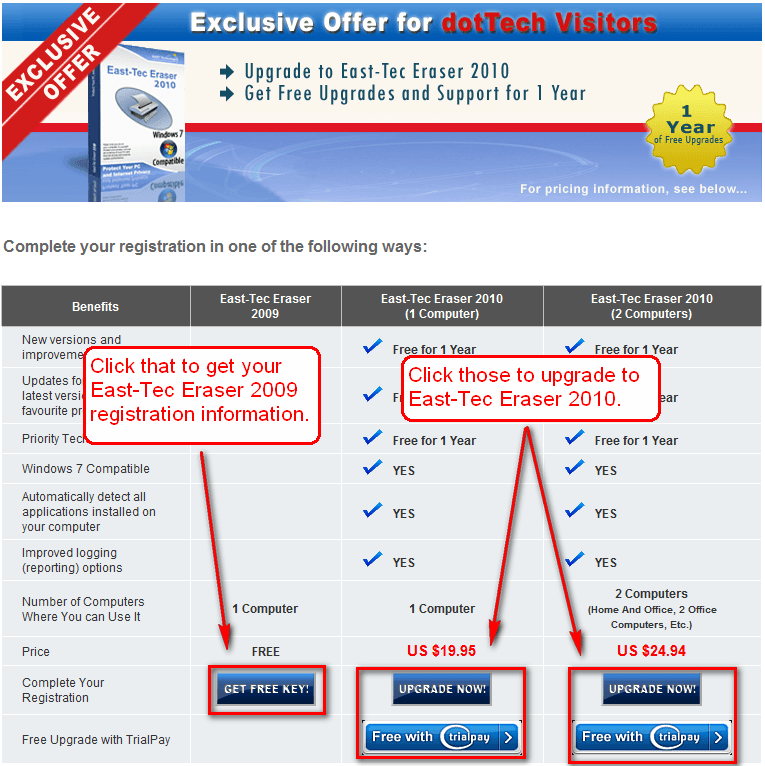
Note: This promotion is available to everyone – everyone may get it for free. However, this is a dotTech.org promotion. Please do not copy, paste, or reprint the download link or upload the installation file anywhere else including private or public forums, blogs, file hosting services, etc. If you want to spread information about this offer, you may link to this article by providing a permalink to your audience.
- Enjoy!
If you have any trouble getting East-Tec Eraser 2009 for free, post below and I will try to help.
