dotTech

  • /Home
  • /Giveaways
  • /Reviews
  • /Tips & Tricks
  • /Downloads
POPULAR ➞ Download Paid Software For Free!
Previous Post
Next Post

PayPal goof momentarily gave a man $92,233,720,368,547,800 in his account

News
By Enrique Manalang - July 18, 2013 - 4 comments Email article | Print article

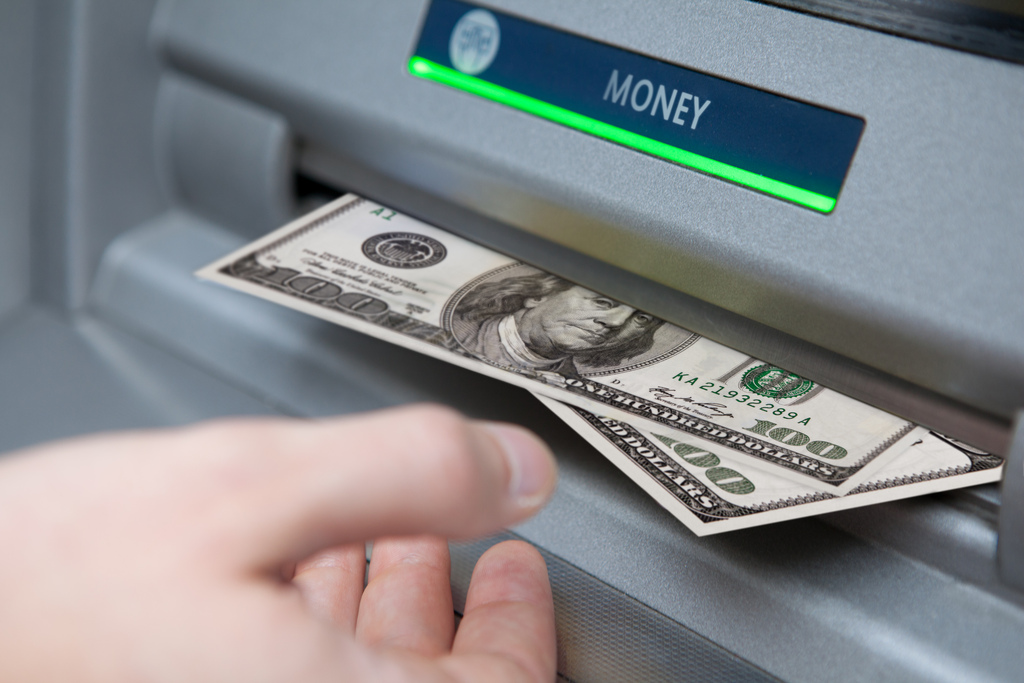
cash

Chris Reynolds was just a a father of three, and an all-around normal guy living in Delaware. He’d use PayPal to buy and sell items from eBay and would spend around $100 each month with it. But when he checked his monthly statement from PayPal last Friday, he saw a very shocking number. He was a quadrillionaire! At least for a while anyway.

Reynolds’ exact PayPal balance was listed at $92,233,720,368,547,800.

When he logged into his account, however, the number was back to zero. Unfortunately for him, he could’ve been not only richer than the richest man in the world, but richer than all the countries in the world! And fortunately for PayPal, this kind of money would have been a little difficult to produce — impossible actually.

If Reynolds did actually get all that cash, this is what he said he’d do with it:

“I’m a very responsible guy. I would pay the national debt down first. Then I would buy the Phillies, if I could get a great price.”

If only it were true Mr. Reynolds, if only it were true.

[via Philly.com, Gizmodo, image via Tax Credits]

Related Posts

Previous Post
Next Post
TagsAccident account Billionaire Cash Deposit Fail Millionaire Mistake Money news paypal Quadrillion Quadrillionaire WTF

About Enrique Manalang

Enrique brings you your tech news on dotTech. When he isn't writing, you'll find him playing video games or traveling. You can find him on Twitter at @enriquemanalang.
View all posts by Enrique Manalang →

Related Posts

  • Tip / Trick
    WTF Toshiba?
  • News
    Symantec admits anti-virus software is no longer effective at stopping virus attacks
  • News
    Paperfold is an experimental smartphone that folds into three
  • News
    Sony stores 185 TB of data on a cassette tape

Recent Posts

  • How to record your desktop screen, edit and export like a pro with ScreenToGif [Windows]
  • How to edit your audio tags using Mp3tag [Windows]
  • How to create animated PNGs [Windows]
  • How to create simple animated GIF screen captures with LICEcap [Windows]
  • How to edit MP3 files fast and easy with mp3DirectCut [Windows]
  • How to become a crossword (cheat) champ [Windows]
  • How to locate files and folders by filename instantly [Windows]
  • How to broadcast your PowerPoint 2010 (or later) presentation [Windows]
  • PDFelement vs Acrobat Pro DC [Tip]
  • How to fix disk signature collision problem of a drive without formatting in Windows [Tip]
  • How to turn ads off in uTorrent in Windows [Tip]
  • How to use an MP3 song as a ringtone in an iPhone [Tip]
  • The Best 4 Software to Install on Your PC in 2018 [Tip]
  • How to stop killing your battery by overcharging your laptop [Tip]
  • How to reencode videos using XMedia Recode [Windows]
  • How to download videos using 3D Youtube Downloader [Windows]
  • How to highlight cells having keywords in Excel [Tip]
  • How to prevent users from changing desktop wallpaper in Windows [Tip]
  • Download and record any song or video from the web with KeepVid Music [Windows]
  • Download 1080p and Ultra HD videos from any site with KeepVid Pro [Windows]
  • How to add/remove apps and programs in Windows 10 [Tip]
  • How to save space by cleaning up Component Store (WinSxS folder) in Windows 10 [Tip]
  • Download videos online from any site with KeepVid Online [Web/Browser]
  • How to enable/disable OneDrive for file storage in Windows 10 [Tip]
  • How to find out what edition, version and OS build of Windows 10 I have? [Tip]
  • How to change name Cortana calls you [Tip]
  • How to encrypt a single file or folder in Windows 10 [Tip]
  • How to encrypt internal hard drive in Windows 10 [Tip]
  • Download HD videos fast with KeepVid YouTube Video Downloader [Android]
  • How to turn on/off sync settings in Windows 10 [Tip]
  • How to enable or disable automatic updates for Windows Update in Windows 10 [Tip]
  • How to turn on/off driver updates using Windows Update in Windows 10 [Tip]
  • How to hide or show Windows updates in Windows 10 [Tip]
  • How to set wireless network as metered/non-metered connection in Windows 10 [Tip]
  • How to turn on/off system protection for drives in Windows 10 [Tip]

The Hidden Stash (aka Categories)

© 2008-2017 dotTech.org | All content is the property of its rightful owner. | We are part of the Azadi Network.