
 Email article
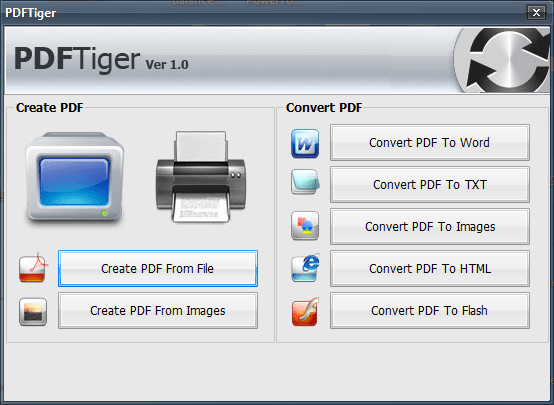 PDFTiger is a software that aims to serve as an all-around PDF tool. Not only does it have a PDF printer to allow you to create PDFs, but it also has a PDF converter allowing you to convert PDFs -> .DOC/.RTF/.TXT/Images (JPG, PNG, GIF, BMP, TIF)/.HTML/.SWF. If you want to learn about PDFTiger in detail, please read my full review on it. As my full review indicates, I am not particularly impressed with PDFTiger, but hey, if you want it, you can get it for free; just follow these simple directions:
Version being given away for free: v1.0
Free Updates: Unspecified
Supported OS: Windows 2000/ME/XP/Vista
- Visit the promotion page and follow all the “Zum Download” links to download PDFTiger (16.6 MB):



- After PDFTiger has finished downloading, unzip it. In the folder that you unzip it, you should find two files:
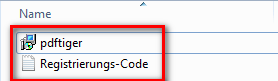
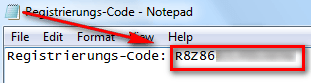
Double click on “Registrierungs-Code”; the registration code will be in there:
Copy the registration code.
- Now run the file named “pdftiger” to install PDFTiger.
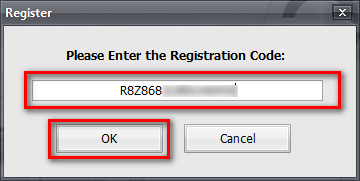
- After it finishes installing, run it and register it with the code you just copied:

NOTE: When you click on the “Click Here to Register…” PDFTiger’s homepage will open in your default web browser asking you to purchase it. You need not purchase it – just close the webpage.
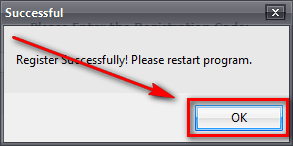
- Restart PDFTiger.
- Enjoy!
If you have trouble getting PDFTiger, post below and I will try to help.
Thanks Karen!
