
 Email article
 It’s finally here: Internet Explorer 9. Internet Explorer 9 is meant to revitalize Internet Explorer and maybe even turn some techies into IE users. Its web standards supports are exponentially better than previous versions, with much better CSS3 and HTML5 support than previous generations. It was also the first browser to introduce hardware acceleration and the fastest at the Sunspider javascript test.
The new design: snazzy!
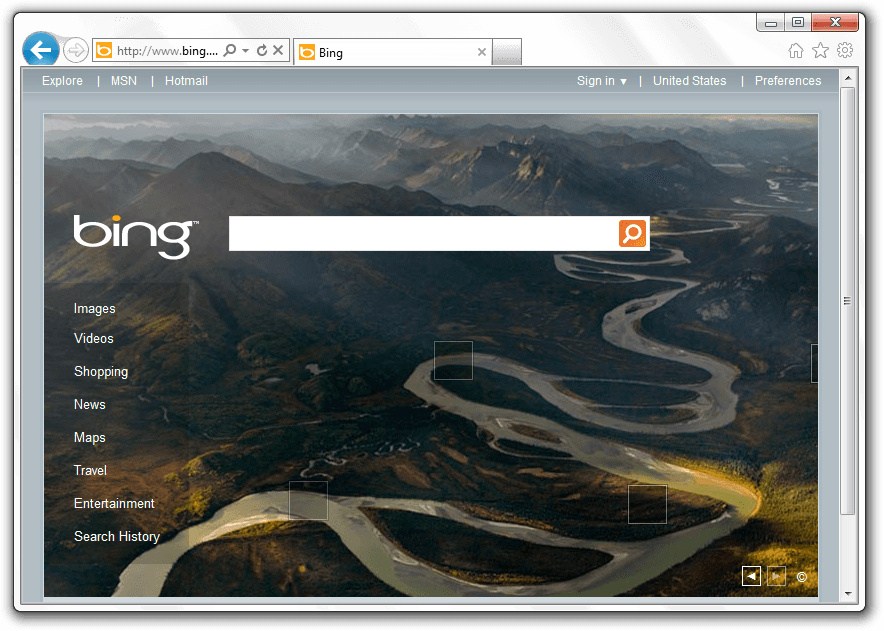
Of course, the first thing you’ll notice when starting up Internet Explorer 9 for the first time is that it looks… different. Just different. Gone are the lots of toolbars and too many buttons to count. In fact, Internet Explorer 9 is the one with the least browser chrome of the big three:

The way Internet Explorer manages to do this while maintaining large buttons is to put all the tools on one line:
 (If you don’t like the small amount of space for the URL bar, you can simply drag the right side to make it bigger.)
Pinned Sites: integrate webapps with Windows
If you use Windows 7, you’ve surely come across jump lists. These are the little boxes that pop up when you right click on a task bar item. Microsoft has decided to take it one step further and not only allow you to pin sites as webapps, but to actually allow them to create items on their jump lists:
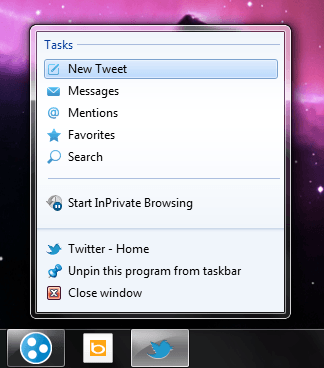
These lists can allow for quick task jumping and make it easier to access things you want.
The all-new Download Manager: minimal and useful
If you’ve been using Internet Explorer for all these years, another thing you’ve had to put up with the lack of a download manager. Luckily for you, Internet Explorer 9 comes with a download manager that actively informs you about the percentage done, the status, and the size of each download:
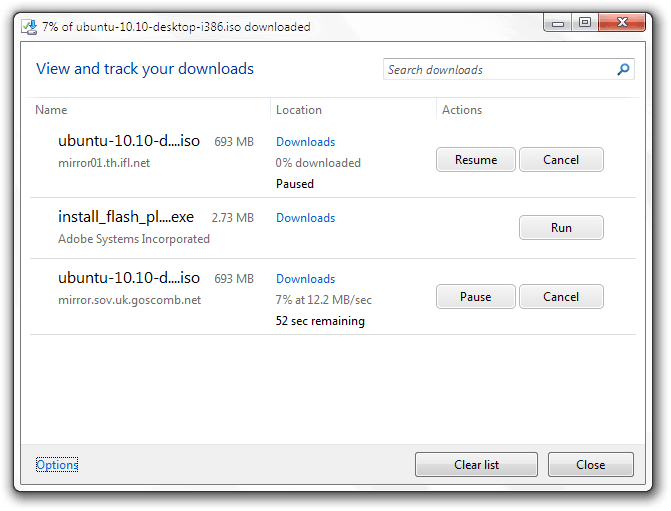 One unique feature of this new download manager is Microsoft’s SmartScreen technology which uses a URL blacklist to determine how safe a download is, and to show an appropriate warning. It also performs some basic scanning, like Firefox and Chrome.
Web standards support: code for one, publish for all
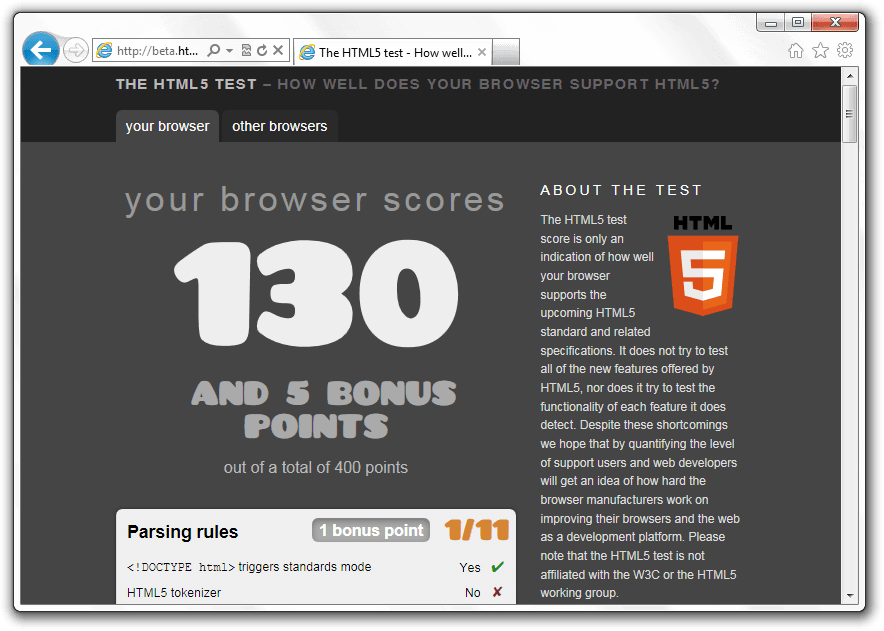
One of the most amazing parts about Internet Explorer 9 is that it’s actually fairly close to being compatible with most current web standards. It still lacks things like form types and user interaction events, but Internet Explorer 9 is a leap towards actually working well with the rest of the world.
It’s fast(er).
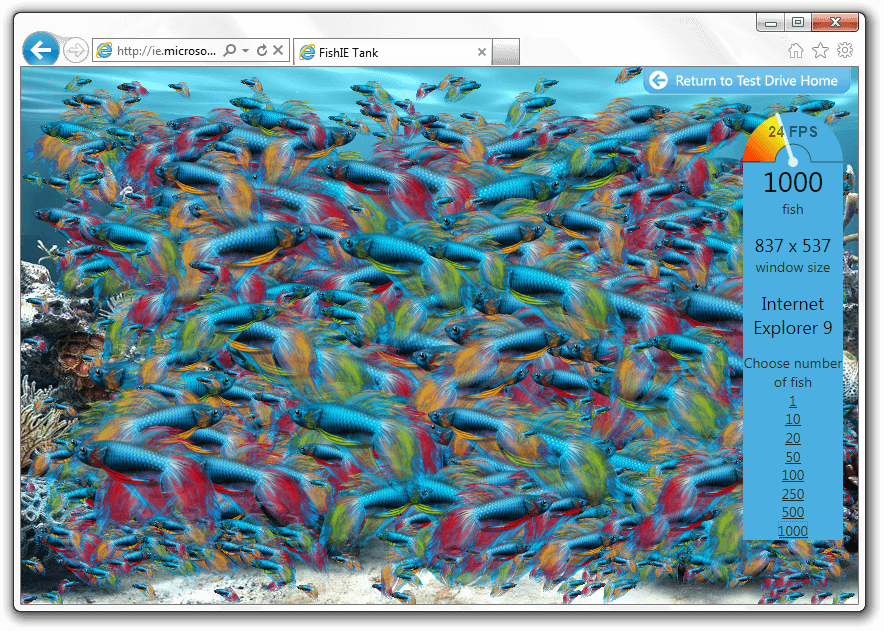
Internet Explorer 9 has tried to resolve another major problem with Internet Explorer: it’s slow. While Microsoft’s test sites are heavily biased, they’re still a good example of how much its javascript performance has improved. Here’s my average computer rendering a thousand fish in a virtual fish tank:
 It’s more secure.
Internet Explorer has often borne the title of least secure browser due to its many security flaws and large numbers of exploits. However, Microsoft has tried to get it better this time, and has introduced many new security features. There is, for instance, the scanning now used when downloading files. There are also several more technical aspects in Internet Explorer 9 that allow for less hacking and better security, including several techniques involving memory randomization.
Conclusion
Internet Explorer 9 is a huge step forward. From improving the interface to making it Not Suck™, Microsoft has shown some competency while producing Internet Explorer. What are you waiting for? Update the world’s best Firefox downloader today!
Supported OS: Windows Vista/7Version reviewed: v9.0.8112.16421
Internet Explorer Download Page
Windows Vista: 32-bit download | 64-bit download
Windows 7: 32-bit download | 64-bit download
