[Windows] 12 free image viewers or organizers (Windows Photo Viewer alternatives)

February 15, 2013 29 Email article | Print article

Windows comes with built-in capability to view images. However, that built-in image viewer has many limitations such as the inability to view animated GIFs, inability to crop images, inability to easily share images aside from via email, inability to convert images, etc. To solve the woes of Windows Photo Viewer, there are many third-party image viewers or organizers out there that you can download. This article lists 12 free image viewers or image organizers for you to pick from.

12 FREE IMAGE VIEWERS OR ORGANIZERS

Picasa (Organizer + Viewer)
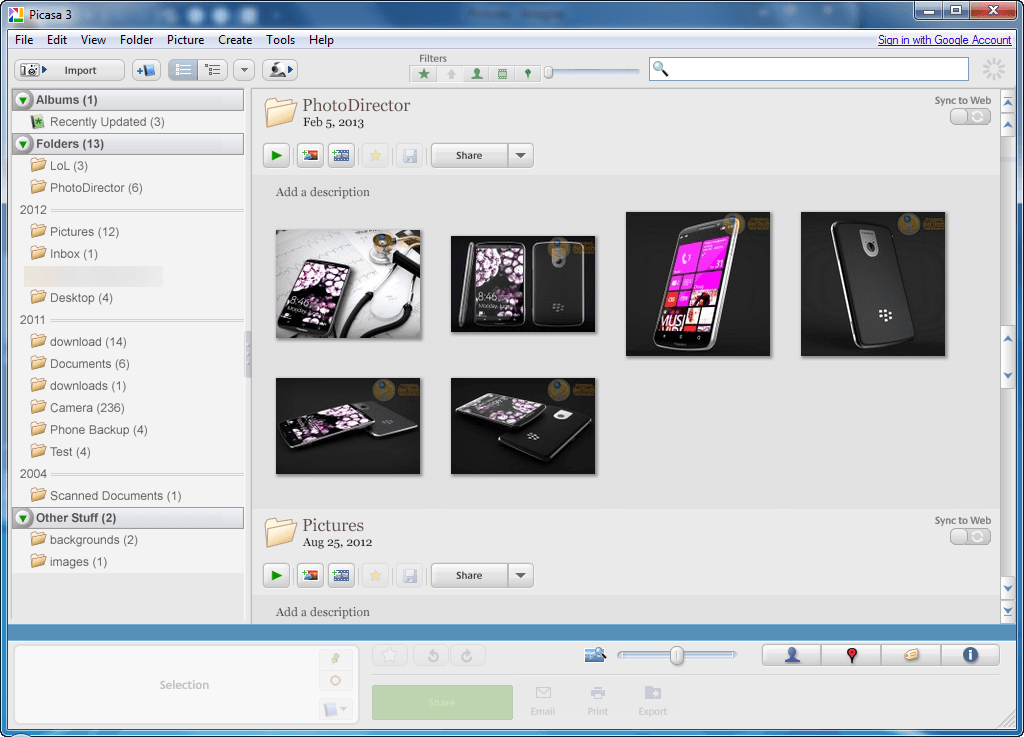
2013-02-15_233516

JPEGView (Viewer)

jpegview

kuView (Viewer)

kuview

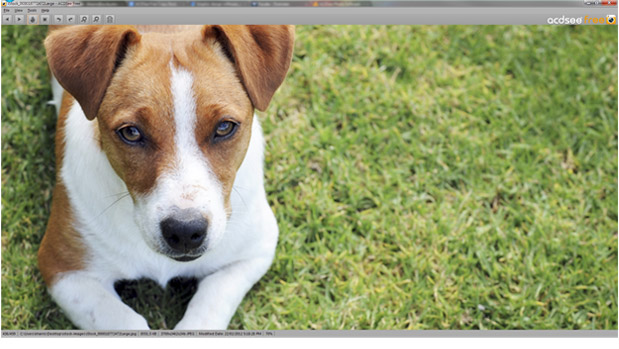
ACDSee Free (Viewer)

acdseefree

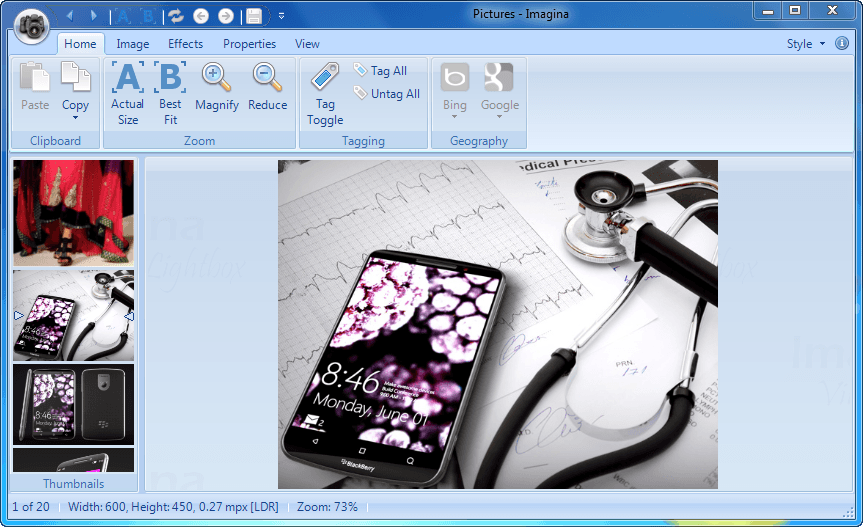
Imagina (Viewer)

2013-02-15_233529

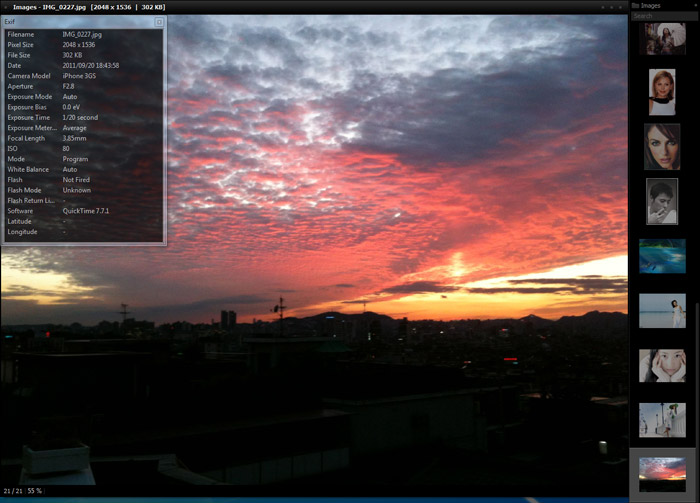
NexusImage (Viewer)

nexusimage

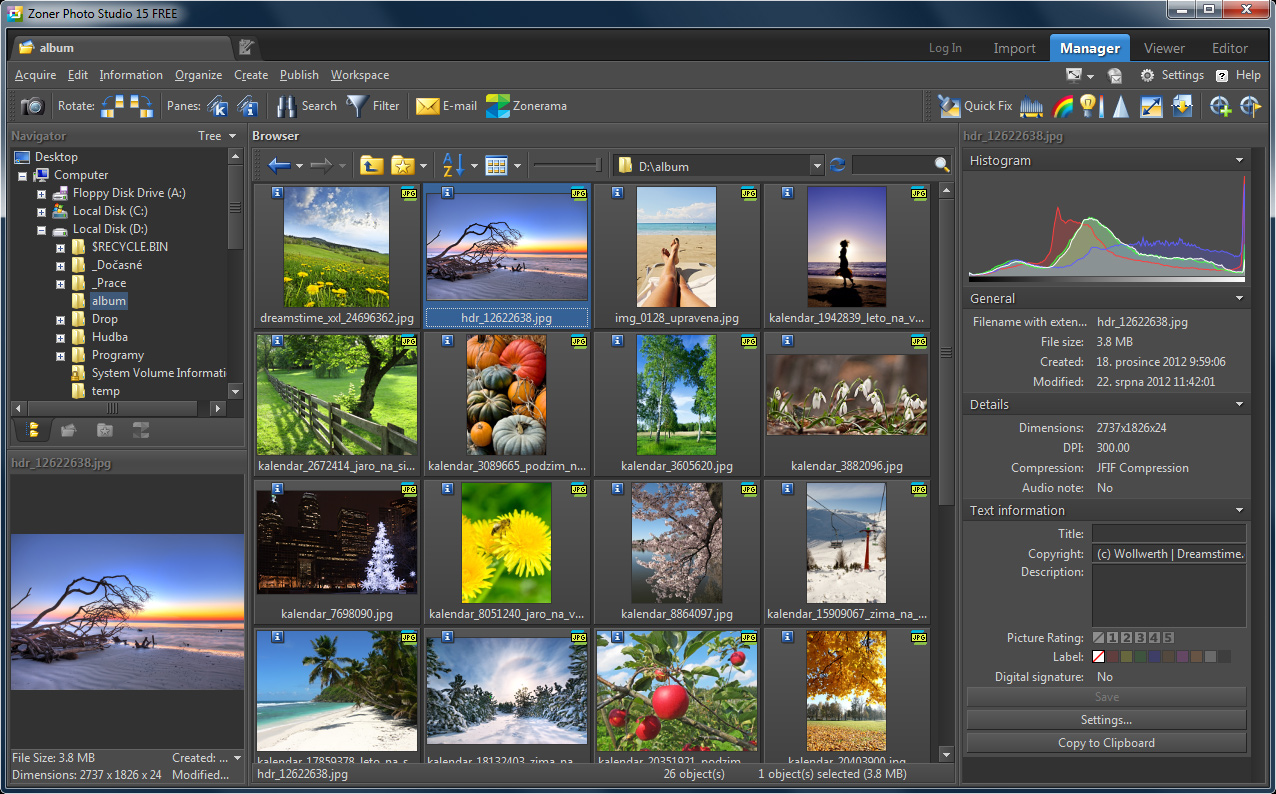
Zoner Photo Studio FREE (Organizer + Viewer)
zoner_photo_studio_free

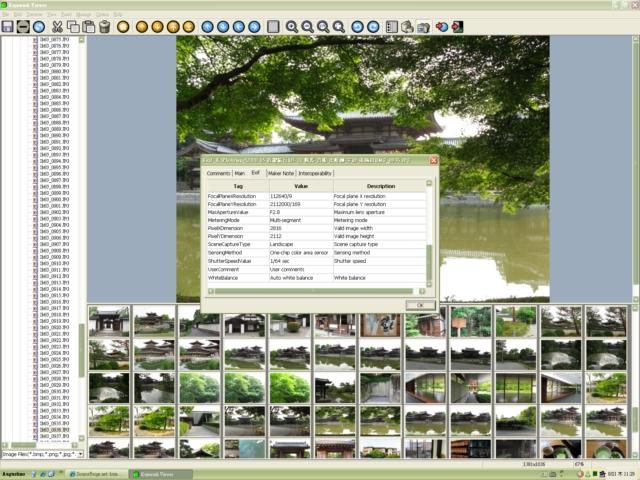
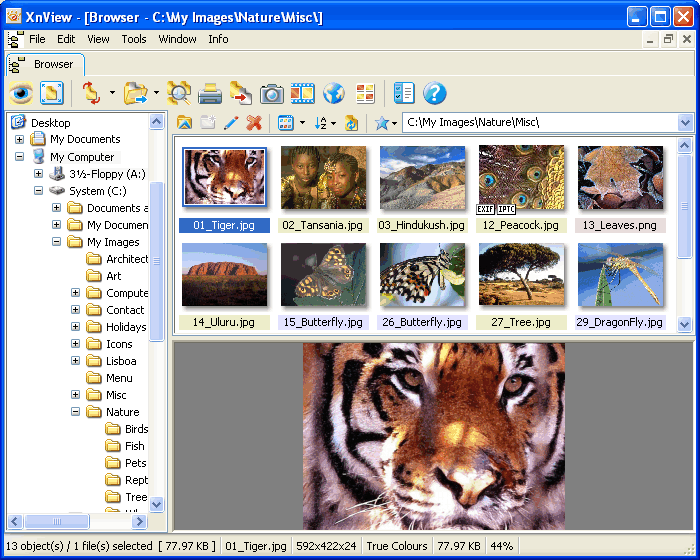
XnView (Organizer + Viewer)

xnview

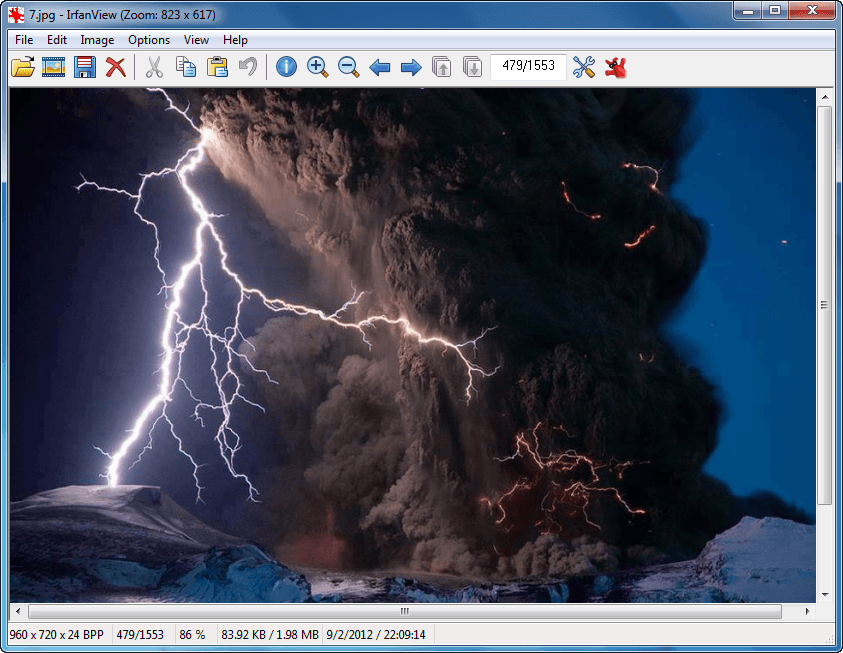
IrfanView (Viewer)

2013-02-15_232644

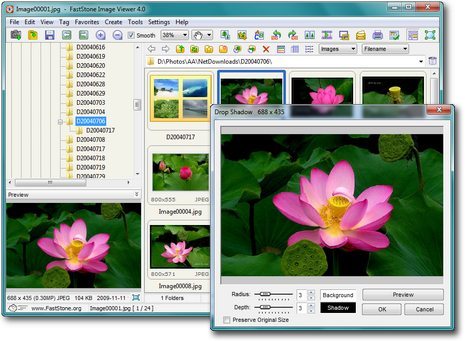
FastStone Image Viewer (Organizer + Viewer)
faststone_image_viewer

WildBit Viewer (Viewer)

wildbit_viewer

Osiva (Viewer)

osiva

WHICH ONE IS THE BEST?

Before I dish out my advice, let me confess that image viewers/organizers are not what I would consider an area of expertise for myself. So I’m depending on all you dotTechies to chime in the comments below to provide better feedback than myself. With that being said…

My top three picks out of the above-mentioned twelve are IrfanView, Zoner Photo Studio FREE, and FastStone Image Viewer simply because all three are feature-filled and easy-to-use at the same time. Out of these three, in my opinion the clear winner for image viewer is IrfanView while the winner for image organizer is Zoner Photo Studio FREE.

IrfanView doesn’t have a very fancy interface but the interface is decluttered which makes the program not only dead-simple to use but also makes it light on resources (relatively speaking)… all while maintaining an insane amount of features ranging from support for dozens of image, audio, and video formats (including animated GIFs and Photoshop PSDs), basic image editing, image conversion capabilities with batch processing, unicode support, and much more. To top it off, IrfanView is true freeware (free for all use, home and business) plus has a portable version you can download (although the portable version isn’t native, it is through PortableApps).

Zoner Photo Studio Free, on the other hand, is an image organizer that not only helps you organize your images but also has basic editing and sharing features. Very handy for those that work a lot with images.

CONCLUSION AND DOWNLOAD LINKS

If you are tired of Windows Photo Viewer or work with a lot of images, then the software mentioned above are here to help. Hit up the links below to download your favorite one and enjoy!

Picasa homepage

JPEGView homepage

kuView homepage

ACDSee Free homepage | dotTech review of ACDSee Free

Imagina homepage

NexusImage homepage

XnView homepage

WildBit Viewer homepage

Osiva homepage | dotTech review of Osiva

Zoner Photo Studio FREE homepage

FastStone Image Viewer homepage | dotTech review of FastStone Image Viewer

IrfanView homepage

[Some screenshots are via developers]

29 Comments »

  1. jacal February 15, 2013 at 11:29 PM (comment permalink) -

    For many years I have been using Irfan as my primary viewer and – lately – Zoner (pro) as secondary.
    It is worth to spend some time learning Irfan’s features, shortcuts etc. I use it for some basic editing, batch renaming/converting, screen capturing, scanning, launching other programs and so on. And it is almost as fast as notepad.
    Zoner is not fast enough for a primary viewer, but one of the most capable free viewers/editors you can get. (I use the pro version because of some additional RAW editing features). It might be even used for metadata editing, although I only trust Exiftool (GUI) for that. Picasa, on the other side, is known to not handle metadata properly.

    1
  2. mukhi February 15, 2013 at 11:51 PM (comment permalink) -

    i was okay with xp default viewer for basic viewing but very disappointed to see win7 default viewer does not support animated GIFs; one of the major downgrades from xp to 7.

    2
  3. RealBull February 16, 2013 at 12:34 AM (comment permalink) -

    My 3 would picks be XNview, IrfanView and Zoner.
    XNview and Irfan are two of the few free viewers that support Adobe 8BF plugins.
    I also like Imagine. It supports animated gif and apngs.
    http://www.nyam.pe.kr/

    3
  4. Poema February 16, 2013 at 1:04 AM (comment permalink) -

    I’m a professional photo seller. You forgot the awesome free one, named PICTOMIO. Here are some of its features :
    - Image Management (I use it for my 65 000+ photos)
    - Image rating
    - EXIF Editor
    - Library
    - Albums mamagement
    - Smooth Image Browsing
    - Liquid Zoom (high quality zoom with mouse or keyboard)
    - 3D Image Carousel, fantastic !
    - Integrated Slideshow, yeah !
    - Tagging support
    - Video and audio playback
    - GEOTAG, wow !
    - Mapview and even Tripview
    - Upload to a few websites (Flickr, Facebook…)

    I would PAY FOR IT !

    http://www.pictomio.com/Default.aspx?LangLCID=1033

    4
  5. Jeanjean February 16, 2013 at 2:17 AM (comment permalink) -

    My choice since my first PC : XnView.
    It is true that my needs in this area are also limited.
    It supports in particular animated gif and powerpoint presentations.

    @Poema : Pictomio is a professional software and requires a powerful machine.

    5
  6. Andreasvb February 16, 2013 at 2:55 AM (comment permalink) -

    I found one small that’s perfect for viewing pictures.
    ArtSage: http://www.xworks.ca/artsage/

    I like NexusImage but you can’t drag the picture without using the titlebar.

    Picasa is also good but doesn’t have that many features.

    6
  7. EleventhHour February 16, 2013 at 3:53 AM (comment permalink) -

    XNview is my pick.
    I’ve tried 5 and never even heard of all the others.
    After trying many programs, I settled on XNview and I think it’s the best.
    Everyone raves about Irfanview and Faststone but I’ve always found something off with them.

    7
  8. Mr.Dave February 16, 2013 at 5:40 AM (comment permalink) -

    XnView is my favorite also. Great for screen captures (on a timer, or press a key of your choice), it’s got great batch processing features, it’s fast, it’s good for a slide show, viewing pics, managing them, and handles many types of editing including crop, lossless 90-degree rotation, adjust gamma/contrast/brightness, filters to add blur or sharpen edges or invert…. Unless I need to draw on a picture or do some other localized editing, XnView has handled most of my image handling needs for many years!

    8
  9. AFPhys February 16, 2013 at 5:58 AM (comment permalink) -

    I’ve been using IrfanView since before it was called that… I believe it was simply iView.exe.

    In addition to the editing that is sufficient for most of my needs, I really like the view “thumbnails” for a directory, from which I can select certain pictures and immediately display them as an impromptu slideshow. Can also create (and save) a more permanent slideshow file in a different way.

    The only times I use some another image viewer are the few times I would like a different display (like XNView) or the few times I would like to add circle/arrow/balloon captions to a picture.

    9
  10. Dave February 16, 2013 at 6:52 AM (comment permalink) -

    I’ve been using FastStone Image Viewer and Zone Photo Studio for a few years now. They are both very good.
    But after reading the review (thanks Ashraf for all your great reviews) and the comments I decided to go ahead and try XnView for now. (Just installed a new HD and Win7)
    Was tempted by a couple others and PICTOMIO is really tempting but seems to lack some core editing features based on what I read on their features page. It’s really hard to pick a photo editor. There are so many options.
    Thanks
    Dave

    10
  11. Janet February 16, 2013 at 10:18 AM (comment permalink) -

    I have never managed to find an image viewer like the old Kodak Imaging, which was the Windows image viewer up till XP. It was just a viewer AND ANNOTATOR (squares, circles, lines, etc.). You could easily select the annotations to EDIT them. It was replaced by the new Windows Photo Viewer, which also had (editable?) annotation features. Now the Windows viewer does not have ANY annotation features.

    Since the demise of Kodak Imaging, I have been using Irfanview as my default viewer for everything (except proprietary formats). But it’s annotator does not allow any editing of annotations (like changing line color or thickness). I use CorelDraw or Photoshop for annotating images, but would love a SIMPLE image viewer with SIMPLE editable annotations (of the sort that FastoneCapture has). Do any of the above fill this description (simple, limited, but with EDITABLE annotations)?

    Many thanks.

    11
  12. Jeanjean February 16, 2013 at 11:43 AM (comment permalink) -

    @Janet
    In XnView you can add/edit a description and a comment (via Menu -edit) without being able to change the appearance of text.

    12
  13. BearPup February 16, 2013 at 12:45 PM (comment permalink) -

    Actually for a simple viewer, I still like the Windows 7 Photo Viewer. It produces clean, clear, large pictures that I can ‘scan’ through quickly and decide which ones I like and put those over into my photo editor (Photo Designer 7 by Xara). I leave editing to my editing program and viewing to the voewer.

    13
  14. Janet February 16, 2013 at 2:03 PM (comment permalink) -

    @BearPup:

    I also leave editing to my editing program and viewing to the viewer. The idea is to have a viewer where you can make and change simple annotations–not to edit the image…..

    14
  15. BearPup February 16, 2013 at 2:55 PM (comment permalink) -

    @Janet: Sorry. A viewer is just that, a viewer. I look, I like or not, I move on to the next. Anything else is left to my editor.

    If I want to change anything – image, annotations, even the name – it goes to my editing program. The viewer is to answer one simple question: is there enough there to be worth putting any time into doing something with it? Or it can let me see the results of my efforts: do I like it enough to keep it? To me, that keeps it (shrug of shoulders) neat, clean, simple. And my answers are also simple: yes, maybe, no.

    15
  16. otter February 16, 2013 at 4:37 PM (comment permalink) -

    @Janet: Have you tried PicPick? It is really a set of small tools that are handy to use in conjunction with other graphics programs but one of the tools is a simple image editor that has quite good annotation features.

    I use it mainly for its capture tool but some of the measuring tools and the magnifier are useful at times. You can set it to open with Windows and minimize to the system tray so it is always quickly available to use.

    For general Graphics work I have used Irfanview for nearly 20 years (and I do not recall it ever being called anything else in all that time). You do not have to use Portable Apps to make it portable. There is an option in the installer to install it anywhere, including on a USB stick, and you can put the initialization file in the same folder and then use it on any computer that runs Windows.

    I do use Faststone and Zoner at times too, and for special purposes Photo! Editor and FotoMix. They all have their uses.

    16
  17. BearPup February 16, 2013 at 4:53 PM (comment permalink) -

    @otter: I use PicPick as my screenshot (capture) tool. Never used it for anything else. I tend to use one tool for one function and leave it at that. I have enough apps on my computer as it is, I’d hate to start having several apps to do the same thing – 5 apps to do the same editing job, phew, your computer must be drowning in applications.

    17
  18. Janet February 17, 2013 at 1:23 AM (comment permalink) -

    To OTTER and BEARPUB:

    I have many programs that can add annotations. The idea was to find a single, simple program for image viewing (NOT IMAGE EDITING!) which allows for simple annotations (like circling a single object within the image) without having to open another program. In other words, a program like Kodak Imaging, which was the Windows default image viewer for many years, or XP’s default (Windows) image viewer which replaced it. Windows 7 is the first Windows version that does not have a viewer-annotator.

    18
  19. Ashraf February 17, 2013 at 2:09 AM (comment permalink) -
    Mr. Boss

    @otter: @Janet: @BearPup: Crazy thing: I have Photoshop but I tend to use FastStone Capture as an image editor more often because it is so easy to use and provides all the basics I need most of the time.

    19
  20. BearPup February 17, 2013 at 3:38 AM (comment permalink) -

    [@Janet] I thought the point of this article was that “Windows comes with built-in capability to view images.”. My point was that, “for a simple viewer, I still like the Windows 7 Photo Viewer.”.

    So I repeat myself, but, to simply, only, do nothing but view images, I use Windows 7 Photo Viewer. If I want to do anything else, I use another program.

    20
  21. Janet February 17, 2013 at 3:44 AM (comment permalink) -

    [@Ashraf]
    How do you open an image in FastoneCapture’s Draw function? That would be the next best thing, as I love their Draw features, the icon is on my Taskbar, and it’s very light and quick….

    21
  22. Janet February 17, 2013 at 3:47 AM (comment permalink) -

    [@Ashraf]
    I found the ‘Open file in Editor’ option! THANKS!!!!!!

    22
  23. BearPup February 17, 2013 at 4:02 AM (comment permalink) -

    [@Ashraf] I, too, have Photoshop on my computer as it was my default image editor for years. Then I tried Photo Designer 7 and found it did everything that Photoshop did that I needed. At some point, I will ‘clean up’ my computer (as I periodically do) and probably dump Photoshop. Still, thats 2 programs to do photo editing, not 5!

    Similarly, I have just 2 text editing programs (an office suite and a plain text editor), 1 clipboard utility, 2 browsers, etc. . I just find it simpler and easier on my computer’s performance to keep the number of programs down to a relatively few.

    The only exception are my security programs, where I have my antivirus, firewall, antilogger, 2 on-demand spyware scanners, 4 browser plug-ins (Do Not Track Me, Web of Trust, etc.) and a secure search engine. Can’t be too careful!

    23
  24. Sal Monella February 18, 2013 at 1:23 PM (comment permalink) -

    Used IrfanView for years, now for some reason it quit working. Accepts commands but doesn’t obey them, that is, when I go look at the edited picture, all the usual things I told IV to do: crop. rotate, etc., it didn’t do them. No time for troubleshooting; went to FastStone; never a problem.

    24
  25. kevbo February 18, 2013 at 2:02 PM (comment permalink) -

    I work with lots of photos on a daily basis, but my needs are relatively simple. I need a nimble viewer that can handle light editing, some simple annotating of photos, tagging, and batch conversion. I was an IrfanView user for a long time, but it started to go buggy on me also. I too switched to FastStone, which I prefer over IrfanView, even when it worked correctly. I will be trying out a few of the suggestions here, but FastStone will be tough to beat, IMHO.

    [@Janet] FastStone Image Viewer has the same annotating tools as FastoneCapture. Annotations can be modified before the new, annotated image is saved. Once it is saved the annotations are part of the photo and cannot be edited, so that may not suit your needs. When I need to do that and more advanced editing, one of the graphics programs I use is Hornil Stylepix:
    http://hornil.com/en/downloads/.
    I find it relatively light and very easy to use.

    25

Leave A Response »