Update: Wondershare Time Freeze 1.0.0 is now a permanent freebie (it has been renamed to Wondershare Time Freeze Free and appears to be registered freeware). Wondershare Time Freeze 2.0.0 costs $39.
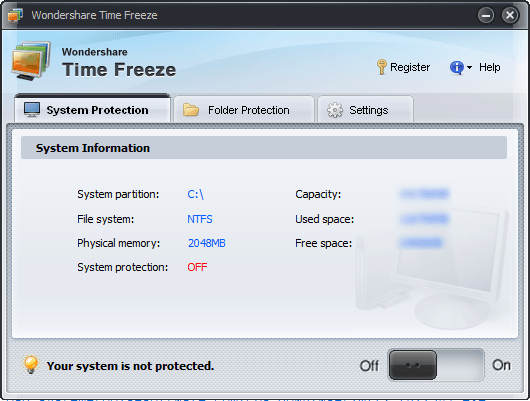
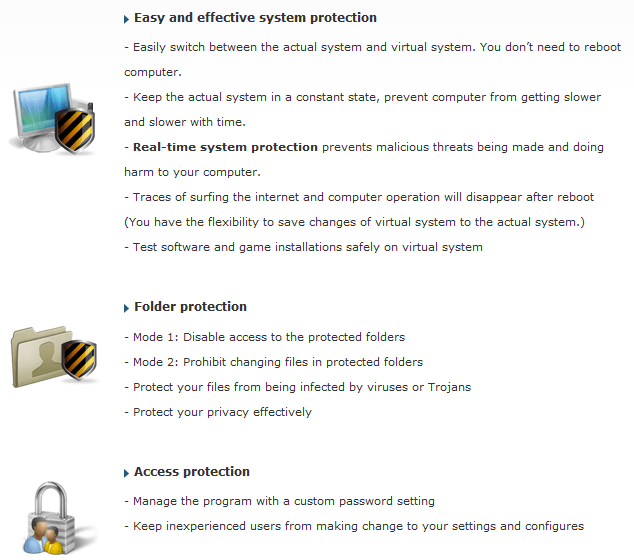
By now, I am sure all dotTechies have heard of Returnil Virtual System. Wondershare Time Freeze is a program very similar to Returnil Virtual System. In other words, Wondershare Time Freeze, like Returnil Virtual System, creates a "virtual layer" on top of your computer files and allows you to get rid of all changes made to your computer after a reboot (you also have the option to keep all changes). Here are the full features of Wondershare Time Freeze as per the developer:
Now Wondershare Time Freeze is a fairly new product - meaning it has not passed the test of time - so to say it is "better" than Returnil Virtual System (especially considering RVS has a free edition for home users) would be a bit of a stretch. However, it is another alternative people can look for if RVS does not work for them.
To promote their new product, Wondershare is running a promotion where everyone can get Wondershare Time Freeze for free! Do note, however, there are not many details on if this free promotion is time limited (i.e. I don't know if the the license will expire after X amount of months or not), or if free updates are included.
To get Wondershare Time Freeze for free, follow these simple directions:
Supported OS: Windows 2000/XP/Vista/Win 7 32-bit editions only.
Version being given out for free: v1.0.0
Free updates: Unknown
- Visit the Wondershare Time Freeze promotion page and register:
Take note that you do not have to check "Keep informed of latest product updates and special offers." You will still get your registration information if you uncheck this.
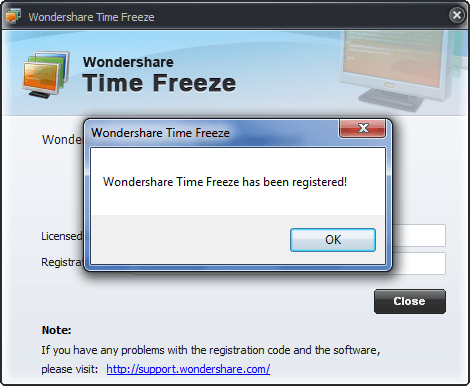
If you registered properly, you will get a confirmation message like so:

- Check the inbox of the e-mail address you entered. There should be an e-mail from "wondershare (register.data@wondershare.com) " with the subject of "Wondershare Time Freeze 1.0.0 Registration Mail?". In the e-mail you will find your registration information:
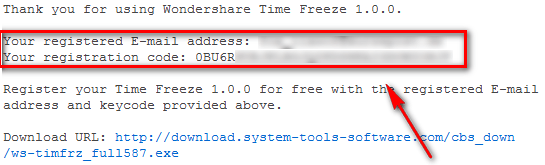
Keep this registration information safe - you will need it soon to register Wondershare Time Freeze after you install it.
- Download and install Wondershare Time Freeze (2.1 MB download). After installation you will be asked to restart your computer. You need not restart your computer at this very moment (you can register it without restarting) but be sure to restart your computer before you actually start using the product to avoid any problems.
- Run Wondershare Time Freeze and register it:
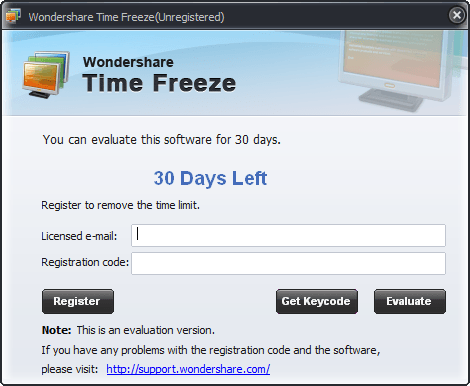
- Enjoy!
If you have any trouble getting Wondershare Time Freeze for free, post below and I will try to help.
Thanks Joji!
>>jv16 PowerTools - The Ultimate System Cleaning and Error Fixing Utility Suite


Joji
Yay! :D
~Joji~
Joji
I remember WonderShare giving away their anti-spyware product away for free… not so good at all, a bit unreliable times and lacks in some features.
I wonder if this “virtual system” program is good or not…
Other than that, yay! It’s posted and it has my name on the bottom of the screen! XD LoL.
~Joji~
Ashraf
@Joji: Yeah Wondershare are giving away a lot of their products. I decided to not post about most of them because most of they are mostly crap.
RobCr
I am an ‘Old Woman’ regarding products like these.
I believe in ‘KISS’, especially for your main working PC.
No Encryption, no extra passwords and logins, ‘no nothin’.
If you must use products like these, then do an image of your hard drive,in advamce.
And if you are going to do an image, then you could do that regularly, and use that as your rollback point, instead of extra complexity.
If you are interested in this software for ‘one off’ browsing sessions, or trialling software, do that somewhere else. EG -
- Have a 2nd partition (or a 2nd hard drive) for that.
or
- Get Puppy linux, and run it from a Live CD, with a Retention file on your hard drive (or a USB stick).
You can back up that Retention file, so it becomes a simple ‘replace file’ to roll that back.
The latter is of course no good, for trialing programs.
Grr
Thanks Ashraf & Joji.
I appreciate if we could have a thorough review fir this product.
Thanks,
Grr
WECH
@RobCr: I believe making image is more complex than reboot-and-rewind as this kind of application do. 2nd partition or 2nd HDD doesn’t work either as most installation made changes to your system disk(partition).
IMHO it is very useful, just remember don’t enable it by default if you “do want to keep the change!” that would be very frustrated when you realized your turn paper is gone after reboot (since two weeks ago, because you only standby your computer)
PeterB
Thanks Ashraf for mention this. I will try this.
BTW, the site got a bad reputation at mywot with spam, phishing or other scams: http://www.mywot.com/en/scorecard/system-tools-software.com
I use another program called icore virtual accounts, which is free. It only works with XP.
Ashraf
@PeterB: Oh you are right about the WOT rating; I didn’t even realize that.
However, I question the accuracy of the WOT ratings. Forum spammers, yes, probably, I don’t doubt that. However, phishing? I highly, highly doubt that is true. Why? Because the website is owned and run by Wondershare. Wondershare is a multi-million dollar software firm; they don’t run phishing scams as far as I know. I have never experienced one (and I work with Wondershare a lot due to the fact that they are on GOTD just about every other day :P) nor have I heard of any first hand accounts. Plus SiteAdvisor gives the website a green light. I think its safe.
Thanks for the suggestion on icore. Never heard or used it before.
Joji
@PeterB: Ya, like Ashraf said, Wondershare is a trusted company. The thing is, Wondershare owns 2 websites; http://www.wondershare.com/ is rated “safe” on WOT but http://www.system-tools-software.com/ is rated “unsafe” on WOT and it’s blocked by Malwarebyte’s Anti-Malware… very odd indeed. O_O
Though, both sites are safe… dunno why peeps spam on forums like Ashraf said, but nothing is dangerous; downloaded stuff from there before. :)
Just be sure to disable any of your “live modules” temporarily on your AV products, because you never know if they block it or not… just like Malwarebyte did.
Hope that helps. :D
~Joji~
Ashraf
@Joji: Eh, I wouldn’t go as far as to telling people to disable their “live modules” on AV protection. Sure it may be a false positive, but is the program really worth that much to risk getting infected because one forgets to re-enable live protection?
PeterB
Hello Ashraf :)
Just to follow up. I trust wondershare too, but just to be on the safe side, I used a tempoary mailbox.
Ashraf
@PeterB: I always use a temporary e-mail, regardless of who it is. :)
Locutus
@Joji: I see you also submitted this to Tweaking with Vishal. :D
eaf
I’m afraid the website link leads to an error message for me.
jSwann0
Like eaf, I get an error message:
FORBIDDEN
You don’t have permission to access /time-freeze/ on this server.
JCR1960
I guess the promotion’s over…
ebony623
Ditto, I got same message.
FORBIDDEN
You don’t have permission to access /time-freeze/ on this server.
blue
FWIW, time freeze isn’t available *anywhere*; as a free promotion or otherwise. Even the file sharing sites (rapidshare, etc.) don’t have it. Not sure what that means but it is quite an accomplishment to remove something *entirely* from the net.
And the bad rep that Wondershare’s site got was (I’m suspecting) because of Mozilla’s announcement that they’d found a virus in a wondershare extension for firefox (as I recall). They later apologized and admitted they were wrong but that news, evidently, hasn’t caught up with the community.
Still, wondershare IS a chinese company so…you never know.
Caleb
@blue: “Still, wondershare IS a chinese company so… you never know.”
Don’t be racist.
Ashraf
@Caleb: I agree. What does Wondershare being Chinese have to do with anything? They may have a questionable marketing department (primarily I question their spamming techniques) but they make terrific products.
jSwann0
I got the message
FORBIDDEN
You don’t have permission to access /time-freeze/ on this server.
on Opera, not Firefox. I use only Opera.
So I went on the site (Wondershare Time Freeze, http://www.system-tools-software.com/time-freeze/), and there’s a note :
“Note: Due to unexpected issues occurred to our server, download and key code application of Time Freeze is temporarily unavailable. We apologize for the inconvenience and will solve the problem as soon as possible.”
Sigh…
And I agree with Ashraf – I have some Chinese programs in my machine and they”re all excellent products and without any kind of malware.
And Wondershare effectively delivers execellent programs.
Ashraf
@jSwann0: Cool – thanks for the update!
JCR1960
Promo available again today! Prog. works well on Win7/32
Joji
@Ashraf: YES, I would.
@Locutus: Mhm, before dot.Tech, I was a fan of VG. It all started like this: I was at school one day and I saw that my friend’s laptop had a Win 7 skin on it. I asked him where he got it and he told me to go on this “AskVG” site and I was like “wow!” Aweomse! So I have been a fan of VG and all that. VG started to post about Win 7, and since I don’t have Win 7, I went to other sites like dot.Tech and recently, I became a fan of Raymond too. :)
AskVG is a nice site… he talks about little tweaks and tips for all 3 Windows OS. :D
~Joji~
Wondershare
Hello all, thank you for your interest in Wondershare products!
Have you visited our website for the free keycode of Time Freeze?
Now the problem has been solved, you can set your heart at rest to download Time Freeze and apply for free keycode.
Sorry for the previous unavailability. Thanks again for your trust and interest!
doggie015
You might want to do some more digging about this software…
http://www.mywot.com/en/scorecard/system-tools-software.com
Apparantly the site is on is NOTORIOUS for the distrubution of FAKE security software
norman
Just downloaded version 2 from GOTD. It seems to work fine for game testing but with all the negative publicity don’t know if I will keep it on.