
 Email article
 Update: This promotion is now over. Sorry to those that missed it! To avoid missing promotions in the future, consider subscribing to dotTech: RSS Feed | E-mail | Twitter | Facebook.
Happy December 8th! What is so special about December 8th, you ask? Absolutely nothing; except for a new dotTech Promo. Today dotTech is teaming up with iSkysoft Studio to bring everyone iSkysoft Video Converter ($35.95 value) for free!
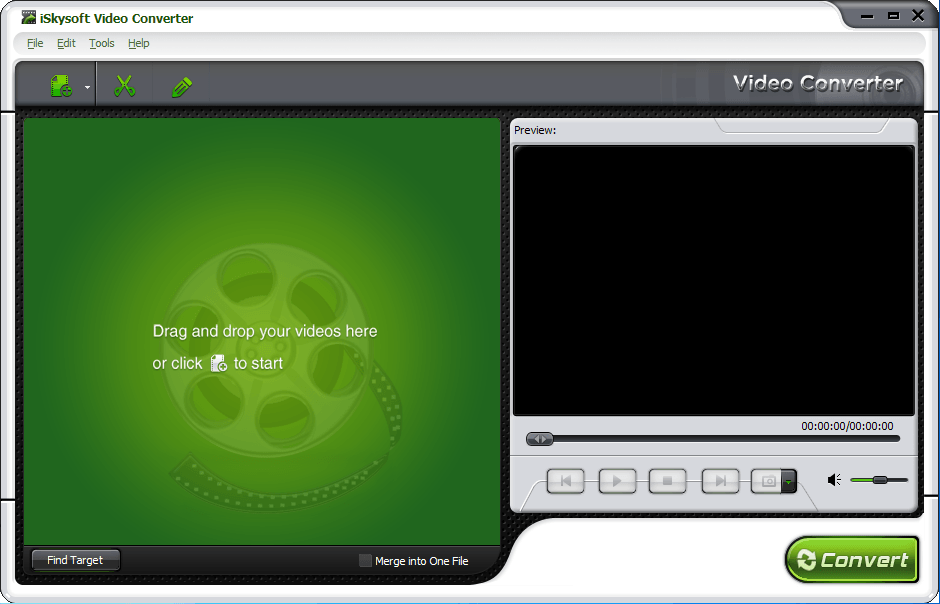
What exactly is this iSkysoft Video Converter? To put it simply, it is an all-in-one video converter that not only allows users to convert video files (HD and SD), but it also allows users to convert audio files, rip audio from video files, and perform basic edits on files before converting. The following is the official list of features for iSkysoft Video Converter (created by the developer) followed by a chart listing all the supported input formats, output formats, and electronic devices (also created by the developer):
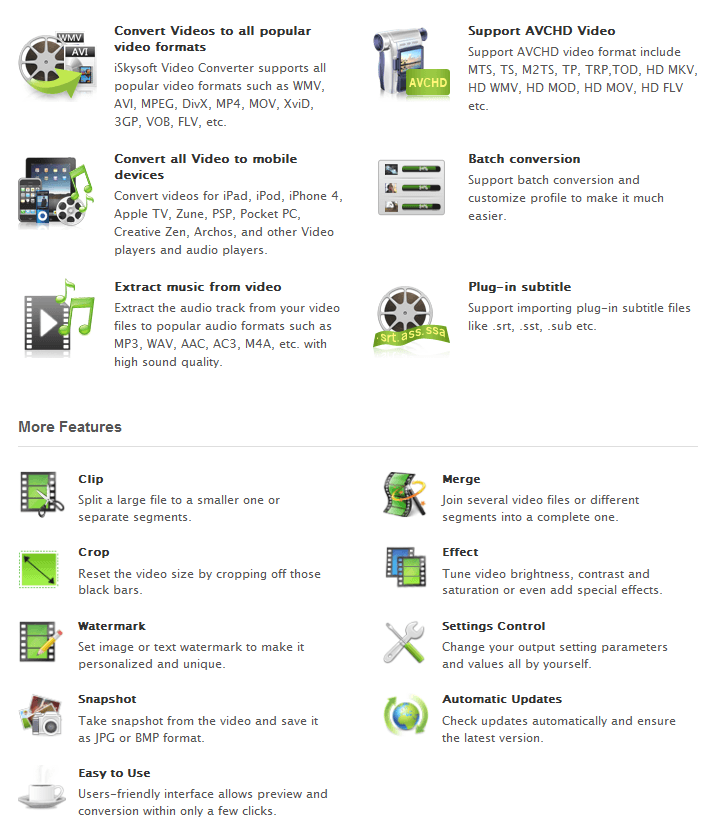
(Click on the image to view list in full size.)
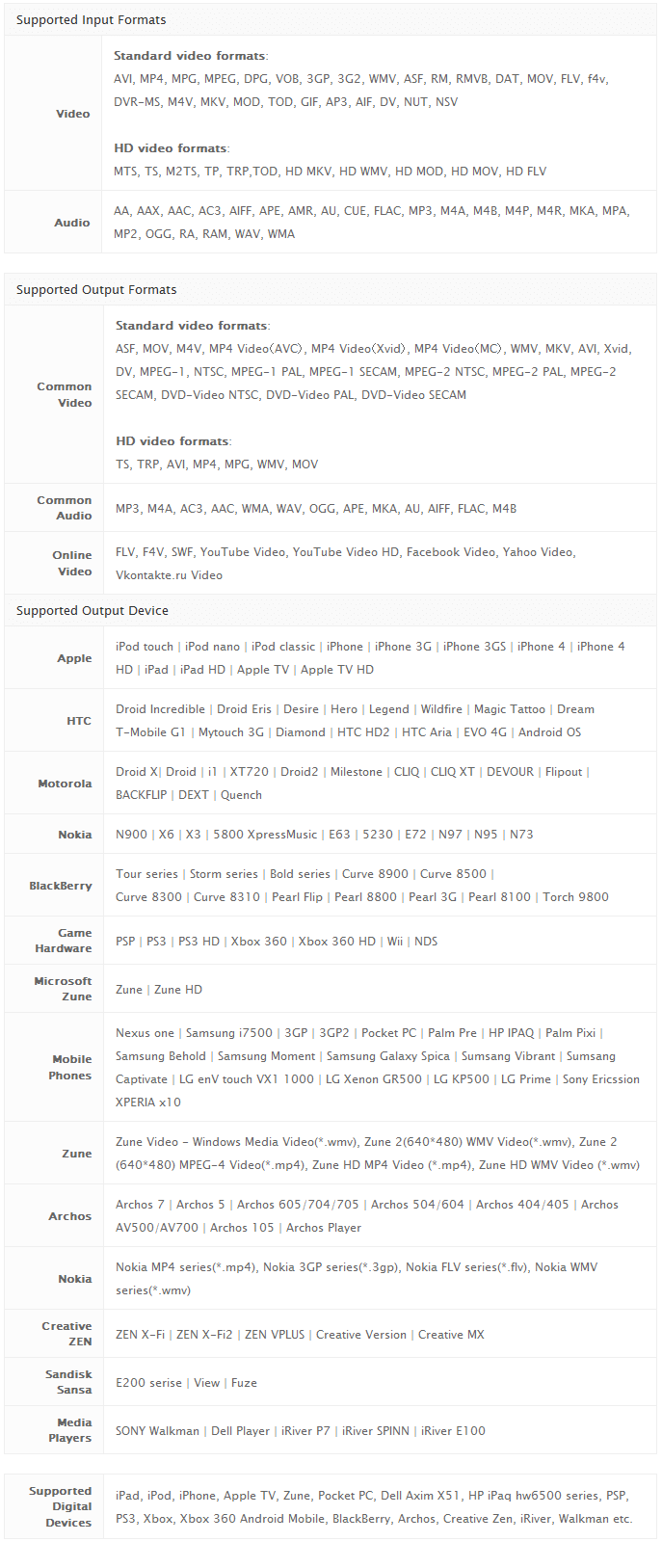 (Click on the image to view chart in full size.)
For the next 48-hours (starting 00:00 PST December 8, 2010 and ending 24:00 PST December 9, 2010) dotTech is offering dotTechies the ability to get iSkysoft Video Converter for free! If, however, you would like more “umpf” in your program and are looking for something more than an all-in-one video converter, part of this promotion includes the ability to get 50% off iSkysoft Video Converter Ultimate (regular price is $55.00 but available for $29.00 for a limited time – see the right-hand side of the giveaway page for discount). iSkysoft Video Converter Ultimate has all the features of iSkysoft Video Converter plus the ability to rip DVDs, burn DVDs, bypass DRM protection on files, transfer audio/video files to portable devices, and download online streaming video.
That said, to get iSkysoft Video Converter for free, follow these simple directions:
Version being given out for free: v3.0.2.0
Official free updates: No
Official free technical support: Yes but only for up to one week after this giveaway
Supported OS: Window NT/2000/XP/2003/Vista/Win7
Download size: 18.4 MB
Giveaway time-frame: This giveaway starts on 00:00 PST December 8, 2010 and ends 24:00 PST December 9, 2010. iSkysoft Studio requests everyone to try to install and activate iSkysoft Video Converter during this 48-hour time-frame, but users will be allowed to install/activate at later dates.
Note: Unless specifically stated otherwise in this article, iSkysoft Video Converter has not been tested or reviewed by dotTech (aside from ensuring that this giveaway is valid). All the information about the program in this post is based off the information provided on the developer’s website. Please do not take this post as an endorsement/rejection or review of the program. This article is simply to inform about the availability of this program as a freebie; nothing more, nothing less.
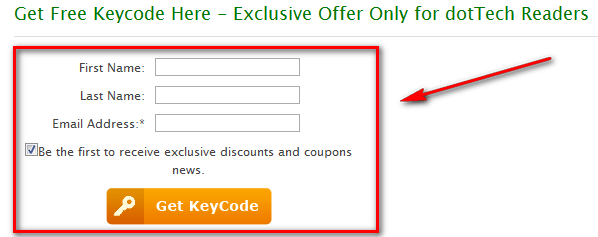
- Visit the dotTech-iSkysoft promotion page and register:
Note: This promotion is available to everyone – everyone may get it for free. However, this is a dotTech.org promotion. Please do not directly link to, copy, paste, or reprint the promotion page anywhere else including private or public forums, blogs, file hosting services, etc. If you want to spread information about this offer, you may link to this article by providing a permalink (alternative permalink) to your audience. If you respect our wishes, we will be able to continue to bring you great freebies. If you don’t, we have no incentive to continue our promotions and they may stop.
- Once you have registered, check the inbox of the e-mail address you registered with. Look for an e-mail from iSkysoft Mailer (mailer@iskysoft.com) with the subject of Your Registration Information of iSkysoft Video Converter?. In the e-mail you will find your registration information:
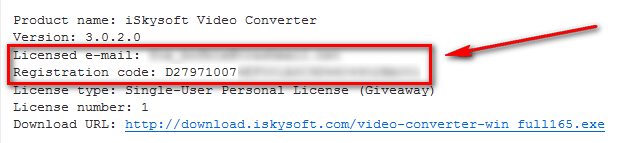
- Download and install iSkysoft Video Converter.
- After installation has finished, run iSkysoft Video Converter; you will be promoted to register the software so register with using the registration details you received via e-mail:
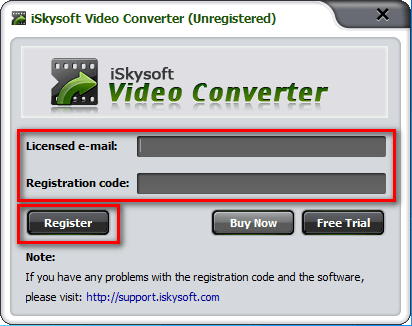
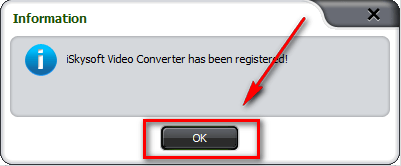
- Enjoy!
- (Optional) As a way of thanking iSkysoft Studio for this freebie, please provide them with feedback regarding their software in the comments below. Feedback can be anything including but not limited to bugs fixes, desired features, desired changes, ways to improve the program, input on the current price, etc.
If you have trouble getting iSkysoft Video Converter for free, post below and other dotTechies or I will try to help.
