dotTech

  • /Home
  • /Giveaways
  • /Reviews
  • /Tips & Tricks
  • /Downloads
POPULAR ➞ Download Paid Software For Free!
Previous Post
Next Post

Google reveals new logo, modified search page

News
By Enrique Manalang - September 20, 2013 - 1 comment Email article | Print article

google

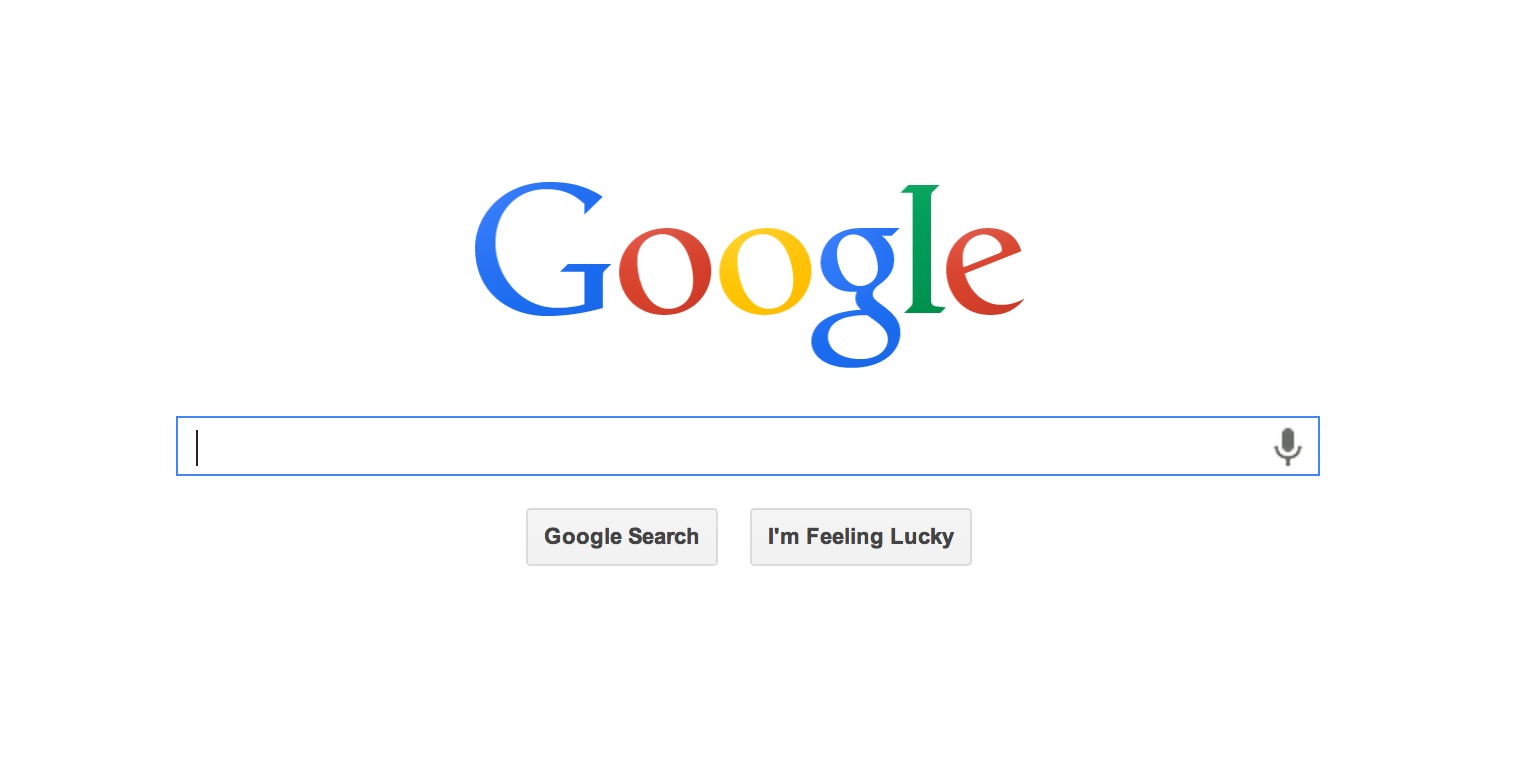
Google has updated its logo for a more modern-looking and flat design, with subdued colors and slight tweaks to the lettering. Last week, Ars Technica spotted the new logo but after reporting on it, sources told The Verge that it was just an alternative for when the traditional logo might not display well, such as printer banners or different corporate use cases.

It turns out the updated design was destined to replace Google’s iconic page after all, since the new logo as well as an updated Google apps navigation has shown up for a number of users. Instead of the black navigational bar at the top of the screen displaying things like Gmail, Google+ or Google Maps, now there’s an app-drawer style icon on the top right that contains all the usual Google apps.

appdrawer

The design unifies Google’s homepage look with many of the company’s recent updates, and the new flat logo joins the rest of the industry in an apparent quest to rid the virtual world of gloss.
googlesearch

[via Ars Technica, The Verge]

Related Posts

Previous Post
Next Post
TagsDesign Flat Google Google.com Homepage Logo logos New Google Logo news Redesign search

About Enrique Manalang

Enrique brings you your tech news on dotTech. When he isn't writing, you'll find him playing video games or traveling. You can find him on Twitter at @enriquemanalang.
View all posts by Enrique Manalang →

Related Posts

  • Tip / Trick
    The story of why I switched from Google to Yahoo
  • Tip / Trick
    How to switch back to Google from Yahoo in Firefox [Guide]
  • Tip / Trick
    How to delete your Google+ account [Guide]
  • News
    Symantec admits anti-virus software is no longer effective at stopping virus attacks

Recent Posts

  • How to record your desktop screen, edit and export like a pro with ScreenToGif [Windows]
  • How to edit your audio tags using Mp3tag [Windows]
  • How to create animated PNGs [Windows]
  • How to create simple animated GIF screen captures with LICEcap [Windows]
  • How to edit MP3 files fast and easy with mp3DirectCut [Windows]
  • How to become a crossword (cheat) champ [Windows]
  • How to locate files and folders by filename instantly [Windows]
  • How to broadcast your PowerPoint 2010 (or later) presentation [Windows]
  • PDFelement vs Acrobat Pro DC [Tip]
  • How to fix disk signature collision problem of a drive without formatting in Windows [Tip]
  • How to turn ads off in uTorrent in Windows [Tip]
  • How to use an MP3 song as a ringtone in an iPhone [Tip]
  • The Best 4 Software to Install on Your PC in 2018 [Tip]
  • How to stop killing your battery by overcharging your laptop [Tip]
  • How to reencode videos using XMedia Recode [Windows]
  • How to download videos using 3D Youtube Downloader [Windows]
  • How to highlight cells having keywords in Excel [Tip]
  • How to prevent users from changing desktop wallpaper in Windows [Tip]
  • Download and record any song or video from the web with KeepVid Music [Windows]
  • Download 1080p and Ultra HD videos from any site with KeepVid Pro [Windows]
  • How to add/remove apps and programs in Windows 10 [Tip]
  • How to save space by cleaning up Component Store (WinSxS folder) in Windows 10 [Tip]
  • Download videos online from any site with KeepVid Online [Web/Browser]
  • How to enable/disable OneDrive for file storage in Windows 10 [Tip]
  • How to find out what edition, version and OS build of Windows 10 I have? [Tip]
  • How to change name Cortana calls you [Tip]
  • How to encrypt a single file or folder in Windows 10 [Tip]
  • How to encrypt internal hard drive in Windows 10 [Tip]
  • Download HD videos fast with KeepVid YouTube Video Downloader [Android]
  • How to turn on/off sync settings in Windows 10 [Tip]
  • How to enable or disable automatic updates for Windows Update in Windows 10 [Tip]
  • How to turn on/off driver updates using Windows Update in Windows 10 [Tip]
  • How to hide or show Windows updates in Windows 10 [Tip]
  • How to set wireless network as metered/non-metered connection in Windows 10 [Tip]
  • How to turn on/off system protection for drives in Windows 10 [Tip]

The Hidden Stash (aka Categories)

© 2008-2017 dotTech.org | All content is the property of its rightful owner. | We are part of the Azadi Network.