Windows Software »
[Windows] FiRE is an excellent, portable file renamer that allows bulk renaming of files
Organizing or reorganizing your computer can become a frustrating chore, especially if it involves renaming large number of files. While Windows does provide a batch renaming facility, it is basic at best, allowing you to specify a common name for the first file, after which the remaining files in the [...]
[Windows] Convert videos into dozens of different formats using Video to Video Converter (and it’s portable!)
Be sure to check out dotTech’s review on Best Free Video and Audio Converter for Windows!
Windows Media Player’s inability to support a large number of media formats means that people who use it to watch videos on their computers often have to skip watching some of the videos that [...]
Read More »[Windows] Measure your Windows boot speed with BootRacer
As computers get faster, so does the expectation of faster boot speed. Keeping tabs on how long it takes your PC or laptop to boot up may provide a good indication whether the computer has been optimized to work at its full capacity. Long boot up time may indicate the [...]
[Windows] Use a USB flash drive as login authenticator for your computer with Rohos Logon Key
Increasing reliance on computers in different walks of life means that computer security has emerged a major factor not only in research and businesses, but also among individual users. While there are in-built protection measures that allow users to lock their computers using long and complex passwords, it becomes rather [...]
[Windows] Color Archiver helps you find and save colors in HTML, hex, and more
Color Archiver is an application that acts as your color diary. Web developers and graphic artists will definitely find Color Archiver quite useful for what it is able to bring forward on the table.
What is it and what does it do
Main Functionality
Picking, saving, and searching for colors [...]
Read More »[Windows] Multi Commander is feature-filled, multi-tabbed file manager — an alternative to Windows Explorer
Multi Commander is a file manager that is an alternative to the standard, default Windows Explorer. With this program users can potentially get work done faster by using advanced features compared to using Windows Explorer.
What is it and what does it do
Main Functionality
Windows Explorer is good; one [...]
Read More »[Windows] SearchMyFiles is an excellent desktop search program
Microsoft has had to deal with a negative response from both critics and users regarding the built-in search function for Windows 7. There have been numerous complaints about the efficiency of the feature with users saying that Windows Search is not able to find files which they know exist on [...]
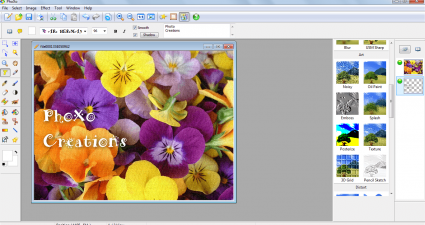
[Windows] Paint.NET is a free, feature-filled image editor
When it comes down to cutting, cropping, or editing one of your favorite images, the default Windows Paint software isn’t enough to get these basic tasks done. This is where Paint.NET comes in, a software that saves you from installing large programs like GIMP or buying Photoshop.
What is it [...]
Read More »[Windows] Sumatra PDF is a lightweight, easy-to-use PDF reader
Sometimes less can be considered as more; such is the case with Sumatra PDF reader. It doesn’t have all the extra features found in Adobe Reader to slow it down, and that is the reason why Sumatra hits the right spot as many users who have PDF readers only use [...]
[Windows 8] Learn about your neighborhood by reading Wikipedia on Explora
What are some cool or interesting places to visit in your area? If you’re new to the area, you probably don’t know–but with Explora, you can find out. Explora lets you view Wikipedia articles on local businesses, neighborhoods, and more, while in the process, you learn about your world.[...]
What
Read More »[Windows] Keep track of files and add the date to the end of filenames with Append Date
Many computer users deal extensively with files every day. However, they often loose track of which exact version of a file something is, or when it was created. With Append Date, that’s not an issue: this little program lets you append the date to any filename with the click of [...]
[Windows] Attachments too big? Split them with Split Byte
Email, for some bizarre reason, still has an upload limit of around 25-50MB. It’s slowly getting better, but you still can’t send very large attachments to certain people. If you need to email something to someone, try splitting the file with Split Byte.[...]
What is it and what does it
Read More »[Windows 8] Pop the bubbles or die trying in Bubble Star
Bubble Star is a free game on the Windows Store that offers 100 levels and ”hours of fun”–and it’s not just talk. It’s for real. Bubble Star, which is essentially Frozen Bubble with powerups, is a great game to play for a few minutes at a time, eventually working your [...]
[Windows] Monitor CPU usage, memory usage, and computer temperature from your system tray with Perfgraph
Keeping tabs on your CPU and memory usage is a must for anyone who likes to keep their system in tip-top shape. If you’re one of those people, try Perfgraph. It’s a free program that adds a surprisingly minimal chart to your taskbar that can show CPU, memory, network ping [...]
[Windows] Test USB drives for actual storage capacity with H2testw, because knockoff USB drives lie
“$12 for a 64GB flash drive?! Send me 20!”
Cheap thumb drives and hard drives off of Ebay and from street vendors can often be of dubious quantity and quality, even if they claim to work when you plug them into your computer. H2testw is a program that one ups [...]
Read More »[Windows 8] Watch and listen to YouTube videos with Youtube Player
The internet is all about sharing photos, videos, music, and much much more. A large part of this is entirely YouTube, the online video sharing site that has become a home for high quality (and low quality) videos produced by everyone and their dog. Youtube Player brings that great content [...]
[Windows] Open Firefox and Firefox Portable at the same time with TwinFox
One of the coolest things about Firefox is that it’s available in both installable and entirely thumbdrive-based portable editions. If you’re a user of the portable version, however, you might find it annoying that you can’t run the installed version at the same time as the version located on your [...]
[Windows] Open frequently used applications and files quickly with the free dock Winstep Nexus
Handy as Windows 7′s taskbar may be for launching all of your favorite apps and programs, it’s still not perfect. There’s still no official way, after three years, to dock specific files on your taskbar–only programs, and within their jumplists, files. Winstep Nexus is a beautiful dock that, along with [...]
[Windows 8] MetroPuzzle is a simple, fun puzzler that makes you think
So few games released today are slow, relaxing puzzlers. That’s what makes MetroPuzzle stand out: rather than being all about rushing as fast as you can, it makes you stop and think. It’s all about the relationships between the blocks themselves, and trying to remove the central white shape by [...]
[Windows] Help your concentration and sleep better with White Noise Sleep System
Extraneous noise can be very distracting–it’s our brains trying to pick patterns out of the background. White noise can help. Random frequencies that combined create the sound from an old CRT TV on the wrong channel, white noise contains no patterns, and thus is impossible for our brains to use. [...]
[Windows] Back up, transfer, and restore your Gmail inbox and archive with GMVault
A lot of people use Gmail to manage their day-to-day lives. But what happens if Gmail were to suddenly get wiped off the face of the earth, or if Google were to close down your account? It’s important to keep backups of your emails for the sake of your data’s [...]
[Windows 8] Watch full-screen TED talks with TEDTalks HD
Ever seen a TED video? If not, then you don’t know what you are missing. TED – which stands for Technology, Entertainment, Design – is a nonprofit organization that organizes TED conferences and talks where people give speeches on ideas or inventions they have. They’re amazing to listen to, and [...]
[Windows] Help scientists unravel the mysteries of protein folding with Folding@home
Did you know that, around the world, there are numerous projects to use home computers as distributed supercomputers? There are, and Folding@home is one of the most famous ones. Created by scientists at Stanford University, it lets your computer join a vast network that allows them to study the science [...]
[Windows] Download and upload to remote fileservers (FTP, SCP, SFTP) with WinSCP
There are tons of people who use FTP clients every day. Graphic designers use them to upload completed designs. Web programmers use them to upload finished scripts and programs. Whatever you use them for, try WinSCP. It’s a free and popular client that does not only FTP, but SFTP [...]
[Windows] View detailed information about the elements of the periodic table with pElement
There is tons of information known about each and every element known to mankind, but accessing it is another story. Most of it is scattered by the winds throughout the internet, some appearing on Wikipedia’s info boxes but most hidden throughout the mountains of text one might expect to find [...]
[Windows 8] Get a beautifully-animated, wonderfully-futuristic disk scanner with Disk Falcon
The future is of technology awesome, according to movies such as The Minority Report and Avatar. (The future itself, not so much.) But those futuristic computer interfaces are actually somewhat possible today–through the use of animated computer graphics and some clever design, the team of developers at Sad Cat Software [...]
[Windows] Edit your Windows Vista or 7 bootloader with Visual BCD Editor
Is your computer prompting you to choose between Windows 7 and some version of Windows you got rid of many years ago? That’s actually an issue with your bootloader, but luckily, with Visual BCD Editor that’s easy to fix. Visual BCD Editor is a free program that lets you edit [...]
[Windows] Disable USB reading or USB writing with one click with Phrozen Safe USB
USB drives are great–a great way to transfer viruses and sensitive files from one computer to another, that is. If you’d prefer to keep other people’s data off of your computer and your data on it, you can easily disable thumbdrives with Phrozen Safe USB with just a single click.[...]
[Windows] Lower your computer’s volume automatically with Volume Concierge
Are you an evening computer user? Many people are, but at the same time, many people choose to sleep or otherwise rest during the same time. If someone in your household or workplace doesn’t want your volume up high at certain times of day, set your computer to automatically lower [...]
[Windows 8] View and learn about the 118 elements with the Periodic Table
Chemistry students everywhere are always in search of a better periodic table–one that shows them everything they need to know without overcrowding the already small squares. Due to their linkable, expandable nature, computers are a natural candidate in the competition, and with Periodic Table, you can quickly get all of [...]
[Windows] Pick a video, song, or file at random with Pick Me
Are you trying to pick just one movie or video to watch tonight? Best of luck! If you were perhaps using a random number generator like Pick Me, however, you could eliminate the overwhelming number of choices and just sit back and relax. It’s incredibly easy to use, and is [...]
[Windows] Collect all of your Windows utilities in one place with Puran Ultilities
Every Windows computer ever, no matter how meticulously kept up, has some amount of useless or junk data on it. Be it in a temp file somewhere, or even a failing hard drive, Puran Utilities lets you seek out disk problems with Disk Check. But Puran Utilities is more than [...]
[Windows 8] Play checkers with your computer in Modern Checkers
Are you a fan of checkers? If you are, you’ll probably be disappointed to hear that there is not going to be an official Microsoft release of checkers for Windows 8. However, that doesn’t mean that other developers can’t come in and create their own versions of the game–and that’s [...]
[Windows 8] Bring Windows Gadgets back to Windows 8 with 8GadgetPack
Microsoft changed thousands of things between Windows 7 and Windows 8. Not the least of the differences is the omission of Gadgets. Originally introduced in Windows Vista as the Sidebar, they were eventually reduced down to just individual gadgets in Windows 7, and taken out entirely in Windows 8. However, [...]
[Windows] Clean up and tweak your dirty context menu with Right Click Enhancer
Every time you right click on a file or folder, it brings up the context menu. In there, age-old programs that you thought you took off of your hard drive 10 years ago lurk around, waiting for you to accidentally unzip your files with the wrong program. Only a few [...]