Browser Tips and Tricks »
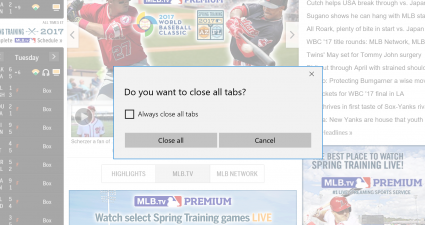
What is ‘Click-to-Play’ and how to enable it in Chrome, Firefox, Opera, and Internet Explorer [dotTech Explains]
Recently dotTech posted a joke about websites that start to randomly play videos or audios and how every web browser should have a feature to kill such websites. In the comments a dotTechie — Darcy — posted about very useful comment about using an addon in Firefox to block Flash [...]
Read More »[Windows 8] What is ‘Flip ahead’ and how to use it to go to next page in Internet Explorer 10
As you already know, Windows 8 provides two version of Internet Explorer (IE) 10 in order to satisfy traditional and touch-screen users. So that, IE 10 in Modern UI has some features, which lacks from IE desktop version, to help users easier navigate and view webpage on their mobile device. [...]
Read More »How to enable (or disable) Facebook Messenger in Firefox 17 and higher [Guide]
Firefox 17 is out and it comes with one new big feature: Facebook Messenger. Yes, you read it right — Facebook Messenger is now integrated as a native application in Firefox… no add-on required to use it! However, it can be a bit confusing as to how to turn on [...]
Read More »How to enable Do Not Track in Chrome, Firefox, Internet Explorer, and Opera [Guide]
Do Not Track is a semi-new feature in the digital world that allows users to tell advertisers to not track their online activity for the purposes of serving targeted/personalized ads. To use Do Not Track, it must be built into your internet browser and, thankfully, all four major browsers now [...]
Read More »How to check if Do Not Track is enabled in your browser or not [Guide]
So you have enabled Do Not Track in your browser, but you want to confirm that it has actually been enabled. How do you find out? Easy — you read the following handy dandy guide that shows you how to check if Do Not Track is enabled in your browser [...]
Read More »How to disable Java for Firefox, Chrome, Internet Explorer, or Opera [Guide]
If you are fed up with Java’s security vulnerabilities but are not willing to completely uninstall Java from your computer, a potential middle ground is disabling Java in your browser. This guide shows you how to disable Java in Firefox, Google Chrome, Internet Explorer, and Opera.
Table of Contents
- How
[...]
How to block advertisements in Firefox, Internet Explorer, Chrome, and Opera [2nd Edition] [Guide]
A few weeks ago we had a good discussion regarding advertisements. There are many dotTechies who are OK with advertisements; but there are also others that are not. Out of those that dislike ads, there are some that block ads and there are some that would like to block ads [...]
Read More »


![What is ‘Click-to-Play’ and how to enable it in Chrome, Firefox, Opera, and Internet Explorer [dotTech Explains]](http://cdn.dottech.org/media/2013/03/2013-03-10_190236-290x160.png)
![[Windows 8] What is ‘Flip ahead’ and how to use it to go to next page in Internet Explorer 10](http://cdn.dottech.org/media/2013/01/0103-1-290x160.png)
![How to enable (or disable) Facebook Messenger in Firefox 17 and higher [Guide]](http://cdn.dottech.org/media/2012/11/2012-11-21_012112-290x160.png)
![How to enable Do Not Track in Chrome, Firefox, Internet Explorer, and Opera [Guide]](http://cdn.dottech.org/media/2012/11/2012-11-10_202831-290x75.png)
![How to check if Do Not Track is enabled in your browser or not [Guide]](http://cdn.dottech.org/media/2012/11/2012-11-10_203823-290x160.png)
![How to disable Java for Firefox, Chrome, Internet Explorer, or Opera [Guide]](http://cdn.dottech.org/media/2012/08/java_logo-217x160.gif)
![How to block advertisements in Firefox, Internet Explorer, Chrome, and Opera [2nd Edition] [Guide]](http://cdn.dottech.org/media/2010/08/2010-08-08_174021-290x160.png)