dotTech

  • /Home
  • /Giveaways
  • /Reviews
  • /Tips & Tricks
  • /Downloads
POPULAR ➞ Download Paid Software For Free!
Review
By Kent - July 24, 2014

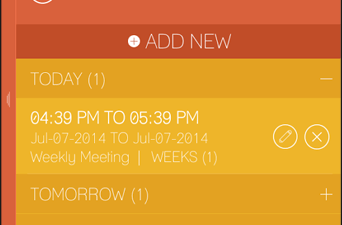
[Android] Mr. Silent enables auto silent mode by time, event, contact or location

You may have already heard that Android L is already due for release this coming fall. Guess what? It’s also packed with new, useful and interesting features such as its “Do Not Disturb” mode for incoming notifications. While wait...
Read More
Review
By Kent - July 24, 2014

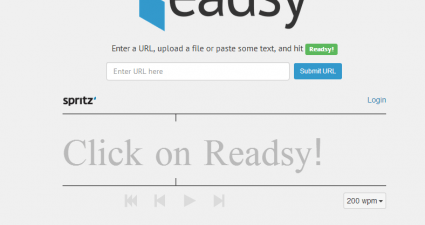
[Web] Read faster and comprehend more with Readsy

In speed reading, it is also necessary for the reader to read with the full understanding of what he or she has read. Simply put, you can’t just read fast for the sake of reading fast. You also need to comprehend what you’re readi...

Read More
Review
By Kent - July 24, 2014

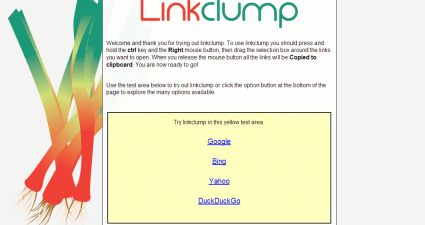
[Chrome] Linkclump can open multiple links at the same time

Tasks that require repetitive actions such as opening or copying multiple links can be very tedious. Just think about it. You have to open or copy each link and then transfer it to another file or document. Not only does it consum...

Read More
Tip / Trick
By Kent - July 24, 2014

How to automatically open Chrome’s new tab in a new window [Tip]

If, for some reason, you wish to temporarily disable your Chrome browser’s tabbed browsing, then you can apply a simple tweak to its default settings. As a matter of fact, it is fairly easy to do. If you want to know how, better r...

Read More
Tip / Trick
By Kent - July 24, 2014

How to hide or delete other bookmarks folder in Chrome [Tip]

Have you ever noticed that “other bookmarks” folder that always appears on the right side of your Chrome bookmarks toolbar? Yes, it is always there by default. It doesn’t even matter whether you’re using it or not. Well, it’s not ...

Read More
Tip / Trick
By MatthewA - July 24, 2014

How to edit text areas using an external editor on Firefox [Tip]

A number of websites and blogs have text areas. These text areas are usually a little limited in size, and don’t include many options. However, you can edit website text areas with your word processor software instead. With ...

Read More
Tip / Trick
By Kent - July 24, 2014

How to sync Chrome bookmarks with Android [Tip]

Let’s just say that you are using Chrome as your default web browser. At the same time, you’re also using it on your Android tablet or smartphone. Now, you’re wondering if it’s possible to sync the bookmarks that you’ve save...

Read More
Tip / Trick
By MatthewA - July 24, 2014

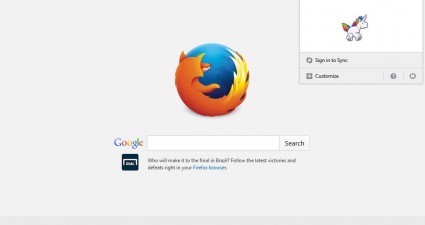
How to reveal the secret unicorn Easter egg in Firefox [Tip]

There are numerous software packages, and websites, that include Easter eggs. No, those aren’t sumptuous chocolate eggs; but are secret responses that occur to undocumented series of commands. For example, open this post for...

Read More
Tip / Trick
By Kent - July 23, 2014

Download over 300 free eBooks to learn about Windows, Office, SQL, and more [Tip]

Great news folks! Microsoft has released a new batch of eBooks that you can download for FREE. Most of the eBooks are available in PDF format while there are also those that you can download as ZIP, MOBI, DOCX and EPUB. The list i...

Read More
Tip / Trick
By Enrique Manalang - July 23, 2014

How to root the OnePlus One via toolkit [Guide]

  Want to root your OnePlus One? This guide will help you accomplish just that, via a handy toolkit method! Disclaimer: This guide is intended as a helpful “how to”. Ashraf and dotTech are not responsible for any gain or loss...

Read More
Tip / Trick
By Kent - July 23, 2014

How to disable touchpad on Chromebooks [Tip]

The touchpad, also known as trackpad, is a useful component that you can find on MacBooks, Chromebooks and laptops. It’s just that not everyone is fond of using it. As a matter of fact, there are users who would opt to manually di...

Read More
Review
By Kent - July 23, 2014

[Android] StuffMerge Message Wizard is a clipboard manager with fast messaging support

Imagine this scenario. You’re typing a message or email but alas, you forgot to copy the links that you’re supposed to include in the message. Now, you’re left with no other choice but to close your messaging app and switch to you...

Read More
Review
By Kent - July 23, 2014

[Chrome] Quickly show or hide bookmarks with Neat Bookmarks

Are you wondering if there’s a better and quicker way to access your Chrome bookmarks? Well, there are lots of ways to view and manage your bookmarks but if you wish to access them in just one-click and have them listed in a popup...

Read More
Tip / Trick
By MatthewA - July 23, 2014

How to speed up Chrome from its Task Manager [Tip]

If you find that Chrome isn’t running especially quickly, there are a few ways that you can give the browser a speed boost. One of the best ways to speed up Chrome is to close its processes. For that, Google Chrome has its v...

Read More
Tip / Trick
By MatthewA - July 23, 2014

How to customize the colors of visited page links in Firefox [Tip]

Websites may, or might not, include alternative colors for page links on the site that you’ve previously opened with your browser. Certainly, there are plenty of websites that don’t include alternative colors to highli...

Read More
Tip / Trick
By MatthewA - July 23, 2014

How to add a Ctrl + Tab popup menu switcher to Firefox [Tip]

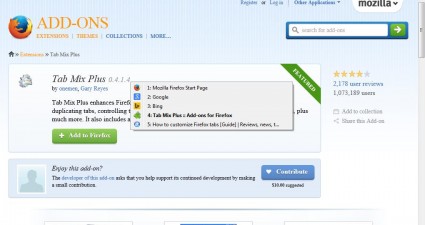
The Alt + Tab switcher in Windows switches between minimized windows. You can add a comparable Ctrl + Tab switcher to Firefox that opens a dialog box from which you can switch between page tabs. All that’s required is the Ta...

Read More
Tip / Trick
By MatthewA - July 23, 2014

How to remove text from folders on bookmarks toolbar on Chrome [Tip]

This article discussed how we can remove text from website shortcuts on the Google Chrome bar. You can also remove text from folders included on that toolbar. However, the method is not the same. Open the Google Chrome browser, an...

Read More
Tip / Trick
By MatthewA - July 23, 2014

How to customize the color scheme of Opera 12.16 [Tip]

Opera 12.16 is not the latest version of the browser, but includes options that Opera Stable does not. Among them are color scheme options with which you can select alternative colors for the browser’s toolbar and sidebar pa...

Read More
Tip / Trick
By MatthewA - July 22, 2014

How to customize hotkeys (keyboard shortcuts) on Windows [Guide]

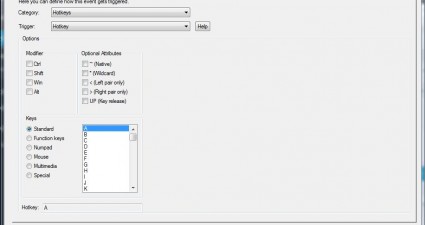
Windows has various keyboard shortcuts, and you can also set up your own custom hotkeys. There are a few software packages that you can customize the keyboard shortcuts in Windows with. Among them is the freeware 7plus program for...

Read More
Tip / Trick
By MatthewA - July 22, 2014

How to hide or show taskbar with hotkey on Windows [Tip]

To hide the Windows taskbar, you would usually right-click on it and select Properties. Selecting the Auto-hide the taskbar option then removes it from the bottom of the desktop. However, with additional software packages we can t...

Read More
Tip / Trick
By MatthewA - July 22, 2014

How to get Windows 7 taskbar-like on Windows XP and Vista [Tip]

Microsoft’s most notable addition to Windows 7 was perhaps the new taskbar. It gave us minimized window icons and options that pin programs to the taskbar. As the minimized windows are square, you can fit more of them on the...

Read More
Review
By Kent - July 22, 2014

[Android] Create custom live wallpapers with Murtastic

Have you ever thought of creating your own Android home screen wallpapers? Well, if it’s just static wallpapers, then you most certainly can. However, with live wallpapers, you need to be a bit more tech-savvy. Fortunately, there’...

Read More
Tip / Trick
By Kent - July 22, 2014

How to view all posts and photos you’ve ‘liked’ on Facebook [Tip]

Are you wondering how to view all of the posts and photos that you’ve “liked” on Facebook? How about organizing them as thumbnails or bookmarks? If your answer is yes, yet you do not know how to, then feel free to read and f...

Read More
Tip / Trick
By Kent - July 22, 2014

How to zoom in on Facebook photos [Tip]

Facebook offers a great way to upload and share your photos. You can sort out photos into different albums. You can even edit the viewer or user permissions. It also makes it easier for you to download a photo to your computer. Pl...

Read More
Tip / Trick
By Kent - July 22, 2014

How to search Chrome browsing history by date or tags [Tip]

By default, Chrome offers a simple history page wherein you can access all of your previous browsing activities. These include the sites that you’ve previously visited, the videos that you’ve previously watched, the wo...

Read More
Tip / Trick
By Kent - July 22, 2014

How to delete an Instagram account [Tip]

Whatever your reason is for deleting your Instagram account, the main question is – do you actually know how? As you can notice on your Instagram app, there’s no option provided for deleting your account. Now, you feel lost. You a...

Read More
Tip / Trick
By MatthewA - July 22, 2014

How to use sticky notes directly in Opera browser [Tip]

Opera is one of the few browsers that has built-in note options. However, those notes are not sticky ones that you can stick to specific pages. Sticky notes are much more flexible, and you can add those to Opera with the Easy Stic...

Read More
Tip / Trick
By MatthewA - July 18, 2014

How to get a better Recycle Bin in Windows [Tip]

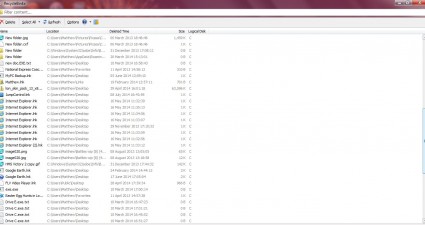
The standard Recycle Bin in Windows could have more options. For example, it doesn’t include a search box, JumpList support in Windows 7 or filter options to select items according to deleted time. However, RecycleBinEx includes a...

Read More
Tip / Trick
By MatthewA - July 18, 2014

How to customize Alt + Tab switcher in Windows 7, 8, 8.1 [Tip]

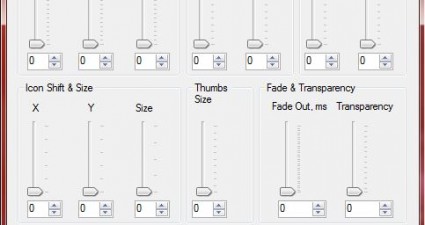
This post covered how you can add a new Alt + Tab switcher to Windows. If you prefer to stick with the original Alt + Tab switcher, you can still customize it. With Alt + Tab Tuner you can adjust Alt + Tab switcher spacing, margin...

Read More
Tip / Trick
By Kent - July 18, 2014

How to save a website as MHTML in Chrome [Tip]

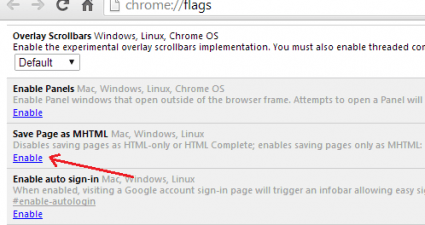
By default, you can use Chrome’s “Save page as” option to save a web page in HTML format. This option is good especially if you want to download and edit a page but for archiving pages, you might want to consider the option of sav...

Read More
Tip / Trick
By MatthewA - July 18, 2014

How to combine Firefox address bar and search box [Tip]

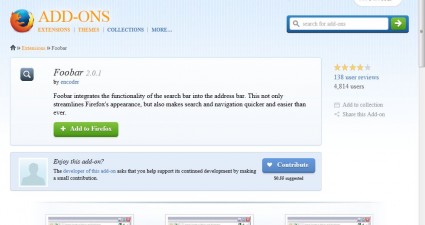
Browses such as Google Chrome and Opera have merged search boxes into their address bars. Yet Firefox is a browser that keeps its address bar and search box separate. However, with the Foobar extension we can merge the Firefox add...

Read More
Tip / Trick
By Kent - July 18, 2014

How to send private links on Twitter via Mention [Tip]

With Twitter, all of your tweets are available to the public. Therefore, you can’t really use it to send private links to any of your friends or followers unless, of course, you send the link via DM (direct message). Furthermore, ...

Read More
Review
By Kent - July 18, 2014

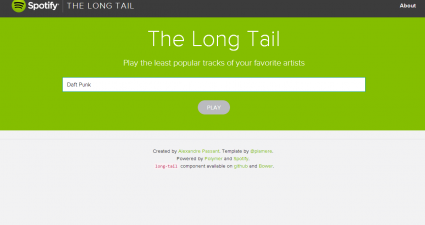
[Web] Use The Long Tail to play the least popular songs on Spotify

Not every song from a particular artist becomes super popular. In most cases, there are underrated songs that don’t even get to have their own spots on radio stations and music charts. Fortunately, you can use a free web app calle...

Read More
Tip / Trick
By MatthewA - July 17, 2014

8 secret Google.com Easter eggs and how to find them [Tip]

You can find Easter egg tricks in software packages, websites and the Google search engine. Google has a variety of Easter eggs that you can unlock by entering specific keywords. Today we have eight of them to share with you. Read...

Read More
Tip / Trick
By MatthewA - July 17, 2014

How to add an uninstall option to Windows context menu [Tip]

To remove a program from Windows, you would usually select its uninstall wizard in the software’s folder, if it includes one, or remove it via the Control Panel. However, you can also remove software packages directly from t...

Read More
« Previous 1 … 113 114 115 116 117 118 119 120 121 122 123 … 451 Next »

Recent Posts

  • How to record your desktop screen, edit and export like a pro with ScreenToGif [Windows]
  • How to edit your audio tags using Mp3tag [Windows]
  • How to create animated PNGs [Windows]
  • How to create simple animated GIF screen captures with LICEcap [Windows]
  • How to edit MP3 files fast and easy with mp3DirectCut [Windows]
  • How to become a crossword (cheat) champ [Windows]
  • How to locate files and folders by filename instantly [Windows]
  • How to broadcast your PowerPoint 2010 (or later) presentation [Windows]
  • PDFelement vs Acrobat Pro DC [Tip]
  • How to fix disk signature collision problem of a drive without formatting in Windows [Tip]
  • How to turn ads off in uTorrent in Windows [Tip]
  • How to use an MP3 song as a ringtone in an iPhone [Tip]
  • The Best 4 Software to Install on Your PC in 2018 [Tip]
  • How to stop killing your battery by overcharging your laptop [Tip]
  • How to reencode videos using XMedia Recode [Windows]
  • How to download videos using 3D Youtube Downloader [Windows]
  • How to highlight cells having keywords in Excel [Tip]
  • How to prevent users from changing desktop wallpaper in Windows [Tip]
  • Download and record any song or video from the web with KeepVid Music [Windows]
  • Download 1080p and Ultra HD videos from any site with KeepVid Pro [Windows]
  • How to add/remove apps and programs in Windows 10 [Tip]
  • How to save space by cleaning up Component Store (WinSxS folder) in Windows 10 [Tip]
  • Download videos online from any site with KeepVid Online [Web/Browser]
  • How to enable/disable OneDrive for file storage in Windows 10 [Tip]
  • How to find out what edition, version and OS build of Windows 10 I have? [Tip]
  • How to change name Cortana calls you [Tip]
  • How to encrypt a single file or folder in Windows 10 [Tip]
  • How to encrypt internal hard drive in Windows 10 [Tip]
  • Download HD videos fast with KeepVid YouTube Video Downloader [Android]
  • How to turn on/off sync settings in Windows 10 [Tip]
  • How to enable or disable automatic updates for Windows Update in Windows 10 [Tip]
  • How to turn on/off driver updates using Windows Update in Windows 10 [Tip]
  • How to hide or show Windows updates in Windows 10 [Tip]
  • How to set wireless network as metered/non-metered connection in Windows 10 [Tip]
  • How to turn on/off system protection for drives in Windows 10 [Tip]

The Hidden Stash (aka Categories)

© 2008-2017 dotTech.org | All content is the property of its rightful owner. | We are part of the Azadi Network.