dotTech

  • /Home
  • /Giveaways
  • /Reviews
  • /Tips & Tricks
  • /Downloads
POPULAR ➞ Download Paid Software For Free!
Tip / Trick
By Kent - February 6, 2015

How to embed a Google Map in a Blogger post [Tip]

If you’re using Blogger as your blogging platform, you can embed different kinds of objects and forms. It’s a versatile platform that’s not just limited to text, images and videos. If you want, you can even embed a map from Google...
Read More
Tip / Trick
By Kent - February 6, 2015

How to remove a credit card from Play Store [Tip]

If you want to purchase some apps from the Play Store, you will be required to link you credit or debit card to your account. The set up process for adding your card is easy but what if you no longer want to link the card to your ...

Read More
Tip / Trick
By MatthewA - February 5, 2015

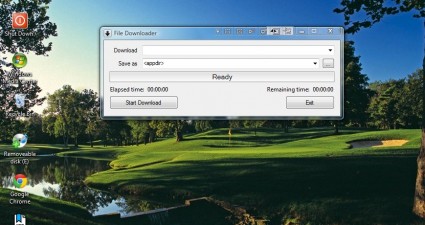
How to download software without a browser in Windows [Tip]

You can download software with any browser. However, as an alternative you can also download with separate third-party packages. Among those programs is the freeware File Downloader. File Downloader is a program you can add to Win...

Read More
Tip / Trick
By Tu Nguyen - February 5, 2015

How to enable the new tray clock in Windows 10 [Tip]

You may notice that Windows 10 is bringing big changes to the desktop, especially on the user interface. It’s clear that Microsoft wants to unify everything under its Modern design language. One of them is the system tray clock. I...

Read More
Tip / Trick
By MatthewA - February 5, 2015

How to convert web pages to PDF in Opera [Tip]

This post covered how you can convert website pages to PDF in Firefox. You can also add extensions that convert Web pages to PDF with Opera extensions. Among those extensions is Web2PDF. Web2PDF is an extension that you can add to...

Read More
Tip / Trick
By MatthewA - February 5, 2015

How to enable click-to-play plug-ins in Chrome, Opera and Internet Explorer [Tip]

This article taught you how to enable a click-to-play Flash in Firefox. You can also enable those plug-ins in the Opera, Internet Explorer and Google Chrome browsers. As those browsers have built-in click-to-play options no add-on...

Read More
Tip / Trick
By MatthewA - February 5, 2015

How to use the Blogger HTML template editor [Guide]

Like any website, you can edit your blog with HTML. As blog hosts already include a variety of formatting options for posts and templates, further editing with HTML tags is hardly essential. However, from your blog account you can...

Read More
Tip / Trick
By MatthewA - February 5, 2015

How to adjust the image size and position of an image in a web page [Guide]

If you are setting up a website, adding images to its pages is usually a requirement. When you add them, they need to be a suitable fit for the page. There are a few ways that you can adjust the size and position of an image so th...

Read More
Tip / Trick
By Kent - February 5, 2015

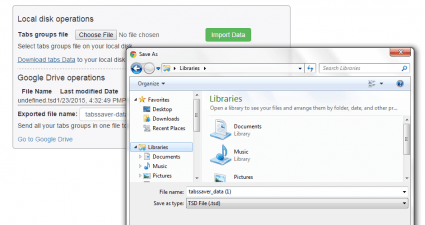
How to save open tabs to a file in Chrome [Tip]

By opting to save a copy of your open tabs to a file, you can easily restore these tabs just in case you encounter issues that would disrupt your browsing session. The thing is Chrome does not have a default option that would allo...

Read More
Tip / Trick
By Kent - February 5, 2015

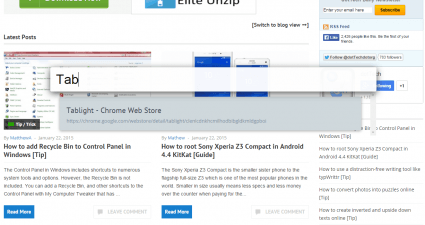
How to add a floating search bar for tabs in Chrome [Tip]

Since Chrome supports tabbed browsing, you can easily switch tabs to go to another site or page. The thing is it can get quite confusing especially when you have a lot of active tabs of the same site that leads to a different post...

Read More
Tip / Trick
By Kent - February 5, 2015

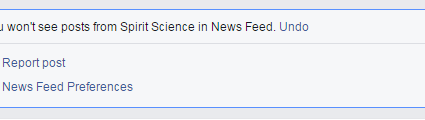
How to hide annoying Facebook posts [Tip]

Not every post that you see on your Facebook feed is good and inspiring. There are also those types of posts that would only make you feel depressed, irritated and annoyed. So why bother reading these posts when you can hide or re...

Read More
Tip / Trick
By Tu Nguyen - February 4, 2015

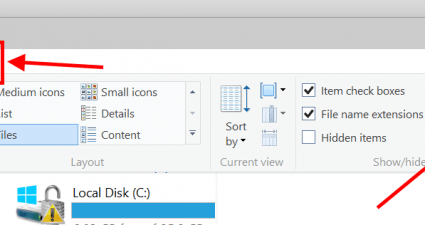
How to open File Explorer to This PC instead of Quick Access in Windows 10 [Tip]

As a beta operation system, Windows 10 Technical Preview changes constantly from build to build. In the latest build 9926, Quick Access is basically the Home location in previous builds. Some of you might already knew that Quick A...

Read More
Tip / Trick
By Kent - February 4, 2015

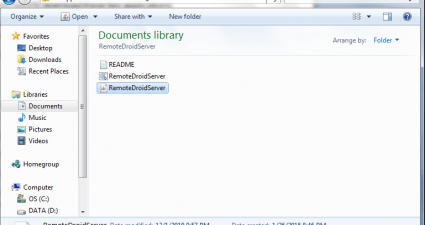
How to turn any Android smartphone into a computer mouse [Tip]

Have you ever thought of using your Android smartphone or tablet as a wireless keyboard and computer mouse? Yes, that’s right. You can use it instead of your standard mouse and trackpad. As a matter of fact, it’s not that difficul...

Read More
Tip / Trick
By Kent - February 4, 2015

How to securely send large files of up to 4GB [Tip]

When it comes to sending large files, you will never run out of choices. As a matter of fact, it’s all up to you to choose the service that you want. You can choose to avail free or paid plans. There are also online file sharing s...

Read More
Tip / Trick
By Mathew Diekhake - February 4, 2015

How to root Galaxy Ace II e in Android Jellybean 4.1 [Guide]

While the Samsung Galaxy Ace II e might not be leading the way as one of the premier flagships in the world for the Android operating system, it is still commands respect. The main downfall apart from the mediocre specs is the And...

Read More
Tip / Trick
By Mathew Diekhake - February 4, 2015

How to unroot the Asus Padfone X [Guide]

Since the Padfone X isn’t getting many official stock Android software updates, many people are searching for custom ROMs and custom firmware versions to install. Doing so means they can try out newer version of the unoffici...

Read More
Tip / Trick
By Mathew Diekhake - February 4, 2015

How to root the Asus Padfone X in Android 4.4 [Guide]

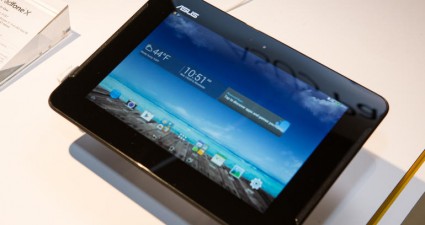
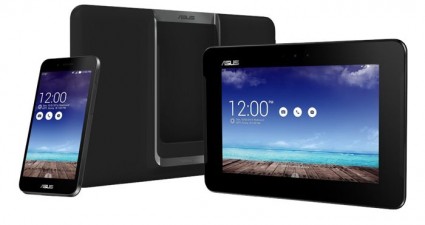
The ASUS Padfone X is a smartphone which connects like a tablet to the back of the main part of the device. It wasn’t hugely successful and only had a release in the United States with the AT&T phone carrier network. As ...

Read More
Tip / Trick
By Mathew Diekhake - February 4, 2015

How to install a custom recovery in ASUS PadFone X [Guide]

There are two main types of custom recovery image people install on Android devices. The most popular is the ClockworkMod recovery. It grew to easily surpass the competition. While some say there’s merit to that, other swear...

Read More
Tip / Trick
By MatthewA - February 4, 2015

How to view website source code with a hotkey in Internet Explorer [Tip]

You can open website page source code in Internet Explorer by right-clicking pages and selecting View Source. This article covered how to open website page source code in Firefox with external editors. In addition, you can also op...

Read More
Tip / Trick
By MatthewA - February 4, 2015

How to disable plug-ins in Chrome, Firefox, IE and Opera [Tip]

You can add numerous plug-ins such as Flash or Java to browsers. However, they can hog RAM much the same as extensions. This is how you can view and switch off Chrome, IE, Firefox and Opera plug-ins. FIREFOX Firefox lists all your...

Read More
Tip / Trick
By Kent - February 4, 2015

How to build good habits by playing a game [Tip]

If you are interested in things that would help improve your personality and build good habits, you can apply various techniques to your daily routine. For example, you can organize your tasks by creating to-do lists. The thing is...

Read More
Tip / Trick
By Tu Nguyen - February 3, 2015

How to hide recently used items in Quick Access in Windows 10 [Tip]

For some of you who don’t know what Quick Access is, it’s just a name change of Home location in previous builds of Windows 10 Technical Preview (TP). Since its first appearance, Quick Access/Home makes many users worry about thei...

Read More
Tip / Trick
By MatthewA - February 3, 2015

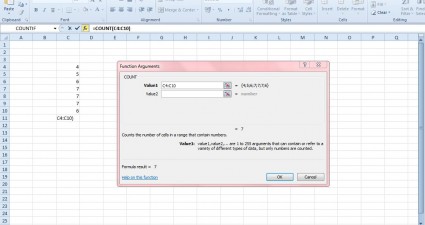
How to use the Count function in Microsoft Excel [Tip]

Excel has a multitude of functions that you can add to spreadsheets. Among them is the Count function, which is a handy statistical tool that counts spreadsheet cells. This is how you can add three Count functions to your Excel 20...

Read More
Tip / Trick
By Kent - February 3, 2015

How to remove annoying comments in YouTube [Tip]

The YouTube community helps regular people become instant online celebrities. That’s not all. They can also make your videos go viral. Even so, there are also those who posts nasty and annoying comments on almost every video that ...

Read More
Tip / Trick
By MatthewA - February 3, 2015

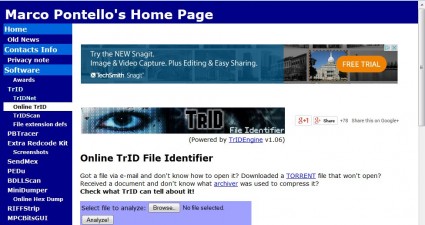
How to identify unknown file types online [Tip]

If you have an unknown file type and are not sure how to open it, check out the Online TrID File Identifier. That’s an app that can identify loads of alternative file types. It provides further details for the file types and...

Read More
Tip / Trick
By MatthewA - February 3, 2015

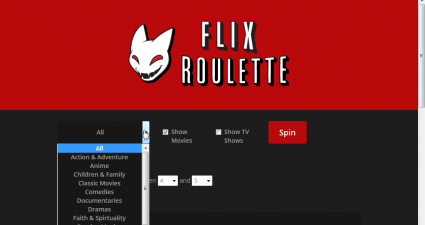
How to find a random Netflix movie or TV show [Tip]

You can watch a variety of films and shows with a Netflix account. To help choose a film or TV show on Netflix, check out the Flix Roulette page. That’s an app which you can search Netflix for a random film or show. Open the...

Read More
Tip / Trick
By MatthewA - February 3, 2015

How to create a user profile in Firefox [Tip]

User profiles are something included in a number of software packages. You can set up alternative user profiles to log in to Windows with. In addition, you can also set up Firefox user profiles without any extra add-ons. To set up...

Read More
Tip / Trick
By MatthewA - February 3, 2015

How to access websites on the bookmarks toolbar with hotkeys in Firefox [Tip]

You can add a variety of website shortcuts to Firefox’s bookmark toolbar. Although Firefox doesn’t have any built-in options for assigning hotkeys to websites on the bookmark toolbar, you can add keyboard shortcuts to ...

Read More
Tip / Trick
By Mathew Diekhake - February 2, 2015

How to remove desktop dock adware from Chrome, Firefox and Internet Explorer [Guide]

The Desktop Doc adware is a nasty infection that comes inside of other files and packages that you might have installed thinking they were harmless. Generally, untrusted third-party links that claim to be something they are not ar...

Read More
Tip / Trick
By Mathew Diekhake - February 2, 2015

How to uninstall desktop dock virus from Windows [Guide]

As a website that produces thousands of words of content by the day and it solely supported by advertising review, nothing gripes us more than adware. Advertising doesn’t have a great image generally. Usually people will say...

Read More
Tip / Trick
By Kent - February 2, 2015

How to install WhatsApp on any Android tablet [Tip]

WhatsApp is one of today’s most popular instant messaging apps for Android. A lot of users use WhatsApp to send and receive messages. All in all, it’s a very reliable app with cross-platform support. The thing is it requires you t...

Read More
Tip / Trick
By Kent - February 2, 2015

How to hide unwanted elements in Twitter [Tip]

Do you wish to hide or remove those unwanted elements on your Twitter dashboard? Do you wish to stop seeing those promotional ads and promoted tweets on your feed? If you do, then all you need to do is to install a simple yet very...

Read More
Tip / Trick
By Kent - February 2, 2015

How to revoke third-party app permissions in Evernote [Tip]

Some apps like Kanbanote would require you to log in using your Evernote account. By doing so, you are also giving the app permission to access your Evernote data. Since you are allowing these apps to gain access to your Evernote ...

Read More
Tip / Trick
By MatthewA - February 2, 2015

How to minimize Firefox to the system tray with a hotkey [Tip]

The system tray includes few background and startup applications. Nevertheless, you can still minimize Mozilla applications such as Firefox to the system tray instead of taskbar with the MinimizeToTray Revived. With that add-on yo...

Read More
Tip / Trick
By MatthewA - February 2, 2015

How to search within a website with Google Search [Tip]

Not all websites have a search box, and they’re not always entirely reliable. However, you can  set up a search just for the site open in Google Chrome with Google search. All that’s required is to set up a keyword boo...

Read More
« Previous 1 … 83 84 85 86 87 88 89 90 91 92 93 … 451 Next »

Recent Posts

  • How to record your desktop screen, edit and export like a pro with ScreenToGif [Windows]
  • How to edit your audio tags using Mp3tag [Windows]
  • How to create animated PNGs [Windows]
  • How to create simple animated GIF screen captures with LICEcap [Windows]
  • How to edit MP3 files fast and easy with mp3DirectCut [Windows]
  • How to become a crossword (cheat) champ [Windows]
  • How to locate files and folders by filename instantly [Windows]
  • How to broadcast your PowerPoint 2010 (or later) presentation [Windows]
  • PDFelement vs Acrobat Pro DC [Tip]
  • How to fix disk signature collision problem of a drive without formatting in Windows [Tip]
  • How to turn ads off in uTorrent in Windows [Tip]
  • How to use an MP3 song as a ringtone in an iPhone [Tip]
  • The Best 4 Software to Install on Your PC in 2018 [Tip]
  • How to stop killing your battery by overcharging your laptop [Tip]
  • How to reencode videos using XMedia Recode [Windows]
  • How to download videos using 3D Youtube Downloader [Windows]
  • How to highlight cells having keywords in Excel [Tip]
  • How to prevent users from changing desktop wallpaper in Windows [Tip]
  • Download and record any song or video from the web with KeepVid Music [Windows]
  • Download 1080p and Ultra HD videos from any site with KeepVid Pro [Windows]
  • How to add/remove apps and programs in Windows 10 [Tip]
  • How to save space by cleaning up Component Store (WinSxS folder) in Windows 10 [Tip]
  • Download videos online from any site with KeepVid Online [Web/Browser]
  • How to enable/disable OneDrive for file storage in Windows 10 [Tip]
  • How to find out what edition, version and OS build of Windows 10 I have? [Tip]
  • How to change name Cortana calls you [Tip]
  • How to encrypt a single file or folder in Windows 10 [Tip]
  • How to encrypt internal hard drive in Windows 10 [Tip]
  • Download HD videos fast with KeepVid YouTube Video Downloader [Android]
  • How to turn on/off sync settings in Windows 10 [Tip]
  • How to enable or disable automatic updates for Windows Update in Windows 10 [Tip]
  • How to turn on/off driver updates using Windows Update in Windows 10 [Tip]
  • How to hide or show Windows updates in Windows 10 [Tip]
  • How to set wireless network as metered/non-metered connection in Windows 10 [Tip]
  • How to turn on/off system protection for drives in Windows 10 [Tip]

The Hidden Stash (aka Categories)

© 2008-2017 dotTech.org | All content is the property of its rightful owner. | We are part of the Azadi Network.